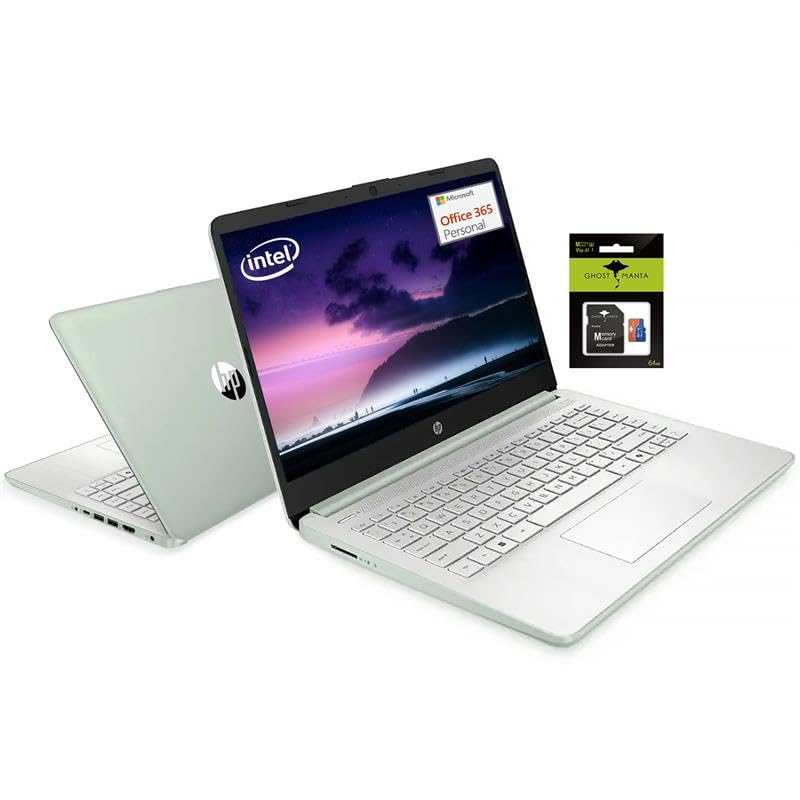
We Sells Laptop-Computer With Upgraded Configurations. If The Computer Has Modifications (Listed Above), Then The Manufacturer Box Is Opened For It To Be Tested And Inspected And To Install The Upgrades To Achieve The Specifications As Advertised. If No Modifications Are Listed, The Item Is Unopened And Untested. Defects & Blemishes Are Significantly Reduced By Our In Depth Inspection & Testing. Microprocessor:Intel Processor N150 (4 Cores, Up To 3.6 Ghz) Graphics Type: Integrated Memoryupgraded To 8Gb Ddr4 Ram Video Graphics:Intel Uhd Graphics Display:14'''' Hd (1366 X 768), Micro-Edge Wireless Connectivity:Wi-Fi 6 And Bluetooth 5 Combo External Ports: 1 X Superspeed Usb Type-C 3.0 2 X Superspeed Usb Type-A 3.0 Minimum Dimensions (W X D X H):12.76 X 8.86 X 0.71 Inches Weight:3.24 Lb Power Supply Type:45 W Ac Power Adapter Battery Type:3-Cell, 45 Wh Li-Ion Polymer Battery Life Mixed Usage:Up To 11 Hours Webcam:Hp Wide Vision 720P Hd Camera With Camera Shutter And Integrated Dual Array Digital Microphones Operating System:Windows 11 Home '' How To Switch S Mode To Windows 11 On Your Pc Running Windows 11 In S Mode, Open Settings > Update & Security > Activation. In The Switch To Windows 11 Home Or Switch To Windows 11 Pro Section, Select Go To The Store. (If You Also See An ''Upgrade Your Edition Of Windows'' Section, Be Careful Not To Click The ''Go To The Store'' Link That Appears There.) On The Switch Out Of S Mode (Or Similar) Page That Appears In The Microsoft Store, Select The Get Button. After You See A Confirmation Message On The Page, You'Ll Be Able To Install Apps From Outside Of The Microsoft Store.
⚠️ WARNING (California Proposition 65): This product may contain chemicals known to the State of California to cause cancer, birth defects, or other reproductive harm. For more information, please visit www.P65Warnings.ca.gov.
Frequently Asked Questions
Q: What are the dimensions of the HP 14" Student Laptop?A: The dimensions of the HP 14-inch Student Laptop are twelve point seven six inches in width, eight point eight six inches in depth, and zero point seven one inches in height.
Q: How much does the HP 14" Student Laptop weigh?A: The weight of the HP 14-inch Student Laptop is three point two four pounds, making it lightweight and portable for students.
Q: What type of processor does this laptop have?A: The laptop features an Intel Processor N150, which has four cores and can reach speeds up to three point six gigahertz.
Q: How do I switch from S mode to Windows 11 Home?A: To switch from S mode to Windows 11 Home, open Settings, navigate to Update & Security, then Activation, and select Go to the Store.
Q: What is the battery life of the HP 14" Student Laptop?A: The battery life of this laptop is up to eleven hours, allowing for extended usage without frequent recharging.
Q: What type of RAM is upgraded in this laptop?A: This laptop is upgraded to eight gigabytes of DDR4 RAM, providing enhanced multitasking capabilities.
Q: What storage options does the HP 14" Student Laptop offer?A: The laptop comes with one hundred ninety-two gigabytes of storage, which includes one hundred twenty-eight gigabytes of UFS storage and an additional sixty-four gigabyte MicroSD card.
Q: Is this laptop suitable for gaming?A: No, this laptop is not designed for gaming; it is optimized for everyday tasks such as browsing, streaming, and productivity applications.
Q: Can I connect external devices to this laptop?A: Yes, the laptop has multiple ports including one SuperSpeed USB Type-C and two SuperSpeed USB Type-A ports for connecting external devices.
Q: What operating system comes pre-installed on this laptop?A: The HP 14-inch Student Laptop comes pre-installed with Windows 11 Home.
Q: How do I clean the HP 14" Student Laptop?A: To clean the laptop, use a soft, lint-free cloth to wipe the screen and exterior, avoiding any harsh chemicals.
Q: What should I do if my laptop arrives damaged?A: If your laptop arrives damaged, contact customer support immediately to initiate a return or exchange process.
Q: Is there a warranty for the HP 14" Student Laptop?A: Yes, this laptop typically comes with a manufacturer's warranty; please check the specific terms and conditions.
Q: Can the battery be replaced in this laptop?A: Yes, the battery in this laptop can be replaced; refer to the manufacturer's guidelines for replacement procedures.
Q: What type of graphics does the HP 14" Student Laptop have?A: The laptop features integrated Intel UHD Graphics, suitable for basic graphic tasks and media consumption.