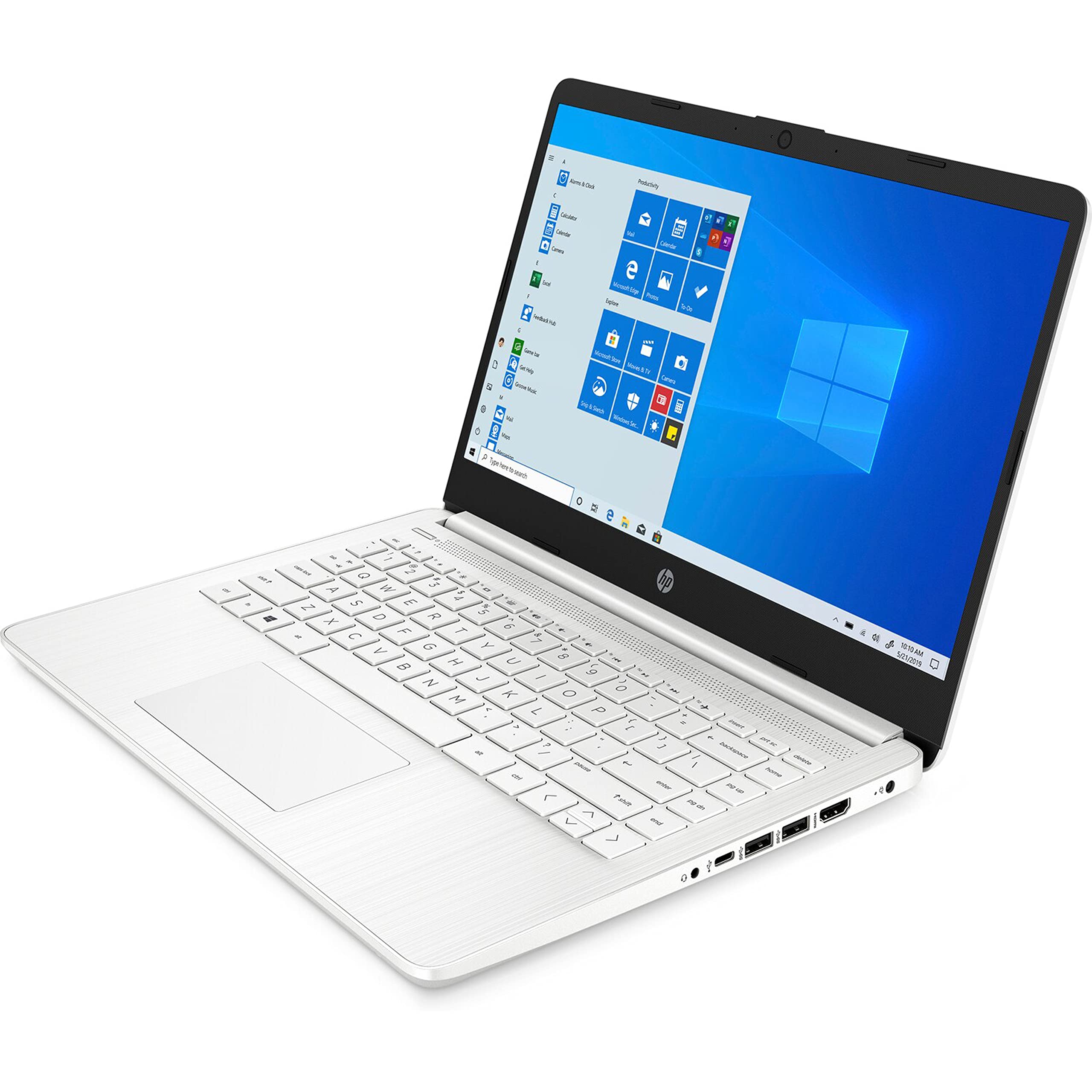
We Sell Computers With Upgraded Configurations. If The Computer Has Modifications (Listed Above), The Manufacturer Box Is Opened For Test And Inspection, And Upgrades To Achieve The Specifications As Advertised. - How To Switch S Mode To Windows. On Your Pc Running Windows 11 In S Mode, Open Settings > Update & Security > Activation. In The Switch To Windows 11 Home Or Switch To Windows 11 Pro Section, Select Go To The Store. (If You Also See An ''Upgrade Your Edition Of Windows'' Section, Be Careful Not To Click The ''Go To The Store'' Link That Appears There.) On The Switch Out Of S Mode (Or Similar) Page That Appears In The Microsoft Store, Select The Get Button. After You See A Confirmation Message On The Page, You'Ll Be Able To Install Apps From Outside Of The Microsoft Store. - Office 365 For One Year: Get Full Access To Microsoft Excel, Word, Powerpoint, Onenote, Access, And 1 Tb Of Onedrive Storage For One Year. - Processor: Amd Dual-Core 3020E (1.2 Ghz Base Clock, Up To 2.6 Ghz Max Boost Clock, 2 Cores). Display:14'' Diagonal Hd (1366 X 768), Brightview, Micro-Edge.- Storage: Dual Drive:64Gb Emmc And 1000Gb Ssd. - Memory: 16Gb Ddr4 Ram. - Graphics: Amd Radeon Graphics. - Operating System: Windows 11 Home In S Mode. - Wireless Connectivity: Bluetooth 5, Wi-Fi 5 (2X2) (802.11A/B/G/N/Ac). - Audio: Dual Stereo Speakers. - Camera: Hp True Vision 720P Hd Camera With Integrated Dual Array Digital Microphone. - Ports: 1X Usb Superspeed (Type-C) 5Gbps 2X Usb Superspeed (Type-A) 5Gbps ,1X Hdmi 1.4B, 1X Headphone/Microphone Combo, 1X Multi-Format Sd Media Card Reader. - Battery: 3-Cell, 41 Wh Li-Ion. - Weight: 3.2 Pounds. - Dimensions: 12.76 X 8.86 X 0.71 Inches. - Color: White. - Bundle With: Galliumpi Mousepad
⚠️ WARNING (California Proposition 65): This product may contain chemicals known to the State of California to cause cancer, birth defects, or other reproductive harm. For more information, please visit www.P65Warnings.ca.gov.
Frequently Asked Questions
Q: What are the dimensions of the HP 14" HD Laptop?A: The dimensions of the HP 14 inch HD Laptop are twelve point seventy-six inches by eight point eighty-six inches by zero point seventy-one inches.
Q: How much does the HP 14" HD Laptop weigh?A: The laptop weighs three point two pounds.
Q: What is the storage capacity of this laptop?A: The laptop has a total storage capacity of one thousand sixty-four gigabytes, consisting of sixty-four gigabytes of eMMC and an additional one thousand gigabyte SSD.
Q: What kind of processor does the HP 14" HD Laptop have?A: This laptop features an AMD Dual-Core 3020e processor with a base clock speed of one point two gigahertz and a maximum boost clock of up to two point six gigahertz.
Q: How much RAM does the HP 14" HD Laptop include?A: The laptop is equipped with sixteen gigabytes of DDR4 RAM.
Q: What operating system does the HP 14" HD Laptop run on?A: The laptop runs on Windows eleven Home in S mode.
Q: How do I switch out of S mode on this laptop?A: To switch out of S mode, go to Settings, then Update & Security, and select Activation. From there, click on 'Go to the Store' to follow the prompts.
Q: Is the HP 14" HD Laptop suitable for gaming?A: While the laptop features AMD Radeon Graphics, it is primarily designed for productivity tasks rather than intensive gaming.
Q: Can I install software from outside the Microsoft Store?A: Yes, after switching out of S mode, you will be able to install apps from outside the Microsoft Store.
Q: What type of connectivity options does this laptop offer?A: The laptop provides Bluetooth five and Wi-Fi five connectivity options.
Q: How do I clean and maintain the HP 14" HD Laptop?A: To clean the laptop, use a microfiber cloth and avoid using harsh chemicals. Ensure it is powered off and unplugged during cleaning.
Q: What is the battery capacity of the HP 14" HD Laptop?A: The laptop has a three-cell, forty-one watt-hour lithium-ion battery.
Q: Does the HP 14" HD Laptop come with a warranty?A: Yes, the laptop typically comes with a manufacturer's warranty, which covers defects in materials and workmanship.
Q: What should I do if my HP 14" HD Laptop arrives damaged?A: If your laptop arrives damaged, contact the retailer's customer service immediately to initiate a return or exchange.
Q: Can I upgrade the RAM or storage on this laptop?A: Upgrading the RAM or storage may be possible, but it is recommended to consult the manufacturer's guidance or a professional.
Q: What accessories are included with the HP 14" HD Laptop?A: The laptop bundle includes a GalliumPi MousePad.