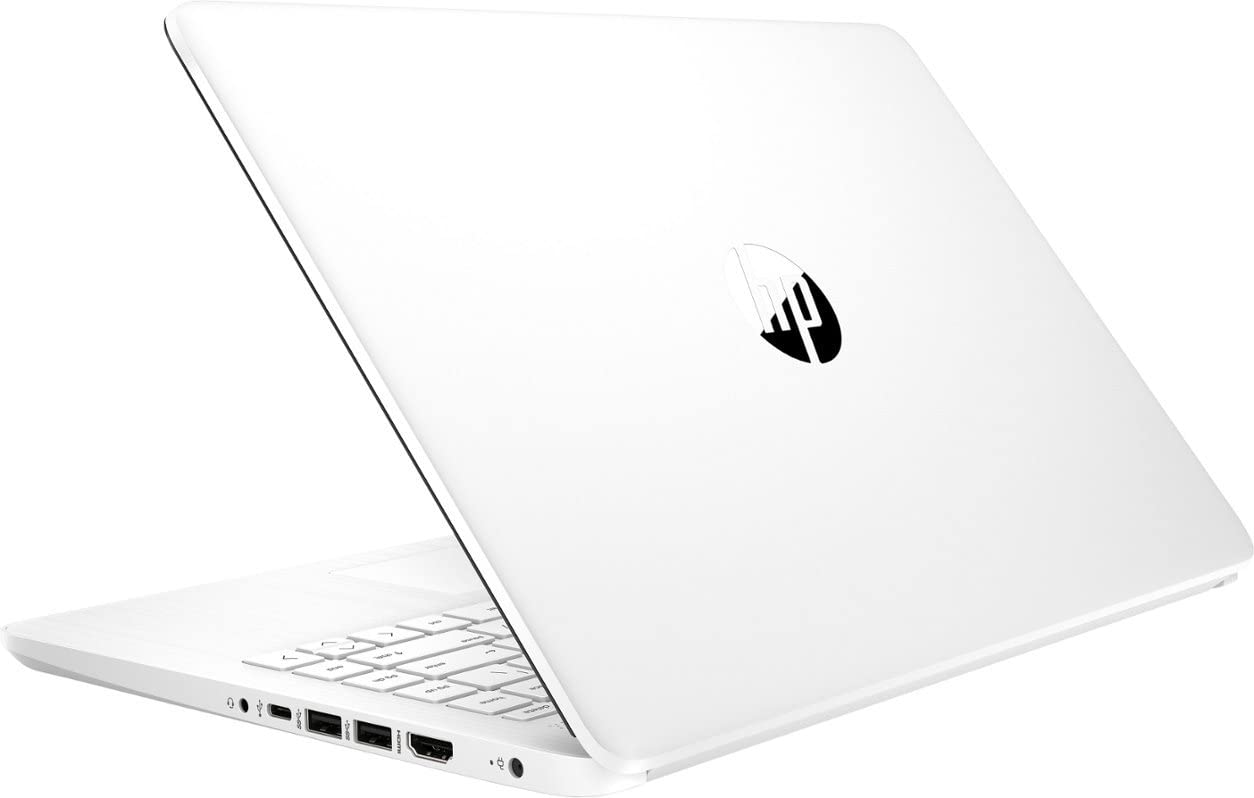
Brand: Hp Product Name: 14'' Chromebook Laptop - Intel Celeron - 4Gb Memory - 64Gb Emmc Screen Size: 14 Inches Screen Resolution: 1366 X 768 (Hd) Touch Screen: No Processor: Intel Celeron N4120 Capacity: 64 Gb Emmc Memory (Ram): 4 Gb Graphics: Intel Uhd Graphics 600 Operating System: Chrome Os Voice Assistant Built-In: No 2-In-1 Design: No Backlit Keyboard: No Color: Snowflake White Pesticide Wireless Networking: Wireless-Ac Headphone Jack: Yes Microphone Input: Yes
⚠️ WARNING (California Proposition 65): This product may contain chemicals known to the State of California to cause cancer, birth defects, or other reproductive harm. For more information, please visit www.P65Warnings.ca.gov.
Frequently Asked Questions
Q: What are the dimensions of the HP 14" Chromebook?A: The HP 14" Chromebook measures approximately twelve point seventy-six inches in length, eight point eighty-six inches in width, and zero point seventy-one inches in height.
Q: What is the weight of the HP 14" Chromebook?A: The weight of the HP 14" Chromebook is not explicitly stated, but its lightweight design makes it portable and easy to carry.
Q: What kind of processor does the HP 14" Chromebook have?A: The HP 14" Chromebook is equipped with an Intel Celeron Processor N4120, providing reliable performance for everyday tasks.
Q: How much RAM does the HP 14" Chromebook have?A: The HP 14" Chromebook comes with four gigabytes of RAM, ensuring smooth multitasking capabilities.
Q: What is the storage capacity of the HP 14" Chromebook?A: The storage capacity of the HP 14" Chromebook is sixty-four gigabytes of eMMC, allowing ample space for files and applications.
Q: What is the screen resolution of the HP 14" Chromebook?A: The screen resolution of the HP 14" Chromebook is thirteen sixty-six by seven sixty-eight pixels, which is classified as HD.
Q: How do I connect devices to the HP 14" Chromebook?A: You can connect devices to the HP 14" Chromebook through its HDMI port, Wi-Fi, and Bluetooth capabilities for versatile connectivity.
Q: Is the HP 14" Chromebook suitable for students?A: Yes, the HP 14" Chromebook is designed with students in mind, featuring a lightweight build and user-friendly Chrome OS.
Q: Can I use the HP 14" Chromebook for video streaming?A: Yes, the HP 14" Chromebook is capable of streaming videos smoothly, thanks to its Intel Celeron processor and four gigabytes of RAM.
Q: How do I clean the HP 14" Chromebook?A: To clean the HP 14" Chromebook, use a soft, dry cloth to wipe the screen and keyboard, avoiding any liquid cleaners.
Q: What should I do to maintain the battery of the HP 14" Chromebook?A: To maintain the battery of the HP 14" Chromebook, avoid letting it discharge completely and keep it charged between twenty and eighty percent.
Q: Is there a warranty for the HP 14" Chromebook?A: Yes, the HP 14" Chromebook typically comes with a manufacturer's warranty; however, check with the retailer for specific details.
Q: What if my HP 14" Chromebook arrives damaged?A: If your HP 14" Chromebook arrives damaged, you should contact the retailer immediately to initiate a return or replacement process.
Q: Does the HP 14" Chromebook have a built-in voice assistant?A: No, the HP 14" Chromebook does not come with a built-in voice assistant feature.
Q: Is the HP 14" Chromebook compatible with external displays?A: Yes, the HP 14" Chromebook can connect to external displays using its HDMI port for enhanced viewing options.