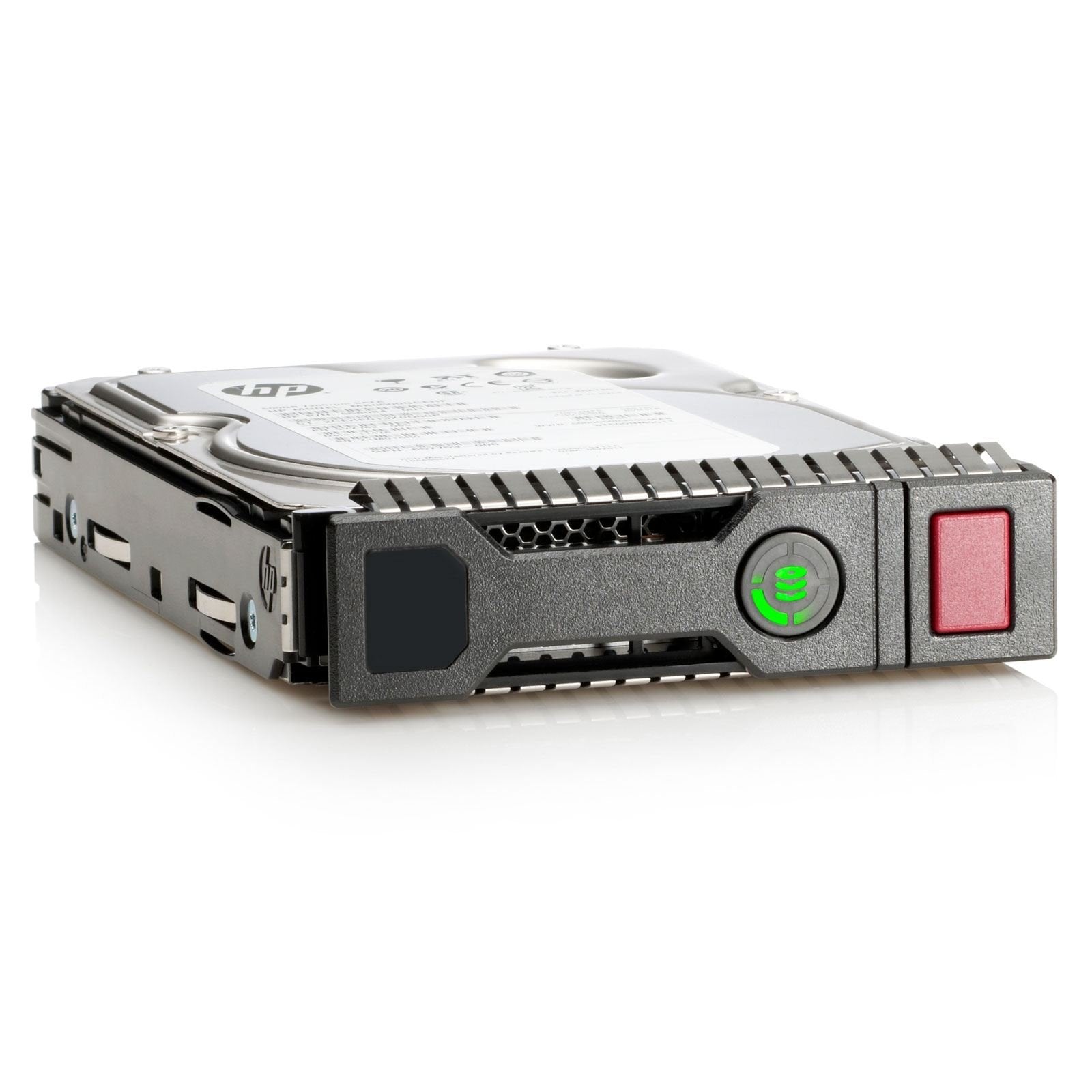
Serial Attached Scsi (Sas) Is The Logical Evolution Of Scsi, Including Its Long-Established Software Advantage And The Serial Ata (Sata) Electrical And Physical Connection Interface. With Enterprise Storage Requirements Escalating And Becoming More Complex, Factors Such As Larger Capacity, Greater Density, Security, Scalability And Accessibility Are More Critical Than Ever. Enterprise Data Centers Must Be Online All The Time, Fulfill Requests From Numerous Users Simultaneously, Allow For Constant Growth And Expansion And Be Maintained While In Operation. Serial Attached Scsi Meets All These Demands While Providing The Highest Performance.
⚠️ WARNING (California Proposition 65): This product may contain chemicals known to the State of California to cause cancer, birth defects, or other reproductive harm. For more information, please visit www.P65Warnings.ca.gov.
Frequently Asked Questions
Q: What is the storage capacity of the HP Internal Hard Drive?A: The storage capacity is one terabyte. This allows for substantial data storage, suitable for enterprise-level requirements.
Q: What are the dimensions of the HP 1 Tb Internal Hard Drive?A: The dimensions are four point seven inches in length, three inches in width, and zero point six inches in height. These compact dimensions make it easy to fit in various setups.
Q: Is the HP Internal Hard Drive compatible with all computers?A: No, compatibility may vary based on your system's specifications. Ensure your computer supports Serial Attached SCSI interfaces.
Q: How do I install the HP Internal Hard Drive?A: To install, open your computer case, connect the drive to the SAS interface, and secure it in place. Follow your hardware manual for specific instructions.
Q: Can I use this hard drive for gaming?A: Yes, this hard drive can be used for gaming. Its fast performance can enhance game loading times and overall gameplay experience.
Q: What type of data is this hard drive suitable for?A: This hard drive is suitable for enterprise-level data, backups, and high-volume storage needs. It is ideal for data centers and businesses.
Q: How should I maintain the HP Internal Hard Drive?A: Maintain by ensuring proper airflow and cooling in your system. Regularly check for software updates and perform health diagnostics.
Q: Is the HP Internal Hard Drive durable?A: Yes, it is designed for reliability and durability in demanding environments. It meets enterprise storage standards.
Q: What is the warranty on the HP Internal Hard Drive?A: The warranty typically lasts for three years. Check with the manufacturer for specific terms and conditions.
Q: What if the hard drive arrives damaged?A: Contact the seller immediately for a replacement or refund. Keep all packaging and document the damage.
Q: Can I return the HP Internal Hard Drive?A: Yes, returns are usually accepted within a specified period. Check the return policy for details.
Q: Does this hard drive require special software?A: No special software is required, but using a compatible operating system is essential for optimal performance.
Q: Is the HP Internal Hard Drive energy efficient?A: Yes, it is designed to be energy-efficient while delivering high performance. This can reduce overall power consumption.
Q: What kind of interface does this hard drive use?A: It uses a Serial Attached SCSI interface. This interface offers faster data transfer rates compared to traditional SATA.
Q: Is the HP Internal Hard Drive quiet during operation?A: Yes, it operates quietly. This feature is beneficial for environments where noise levels are a concern.
Q: Can I use this hard drive in a RAID configuration?A: Yes, it is compatible with RAID setups. This allows for enhanced performance and data redundancy.