

Cart
0


Hitachi 0F10311 2.0Tb Sata 3.0Gb/S 3.0 7200 Rpm 32Mb Buffer Hard Drive Bulk
Vendor: Hitachi
Type: Processors (CPUs)
Sku: WBEEAB01JWBBZ1A
Availability: In Stock
Couldn't load pickup availability
Guarantee safe checkout

Sold by Electroeshop, an authorized reseller.
Returns accepted within 30 days | support@electroeshop.com
Shipping Information
- Free Standard Shipping — United States only
- Processing Time: 1–3 business days
- Estimated Delivery: 3–5 business days after dispatch
- Double-boxed, fully insured & discreetly packaged
- Tracking number sent via email once dispatched
- Orders over $250 require signature upon delivery. Taxes calculated at checkout.
Returns & Refund
Returns accepted within 30 days of delivery.
Damaged or Defective Item
Free return shipping + replacement or full refund
Wrong Item Received
Free return shipping + replacement or full refund
Change of Mind
Return shipping at customer's expense · 25% restocking fee applies
All returns require a Return Authorization (RA) number before sending.
View Full Return & Refund Policy
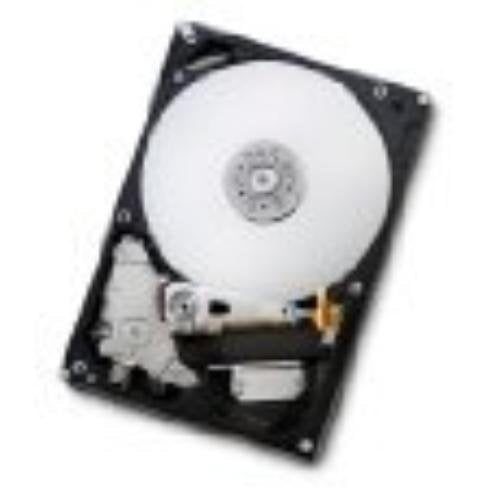
Hitachi 0F10311 2.0Tb Sata 3.0Gb/S 3.0 7200 Rpm 32Mb Buffer Hard Drive Bulk
$218.05

Frequently Asked Questions
- Q: What is the storage capacity of this hard drive? A: This hard drive has a storage capacity of two terabytes. It provides ample space for storing large files, applications, and media.
- Q: What is the RPM of the Hitachi hard drive? A: The RPM is seven thousand two hundred. This speed ensures quick data access and improved performance for your computing tasks.
- Q: What type of interface does this hard drive use? A: This hard drive uses a SATA three point zero gigabits per second interface. It is compatible with most modern motherboards and systems.
- Q: What are the dimensions of the Hitachi hard drive? A: The dimensions are five point eight inches in length, four point twenty-one inches in width, and one inch in height. This form factor is standard for internal hard drives.
- Q: What is the cache size of this hard drive? A: The cache size is thirty-two megabytes. A larger cache helps improve read and write speeds during data processing.
- Q: How do I install the Hitachi hard drive? A: To install the hard drive, you need to connect it to the SATA port on your motherboard and secure it in your computer case. Ensure you have the necessary screws and tools for installation.
- Q: Is this hard drive compatible with all computers? A: Most likely, yes. It is compatible with any desktop that has a SATA connection, but it's best to check your system specifications.
- Q: How do I format the hard drive after installation? A: You can format the hard drive by going to 'Disk Management' in your operating system, selecting the drive, and choosing the format option. Follow the prompts to complete the process.
- Q: Can I use this hard drive for gaming? A: Yes, this hard drive is suitable for gaming. Its high RPM and capacity can help improve load times for games and applications.
- Q: How do I keep the hard drive in good condition? A: To maintain the hard drive, ensure it is kept in a well-ventilated area and avoid physical shocks. Regularly backup your data to prevent loss.
- Q: Is this hard drive suitable for external use? A: No, this hard drive is not designed for external use without an enclosure. It is an internal hard drive meant for installation inside a computer.
- Q: What is the warranty period for this hard drive? A: The warranty period typically varies by retailer, but Hitachi hard drives generally come with a one to three-year warranty. Check with the seller for specifics.
- Q: What should I do if the hard drive arrives damaged? A: If the hard drive arrives damaged, you should contact the seller immediately for a return or replacement. Ensure you keep all packaging materials for the return process.
- Q: What are the power requirements for this hard drive? A: This hard drive operates on standard SATA power requirements. It typically requires five volts and twelve volts from the power supply.
- Q: Is this hard drive suitable for video editing? A: Yes, this hard drive is suitable for video editing. Its large capacity and fast speed can help accommodate the large files used in video projects.