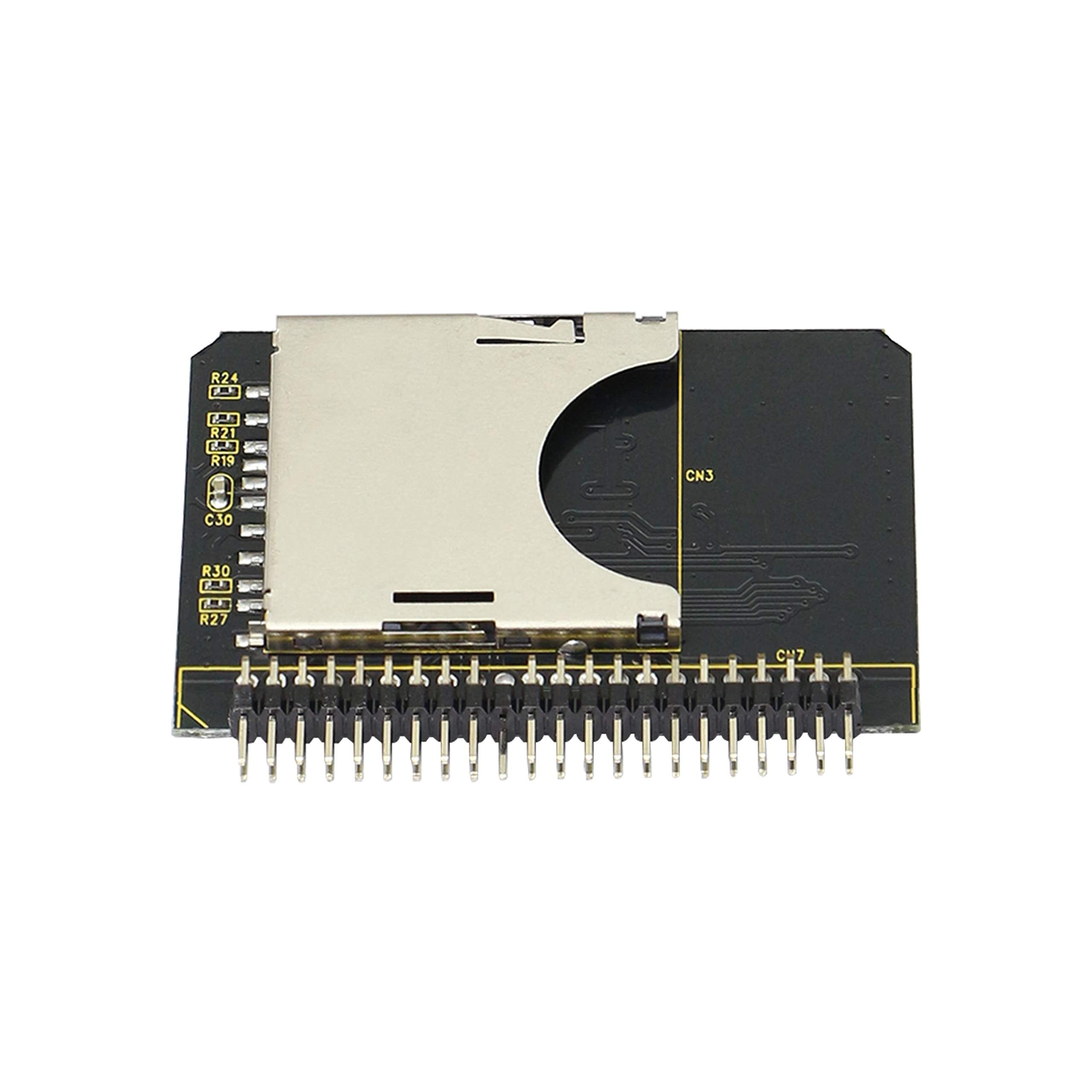
Sd Sdhc Sdxc Mmc Memory Card To Ide 2.5'' 44 Pin Male Adapter Converter Memory Card Is A Popular Mainstream Product Nowadays. This Adapter Card Allows You To Connect The Sd Card With This Advantage To The Standard Ata Ide Interface, When The Standard Ide Storage Device. Performance Features: Standard: Sd Specification Ver2.0, Ide / Ata-33 Specification; Standard Ide Interface: True Ide Mode, And Support Dma-33 Transmission Mode; Ide Interface Is 44 Pin / 2.0 Mm Male Connector; There Are Two Main Control Chips On The Board And An Sd Card Socket On The Back; Advantages: Small Occupation Area, Exquisite Design, Simple Operation; The Sd Card Can Be A Device Containing Os And Application Software, And Can Start The Device Directly; It Is Suitable For Windows 2000, Windows Xp, Windows Mac, Windows Xp, Windows 2000 Installation Instructions: First Install The Sd Card Into The Slot, And Then Connect The Hard Disk Data Cable To The Interface Of The Notebook Hard Disk. After The Power On Test Is Normal, It Can Be Operated And Used. It Is So Simple That There Is No Need To Drive Any More Weight:8G Size:53Mm*36Mm Package:Sd Card To 2.5 Inch Ide Adapter X 1
⚠️ WARNING (California Proposition 65): This product may contain chemicals known to the State of California to cause cancer, birth defects, or other reproductive harm. For more information, please visit www.P65Warnings.ca.gov.
Frequently Asked Questions
Q: What are the dimensions of the GINTOOYUN SD Card to IDE Adapter?A: The GINTOOYUN SD Card to IDE Adapter measures fifty-three millimeters by thirty-six millimeters. Its compact size makes it easy to integrate into various devices.
Q: What type of connector does this adapter use?A: This adapter features a forty-four pin male connector. It is designed to connect standard SD cards to the IDE interface.
Q: What specifications does the adapter meet?A: The adapter complies with the SD specification version two point zero and the ATA IDE thirty-three specification. This ensures reliable performance with compatible devices.
Q: How do I install the GINTOOYUN SD Card to IDE Adapter?A: To install, insert the SD card into the adapter slot, then connect the adapter to the hard disk data cable. Power on the device to test functionality.
Q: Is this adapter suitable for booting an operating system?A: Yes, this adapter can be used to boot an operating system from an SD card. It allows the SD card to function as a normal IDE hard disk.
Q: Can I use this adapter with any SD card?A: Yes, the adapter is compatible with SD, SDHC, SDXC, and MMC memory cards. This versatility allows for a wide range of storage options.
Q: How do I ensure the adapter stays in good condition?A: To maintain the adapter, store it in a dry, cool environment and avoid physical stress. Ensure proper connection to prevent damage during use.
Q: What precautions should I take when using the adapter?A: Always power off the device before connecting or disconnecting the adapter. Avoid hot-swapping to prevent potential damage to the SD card.
Q: How do I clean the GINTOOYUN SD Card to IDE Adapter?A: To clean the adapter, use a soft, dry cloth. Avoid using liquids or abrasive materials that could damage the connector or circuit board.
Q: Is this adapter easy to install for beginners?A: Yes, the installation process is straightforward and requires no additional drivers. Just insert the SD card and connect it to the hard disk data cable.
Q: Can I use this adapter for data transfer?A: Yes, the adapter allows for data storage and transfer between the SD card and IDE devices. It supports various data transfer modes.
Q: What if the adapter arrives damaged?A: If the adapter arrives damaged, contact customer support for assistance and potential replacement options. Ensure to provide proof of damage.
Q: Does this adapter have a warranty?A: Yes, the GINTOOYUN SD Card to IDE Adapter typically comes with a manufacturer's warranty. Check the product documentation for specific details.
Q: What devices can I use this adapter with?A: This adapter is suitable for use with devices that support IDE connections, including older laptops and embedded systems requiring bootable storage.
Q: Does the adapter require external power?A: No, the GINTOOYUN SD Card to IDE Adapter does not require external power. It is powered directly from the IDE interface.