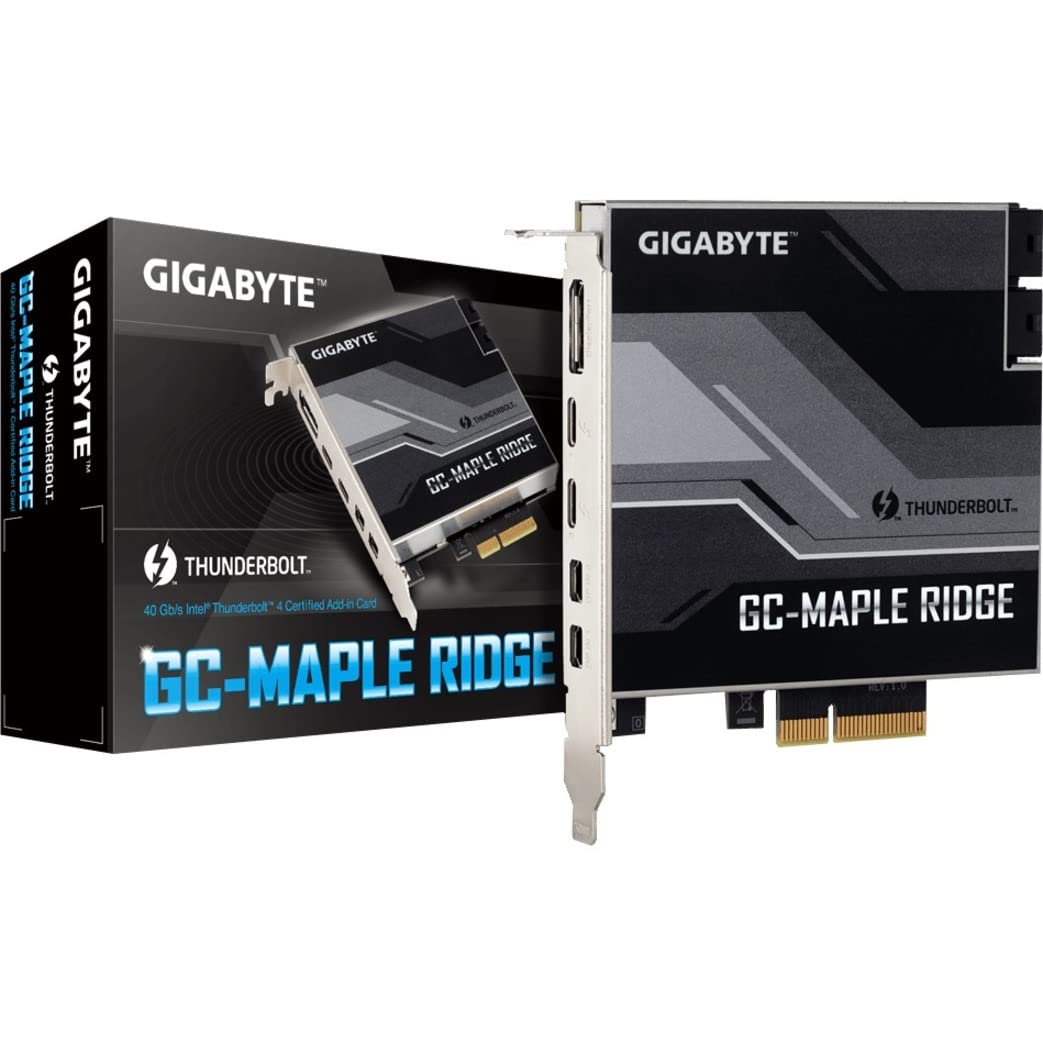
The GIGABYTE Thunderbolt 4 Certified add-in card, featuring the Intel JHL8540 Thunderbolt 4 controller, is designed to enhance your computer's connectivity and performance. Ideal for professionals and tech enthusiasts, this add-in card enables seamless data transfer and video output, making it perfect for high-demand applications such as video editing, gaming, and data backup.
Constructed with high-quality materials, this add-in card supports dual Thunderbolt 4 ports (USB Type-C), providing a maximum bandwidth of 40 Gb/s. It is DisplayPort 1.4 capable, supporting 4K video output for an immersive viewing experience. The ability to daisy-chain up to 10 devices (5 devices per port) enhances versatility, allowing users to connect multiple peripherals effortlessly. Additionally, the card supports Power Delivery 3.0 standard, enabling up to 97W of power delivery to connected devices, ensuring efficient charging and operation.
Key Features:
Intel Thunderbolt 4 Certified add-in card for reliable performance.
Intel JHL8540 Thunderbolt 4 controller for enhanced data transfer rates.
Dual Thunderbolt 4 Ports (USB Type-C) for versatile connectivity.
Max Bandwidth of 40 Gb/s for rapid file transfers.
DisplayPort 1.4 capable, supports 4K video output for high-resolution displays.
Daisy-chain capability for connecting up to 10 devices, maximizing productivity.
Supports PD3.0 standard with up to 97W power delivery for powering devices.
This GIGABYTE Thunderbolt 4 add-in card is an excellent choice for individuals seeking to enhance their system's capabilities. Whether you're a creative professional needing high-speed data transfers or a gamer wanting to connect multiple displays, this product delivers exceptional performance and versatility. Upgrade your system today with the GIGABYTE Thunderbolt 4 add-in card and experience the benefits of advanced connectivity.
⚠️ WARNING (California Proposition 65): This product may contain chemicals known to the State of California to cause cancer, birth defects, or other reproductive harm. For more information, please visit www.P65Warnings.ca.gov.
Frequently Asked Questions
Q: What are the dimensions of the GIGABYTE GC-MAPLE RIDGE?A: The dimensions are eight point twenty-seven inches in length, five point eighty-three inches in width, and two point seventeen inches in height.
Q: What is the maximum bandwidth of this Thunderbolt four card?A: The maximum bandwidth is forty gigabits per second, allowing for high-speed data transfer.
Q: Is the GIGABYTE GC-MAPLE RIDGE compatible with DisplayPort?A: Yes, it is capable of supporting DisplayPort one point four, allowing for four K video output.
Q: How many devices can I daisy-chain with this card?A: You can daisy-chain up to ten devices, with five devices per Thunderbolt four port.
Q: What is the power delivery standard supported by this card?A: It supports Power Delivery three point zero standard, providing up to ninety-seven watts.
Q: How do I install the GIGABYTE GC-MAPLE RIDGE?A: To install, insert the PCIe card into an available PCIe slot on your motherboard, ensuring it is securely fastened.
Q: Is this product suitable for gaming use?A: Yes, it is suitable for gaming as it provides high-speed data transfer and supports four K video output.
Q: Can I connect multiple displays to this card?A: Yes, you can connect multiple displays using the two Thunderbolt four ports and the DisplayPort output.
Q: Does this card require any additional drivers for installation?A: Yes, you may need to install drivers from GIGABYTE's website for optimal performance.
Q: How do I keep the GIGABYTE GC-MAPLE RIDGE in good condition?A: Keep it in a dry environment and ensure proper ventilation in your PC case to prevent overheating.
Q: What is the warranty period for this product?A: The warranty period is typically one year, but it's best to check the manufacturer's policy for specifics.
Q: What should I do if the card doesn't work after installation?A: First, ensure it's properly seated in the PCIe slot. If issues persist, consult GIGABYTE's support for troubleshooting.
Q: Is it safe to use this card with my existing hardware?A: Yes, it is designed to be compatible with most modern motherboards and systems that support PCIe.
Q: Can I return the GIGABYTE GC-MAPLE RIDGE if I am not satisfied?A: Yes, you can typically return it within a specified period if it is in original condition, as per the seller's return policy.
Q: Does this product have any hazardous materials?A: No, there are no hazardous materials listed for the GIGABYTE GC-MAPLE RIDGE.