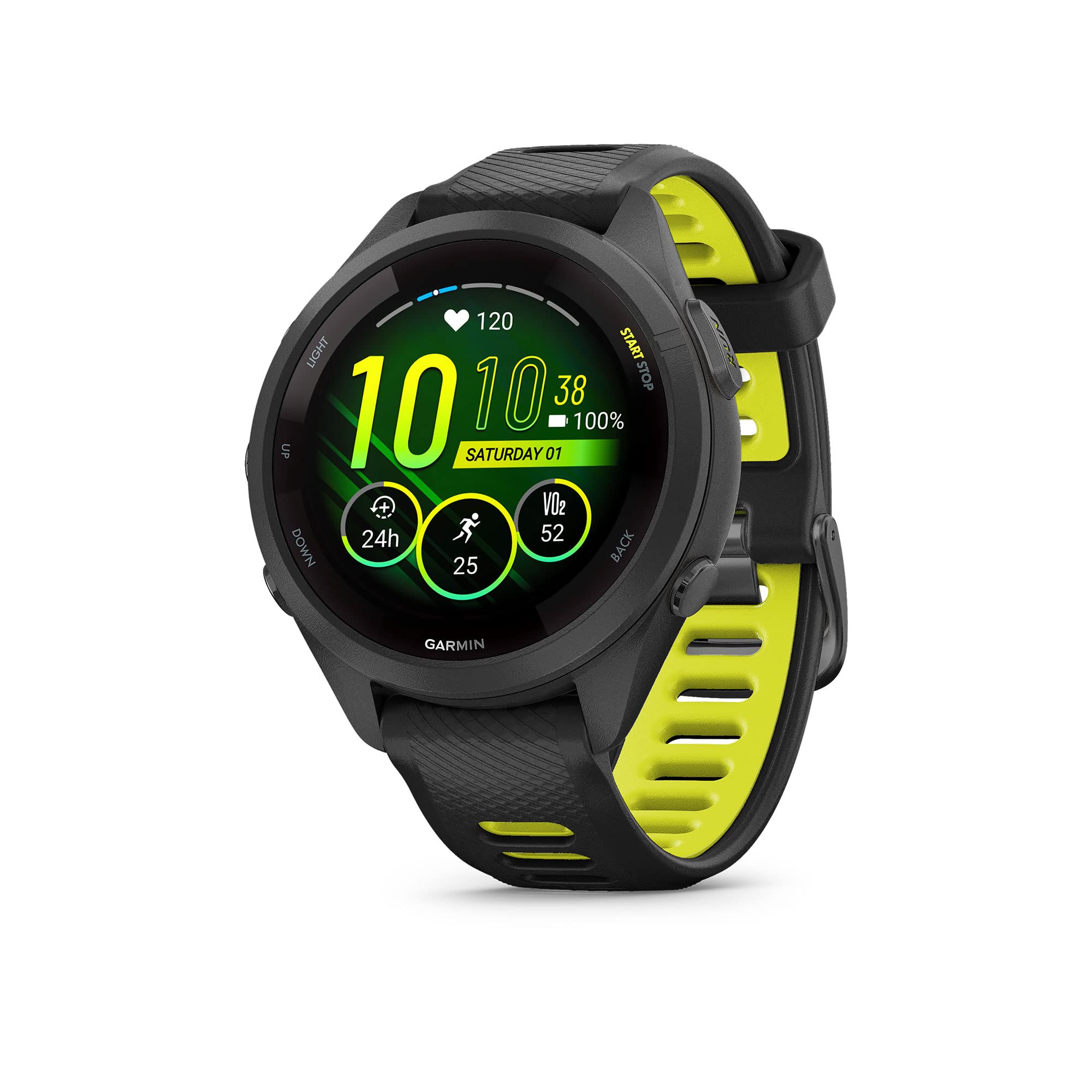
Train Brilliantly With The Smaller-Sized Forerunner 265S Gps Running Smartwatch. Its Colorful Amoled Touchscreen Display Stands Out While The Training Readiness Feature - Which Tells You When Youre Primed For A Productive Session - Helps You Crush Your Goals. Wake Up To Your Morning Report With Hrv Status To See Health Insights Alongside An Overview Of Sleep, Recovery And Training Outlook (Data Presented Is Intended To Be A Close Estimation Of Metrics Tracked). Plan Your Race Strategy With The Race Widget, Which Enables Personalized Daily Suggested Workouts That Adapt To Performance, Recovery, The Race Youre Running And Its Course. Get Ready To Make The Most Of Every Run With Wrist-Based Running Power And Multi-Band Gps. And When You Want To Switch It Up With Cross Training, Choose From More Than 30 Activity Profiles, Including Triathlons, Cycling, Swimming And More. Get A More Complete Picture Of Your Health, Not Just A Glimpse, From Your Forerunner 265S With Up To 15 Days Of Battery Life In Smartwatch Mode.
⚠️ WARNING (California Proposition 65): This product may contain chemicals known to the State of California to cause cancer, birth defects, or other reproductive harm. For more information, please visit www.P65Warnings.ca.gov.
Frequently Asked Questions
Q: What is the size of the Garmin Forerunner 265S Smartwatch?A: The Garmin Forerunner 265S has a size of forty-two millimeters. It is designed specifically for smaller wrists, providing a comfortable fit.
Q: What is the battery life of the Garmin Forerunner 265S?A: The battery life lasts up to fifteen days in smartwatch mode. In GPS mode, it lasts up to twenty-four hours, ensuring long-lasting performance.
Q: What features does the Garmin Forerunner 265S offer?A: The smartwatch includes a colorful AMOLED display and over thirty built-in activity profiles. It also features training readiness and HRV status for health insights.
Q: How do I charge the Garmin Forerunner 265S?A: To charge the Garmin Forerunner 265S, connect the device to a compatible charging cable. Ensure the watch is securely attached to the charger for optimal charging.
Q: How do I set up the Garmin Forerunner 265S?A: To set up the smartwatch, download the Garmin Connect app and follow the on-screen instructions. Pair the watch with your smartphone for full functionality.
Q: Can I swim with the Garmin Forerunner 265S?A: Yes, the Garmin Forerunner 265S is suitable for swimming. It features swim tracking and is designed to withstand water exposure.
Q: How do I care for the Garmin Forerunner 265S?A: To care for your Garmin Forerunner 265S, regularly clean it with a soft, damp cloth. Avoid exposing it to harsh chemicals or extreme temperatures.
Q: Is the Garmin Forerunner 265S safe for outdoor activities?A: Yes, it includes safety features like incident detection and Assistance. These features alert emergency contacts during select outdoor activities.
Q: What is the warranty for the Garmin Forerunner 265S?A: The Garmin Forerunner 265S typically comes with a one-year limited warranty. Be sure to check the specific terms at the time of purchase.
Q: What should I do if my Garmin Forerunner 265S is not charging?A: If the smartwatch is not charging, ensure the charger is properly connected and the outlet is functional. Try using another charger if the issue persists.
Q: How does the Garmin Forerunner 265S compare to other Garmin watches?A: The Garmin Forerunner 265S is designed for runners and features specific training metrics. It may be more lightweight and compact than other Garmin models.
Q: Is the Garmin Forerunner 265S compatible with Android and Apple devices?A: Yes, the Garmin Forerunner 265S is compatible with both Android and Apple smartphones. This allows for seamless notifications and app integration.
Q: Does the Garmin Forerunner 265S have a sleep tracking feature?A: Yes, the smartwatch provides sleep tracking insights. It analyzes sleep quality and offers a morning report with health metrics.
Q: How do I reset the Garmin Forerunner 265S?A: To reset the smartwatch, go to Settings, select System, and choose Reset. Follow the prompts to restore factory settings if needed.
Q: What materials are used in the Garmin Forerunner 265S?A: The Garmin Forerunner 265S features a lightweight design with a plastic case. It includes a durable silicone strap for comfort during activities.