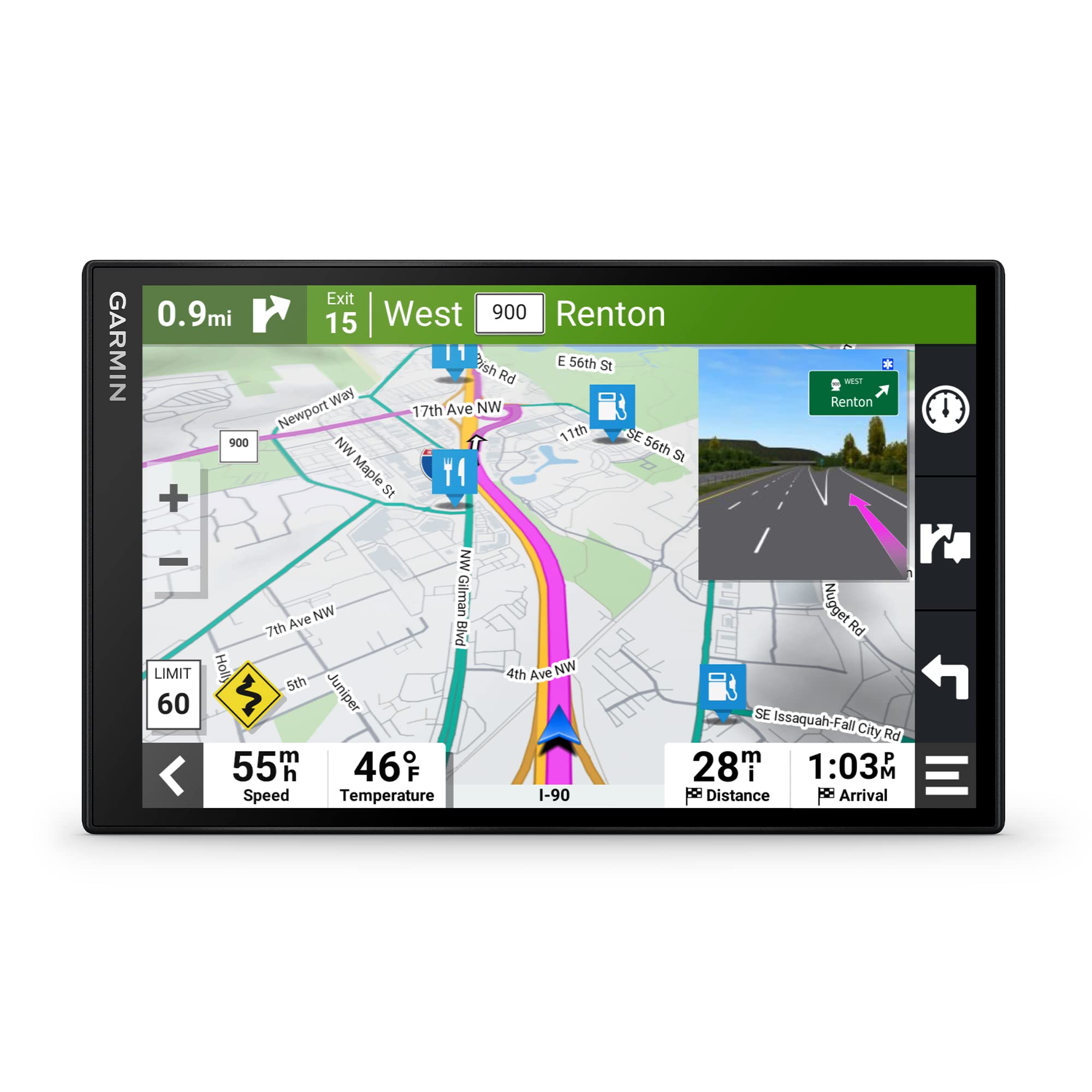
Simplify Your Drive With The Garmin Drivesmart 86 Gps Navigator. Use Garmin Voice Assist To Easily Find And Navigate Where You Want To Go. The Crisp 8 Dual-Orientation Display And Map Updates Of North America Show You The Way, Providing Alerts For Speed Changes And Potential Hazards Ahead. Make The Most Of Road Trips With Tripadvisor Traveler Ratings, A Directory Of U.S. National Parks And The History Database Of Notable Sites. Pair With The Garmin Drive App Running On Your Compatible Smartphone For On-Screen Access To Live Traffic, Fuel Prices, Parking, Weather And Traffic Cams To Help Avoid Delays And Keep You On Your Way. With Alexa Built-In (Drivers Should Focus On Driving And Only Use This Function When Safe To Do So. Must Pair With The Garmin Drive App Running On Your Compatible Phone), You Can Ask To Play Music, Listen To Audiobooks, Hear The News And More - All While You Keep Your Hands On The Wheel And Eyes On The Road.
⚠️ WARNING (California Proposition 65): This product may contain chemicals known to the State of California to cause cancer, birth defects, or other reproductive harm. For more information, please visit www.P65Warnings.ca.gov.
Frequently Asked Questions
Q: What is the display size of the Garmin DriveSmart 86?A: The display size is eight inches. This high-resolution dual-orientation screen provides clear and detailed maps for easy navigation.
Q: What colors does the Garmin DriveSmart 86 come in?A: The Garmin DriveSmart 86 is available in black. This sleek color complements any vehicle interior.
Q: What features does the Garmin DriveSmart 86 offer?A: The device offers features like voice assist, live traffic updates, and driver alerts. These functionalities are designed to enhance your driving experience.
Q: How do I install the Garmin DriveSmart 86?A: Installation involves mounting the GPS on your dashboard or windshield using the included bracket. Make sure it's securely attached for optimal visibility while driving.
Q: Can I use the Garmin DriveSmart 86 without a smartphone?A: Yes, you can use it independently, but pairing with a smartphone enhances its features. Access live traffic and weather updates through the Garmin Drive app.
Q: Is the Garmin DriveSmart 86 suitable for long road trips?A: Yes, it is ideal for long road trips. It includes features like Tripadvisor ratings and a national parks directory to enrich your travel experience.
Q: How do I keep the Garmin DriveSmart 86 clean?A: To clean the device, use a soft, dry cloth. Avoid using harsh chemicals or abrasive materials to prevent damage to the screen.
Q: How do I update the Garmin DriveSmart 86 maps?A: You can update maps through built-in Wi-Fi connectivity. This allows for easy updates without needing a computer.
Q: What should I do if my Garmin DriveSmart 86 doesn’t turn on?A: If it doesn’t turn on, check the power connection and ensure the device is charged. If issues persist, consult the user manual or customer support.
Q: Can I make phone calls using the Garmin DriveSmart 86?A: Yes, you can make hands-free calls when paired with a compatible smartphone. This feature allows for safer communication while driving.
Q: Does the Garmin DriveSmart 86 provide traffic alerts?A: Yes, it provides live traffic alerts. This helps you avoid delays and choose the best routes based on current conditions.
Q: How does Garmin voice assist work?A: Garmin voice assist allows you to navigate using voice commands. This feature keeps your hands on the wheel and eyes on the road.
Q: Is the Garmin DriveSmart 86 waterproof?A: No, the Garmin DriveSmart 86 is not waterproof. It's essential to keep it away from water to prevent damage.
Q: What size is the Garmin DriveSmart 86?A: The dimensions are approximately four point six nine inches in length, zero point seven nine inches in width, and seven point six inches in height.
Q: What is included with the Garmin DriveSmart 86?A: The package includes the GPS navigator, a dual USB charger, and a mounting bracket. This ensures you have everything needed for installation and use.
This Garmin GPS is fantastic! The 8-inch screen is perfect for viewing maps and the voice assist makes it super easy to navigate without taking my hands off the wheel. I’ve used it for several trips now, and it hasn’t let me down. Would buy again!
S
Simone Lee
Good navigation but lacks customization
The mapping and driving directions from the Garmin DriveSmart 86 are very accurate. I like using the voice assist, but I find the customization options a bit lacking. I wish there were more ways to personalize routes and map views.
E
Ethan Ng
Solid performance but some quirks
The Garmin DriveSmart 86 has good map resolution and is easy to read while driving. I do wish the voice assist was a little more responsive, though. Sometimes it takes a couple of tries to get it to recognize my commands. No major complaints otherwise.
A
Anika Sharma
Decent GPS, but arrived with a scratch
The Garmin DriveSmart 86 has great features and the maps are really detailed. Unfortunately, mine arrived with a small scratch on the screen, which was a bit disappointing. It still works fine, but I wish it had been in perfect shape out of the box.
M
Maria Gonzalez
Great GPS with clear maps
I bought the Garmin DriveSmart 86 for my road trips, and it’s been a lifesaver! The 8-inch screen is bright and the maps are super detailed. It makes navigating so much easier, especially with Garmin’s voice assist feature. Just what I needed!