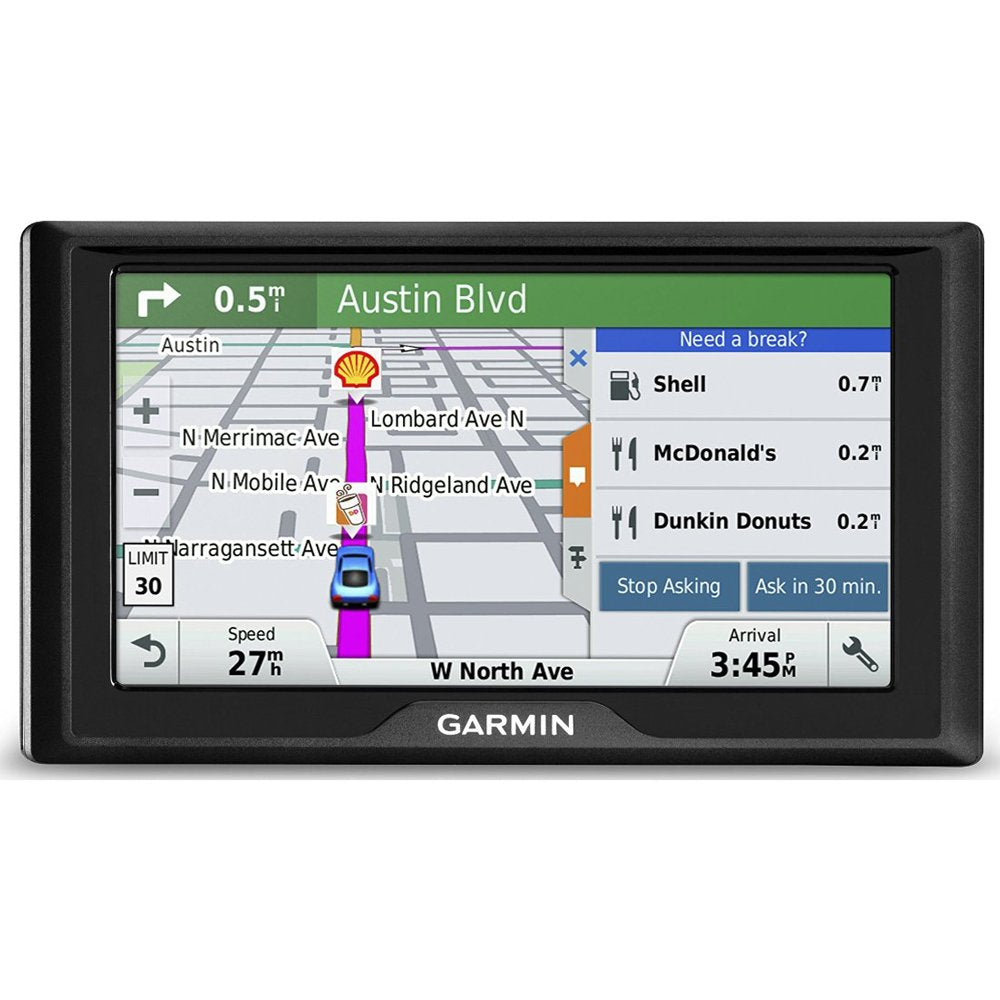
Garmin Drive 60 Usa+Can Lm Is A 6-Inch Gps Navigator Featuring Spoken Turn-By-Turn Directions, Lifetime Maps Of The U.S. And Canada, Plus The Latest In Garmin Driver Alerts To Increase Situational Awareness And Encourage Safer Driving. Features New Driver Alerts For Upcoming Sharp Curves, Fatigue Warnings, Speed Changes, Railroad Crossings, And So Much More. Receive Alerts For Nearby Red Light And Speed Cameras. Garmin Real Directions Feature Guides Using Landmarks And Traffic Lights. Preloaded With Millions Of More New And Popular Places Thanks To Foursquare. New Driver Awareness Warnings Make Garmin Drive The Watchful Companion To Your Daily Commute.
⚠️ WARNING (California Proposition 65): This product may contain chemicals known to the State of California to cause cancer, birth defects, or other reproductive harm. For more information, please visit www.P65Warnings.ca.gov.
Frequently Asked Questions
Q: What are the dimensions of the Garmin Drive 60 GPS?A: The Garmin Drive 60 GPS measures six point seven inches in length, zero point eight inches in width, and three point seven inches in height.
Q: What is the screen size of the Garmin Drive 60 GPS?A: The screen size of the Garmin Drive 60 GPS is six inches, providing a clear view for navigation.
Q: What type of batteries does the Garmin Drive 60 use?A: The Garmin Drive 60 uses lithium ion batteries, which are packed with the equipment for optimal performance.
Q: How do I set up the Garmin Drive 60 GPS?A: To set up your Garmin Drive 60 GPS, simply plug it into a power source, turn it on, and follow the on-screen prompts to select your preferred language and set your preferences.
Q: Can I use the Garmin Drive 60 for international travel?A: Yes, the Garmin Drive 60 GPS includes lifetime maps of the U.S. and Canada, making it suitable for travel in those regions.
Q: Is the Garmin Drive 60 easy to operate?A: Yes, the Garmin Drive 60 is designed to be easy to use, displaying the current street, speed, speed limit, and arrival time clearly.
Q: How do I update the maps on my Garmin Drive 60?A: To update the maps on your Garmin Drive 60, connect the device to your computer and use the Garmin Express application to download and install the latest maps.
Q: What safety features does the Garmin Drive 60 offer?A: The Garmin Drive 60 provides various driver alerts, including warnings for sharp curves, speed changes, and nearby red light and speed cameras.
Q: Can I mount the Garmin Drive 60 on my car's dashboard?A: Yes, the Garmin Drive 60 can be mounted on a car's dashboard using a suitable dashboard mount that secures its position during travel.
Q: What should I do if the Garmin Drive 60 won't turn on?A: If the Garmin Drive 60 won't turn on, ensure that it is charged and connected to a power source. If the issue persists, try resetting the device.
Q: Does the Garmin Drive 60 come with a warranty?A: Yes, the Garmin Drive 60 typically comes with a manufacturer's warranty, which covers defects in materials and workmanship.
Q: How do I clean the screen of the Garmin Drive 60?A: To clean the screen of the Garmin Drive 60, use a soft, lint-free cloth slightly dampened with water or a screen cleaner specifically designed for electronics.
Q: Is the Garmin Drive 60 suitable for truck drivers?A: The Garmin Drive 60 is not specifically designed for truck drivers, but its features can be beneficial for everyday navigation.
Q: What makes the Garmin Real Directions feature unique?A: The Garmin Real Directions feature provides guidance using recognizable landmarks, buildings, and traffic lights, making navigation more intuitive.
Q: How can I contact customer support for the Garmin Drive 60?A: You can contact Garmin customer support through their official website, where you can find assistance via phone, email, or live chat.