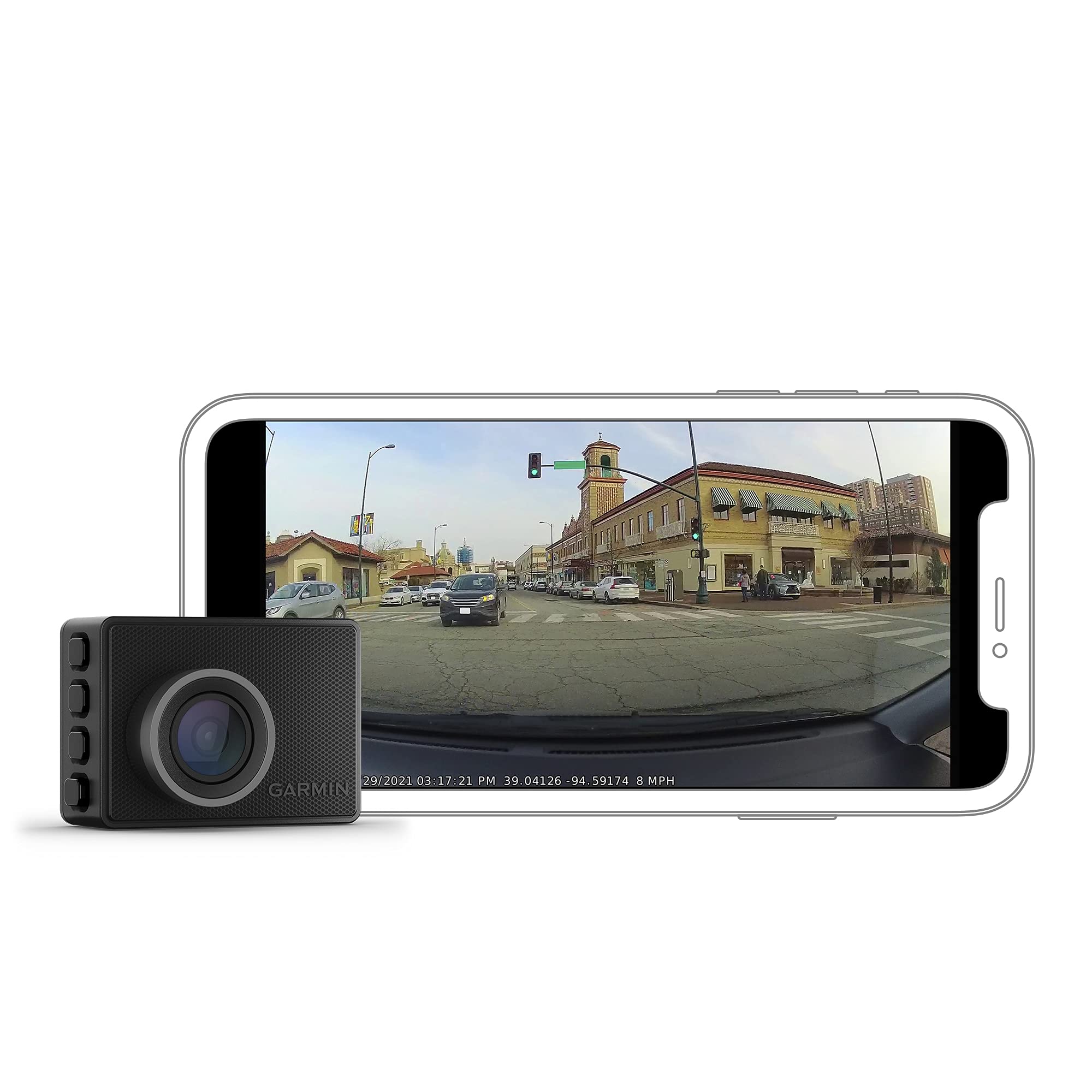
Small Camera, Big Protection. The Pocket-Sized Garmin Dash Cam 47 With Voice Control (Only Available In English, German, French, Spanish, Italian And Swedish) And Wide 140-Degree Lens Automatically Records 1080P Hd Video And Provides Discreet Eyewitness Incident Detection. Notice: Some Jurisdictions Regulate Or Prohibit Use Of This Device. It Is Your Responsibility To Know And Comply With Applicable Laws And Rights To Privacy In Jurisdictions Where You Plan To Use This Device.
⚠️ WARNING (California Proposition 65): This product may contain chemicals known to the State of California to cause cancer, birth defects, or other reproductive harm. For more information, please visit www.P65Warnings.ca.gov.
Frequently Asked Questions
Q: What are the dimensions of the Garmin Dash Cam 47?A: The Garmin Dash Cam 47 measures two point twenty-one inches long, one point fifty-nine inches wide, and zero point eighty-four inches high. These compact dimensions make it easy to mount discreetly on your windshield.
Q: What video resolution does the Garmin Dash Cam 47 support?A: The Garmin Dash Cam 47 records video in 1080p HD resolution. This high-definition quality ensures clear and detailed footage of incidents.
Q: What is the lens field of view for the Garmin Dash Cam 47?A: The lens field of view for the Garmin Dash Cam 47 is one hundred forty degrees. This wide angle helps capture more of the surroundings while driving.
Q: How do I operate the voice control feature?A: To operate voice control, simply use spoken commands in English, German, French, Spanish, Italian, or Swedish. This allows you to save video, take pictures, and start or stop audio recording hands-free.
Q: Can I access the camera remotely?A: Yes, you can access the Garmin Dash Cam 47 remotely for live view monitoring. This requires constant power and an active Wi-Fi connection through the Garmin Drive app.
Q: Is the Garmin Dash Cam 47 suitable for all vehicles?A: Yes, the Garmin Dash Cam 47 is designed to be mounted in virtually any vehicle. It features a durable design to withstand harsh vehicle environments.
Q: How should I clean the Garmin Dash Cam 47?A: To clean the Garmin Dash Cam 47, use a soft, lint-free cloth. Avoid using harsh chemicals or abrasive materials that could scratch the lens.
Q: What should I do if the device isn't recording properly?A: If the Garmin Dash Cam 47 isn't recording, check if the memory card is properly inserted and has enough storage space. Ensure the device is powered and connected to Wi-Fi for cloud features.
Q: What is the warranty on the Garmin Dash Cam 47?A: The Garmin Dash Cam 47 typically comes with a one-year limited warranty. This covers defects in materials and workmanship, but does not cover accidental damage.
Q: Can I use the dash cam without Wi-Fi?A: Yes, you can use the Garmin Dash Cam 47 without Wi-Fi for recording video. However, certain features, like video uploads to the cloud, require a Wi-Fi connection.
Q: Does the Garmin Dash Cam 47 have a parking guard feature?A: Yes, the Garmin Dash Cam 47 includes a parking guard feature. This feature monitors activity around your parked vehicle and alerts you if an incident is detected.
Q: Is the device safe to use in all jurisdictions?A: No, the use of the Garmin Dash Cam 47 may be regulated or prohibited in some jurisdictions. It is your responsibility to know and comply with local laws regarding recording.
Q: What materials are used in the Garmin Dash Cam 47?A: The Garmin Dash Cam 47 is primarily made of durable plastics designed to withstand heat and sunlight. Additionally, it contains lithium-ion batteries for power.
Q: How do I share videos recorded by the Garmin Dash Cam 47?A: You can share videos recorded by the Garmin Dash Cam 47 via the Garmin Drive app, which allows you to access saved videos uploaded to the secure online Vault.
Q: What types of driver alerts does the Garmin Dash Cam 47 provide?A: The Garmin Dash Cam 47 provides driver alerts for forward collision warnings, lane departure warnings, and speed camera alerts to enhance situational awareness.