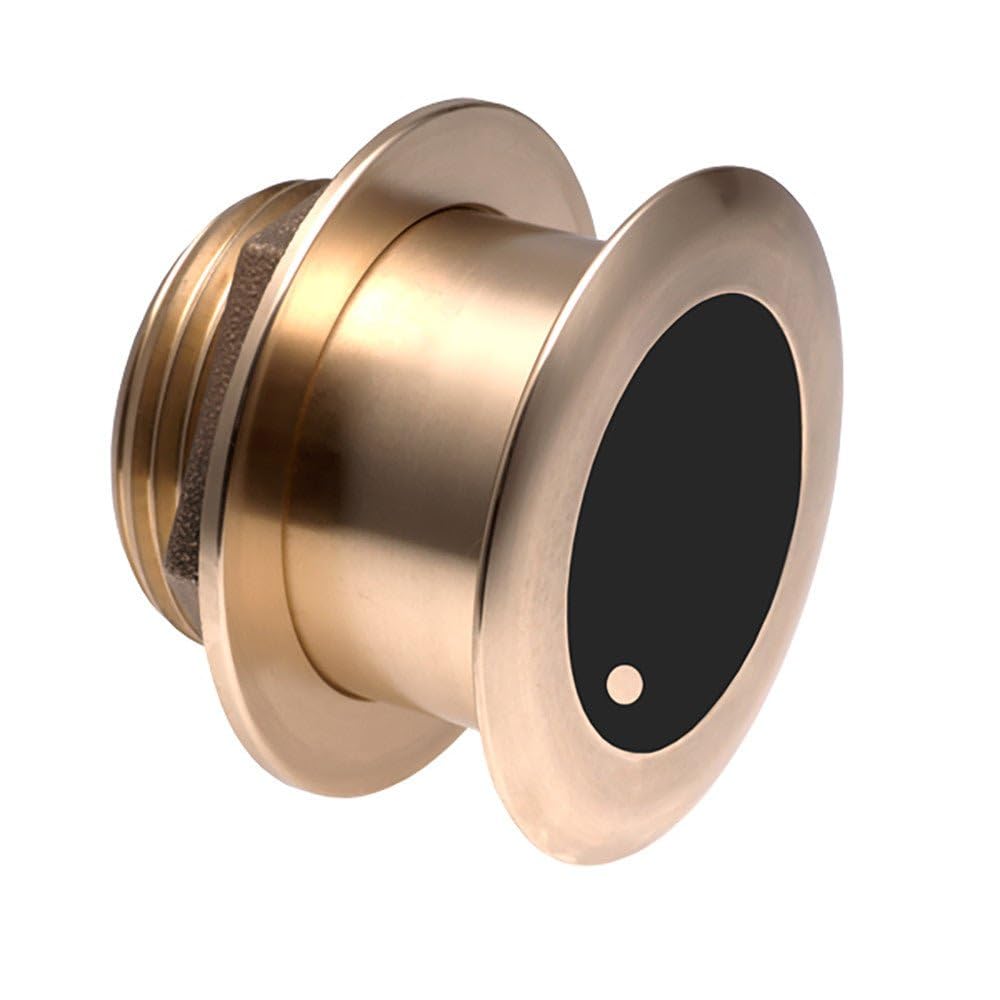
Airmar B175Hw/12 Tilt1Kwflush-Mounted Bronze Housing Protrudes Less Than 1/4'' Outside Hull And Can Sit On Trailer Rollers/Bunks Without Damage. Tilted Element Inside The Transducer Accommodates All Hull Deadrises And Eliminates The Need For A Fairing Block. Low, Medium, And High Frequency Versions Provide Maximum Flexibility For The Choice Of Frequencies. Excellent For Fiberglass And Wood Depth - 3,000'Suppoarted Deadrise/Transom Angles - 8-15 Deadrise
⚠️ WARNING (California Proposition 65): This product may contain chemicals known to the State of California to cause cancer, birth defects, or other reproductive harm. For more information, please visit www.P65Warnings.ca.gov.
Frequently Asked Questions
Q: What are the dimensions of the Garmin B175H Transducer?A: The Garmin B175H Transducer measures eight inches in height, twelve inches in length, and ten inches in width. These compact dimensions make it suitable for various marine applications.
Q: What is the maximum depth capability of the transducer?A: The maximum depth capability of the Garmin B175H Transducer is three thousand feet. This allows for effective sonar readings in deep water conditions.
Q: What is the model number of this transducer?A: The model number for this transducer is zero one zero dash one one nine three seven dash two one. This identifier helps in ensuring compatibility and support.
Q: How do I install the Garmin B175H Transducer?A: To install the Garmin B175H Transducer, flush mount it to the hull using the provided instructions. The tilted element accommodates various hull deadrises without needing a fairing block.
Q: Is this transducer suitable for fiberglass hulls?A: Yes, the Garmin B175H Transducer is excellent for fiberglass hulls. Its design ensures optimal performance and compatibility with different hull materials.
Q: What angles does the transducer support for installation?A: The transducer supports deadrise or transom angles ranging from eight degrees to fifteen degrees. This versatility allows for better installation on various boat types.
Q: How do I care for the Garmin B175H Transducer?A: To care for the Garmin B175H Transducer, regularly inspect it for any signs of damage or wear. Clean it gently with fresh water to remove any salt and debris.
Q: Is the Garmin B175H Transducer made of durable materials?A: Yes, the Garmin B175H Transducer features a bronze housing that is durable and corrosion-resistant. This material ensures longevity and reliability in marine environments.
Q: How should I store the transducer when not in use?A: When not in use, store the Garmin B175H Transducer in a dry, cool place, avoiding exposure to extreme temperatures. Proper storage helps maintain its functionality.
Q: Can I use this transducer on wood hulls?A: Yes, the Garmin B175H Transducer is suitable for wood hulls. Its design is optimized for various materials, ensuring effective sonar performance.
Q: What features does the Garmin B175H Transducer offer?A: The Garmin B175H Transducer offers low, medium, and high frequency versions for maximum flexibility. This allows users to choose the frequency that best suits their needs.
Q: What if the transducer arrives damaged?A: If the transducer arrives damaged, contact customer support for assistance. They will guide you through the return process and provide a replacement if necessary.
Q: Does this transducer have a warranty?A: Yes, the Garmin B175H Transducer typically comes with a limited warranty. Check the packaging or the manufacturer's website for specific warranty details.
Q: Is the Garmin B175H Transducer easy to install for beginners?A: Yes, the Garmin B175H Transducer is designed with user-friendly installation in mind. Beginners can follow the provided instructions for a successful setup.
Q: How does the transducer perform in various water conditions?A: The Garmin B175H Transducer performs exceptionally well in different water conditions, providing accurate readings in both calm and turbulent waters.
Q: What should I do if I have issues during installation?A: If you encounter issues during installation, refer to the user manual for troubleshooting tips. You can also contact customer support for further assistance.