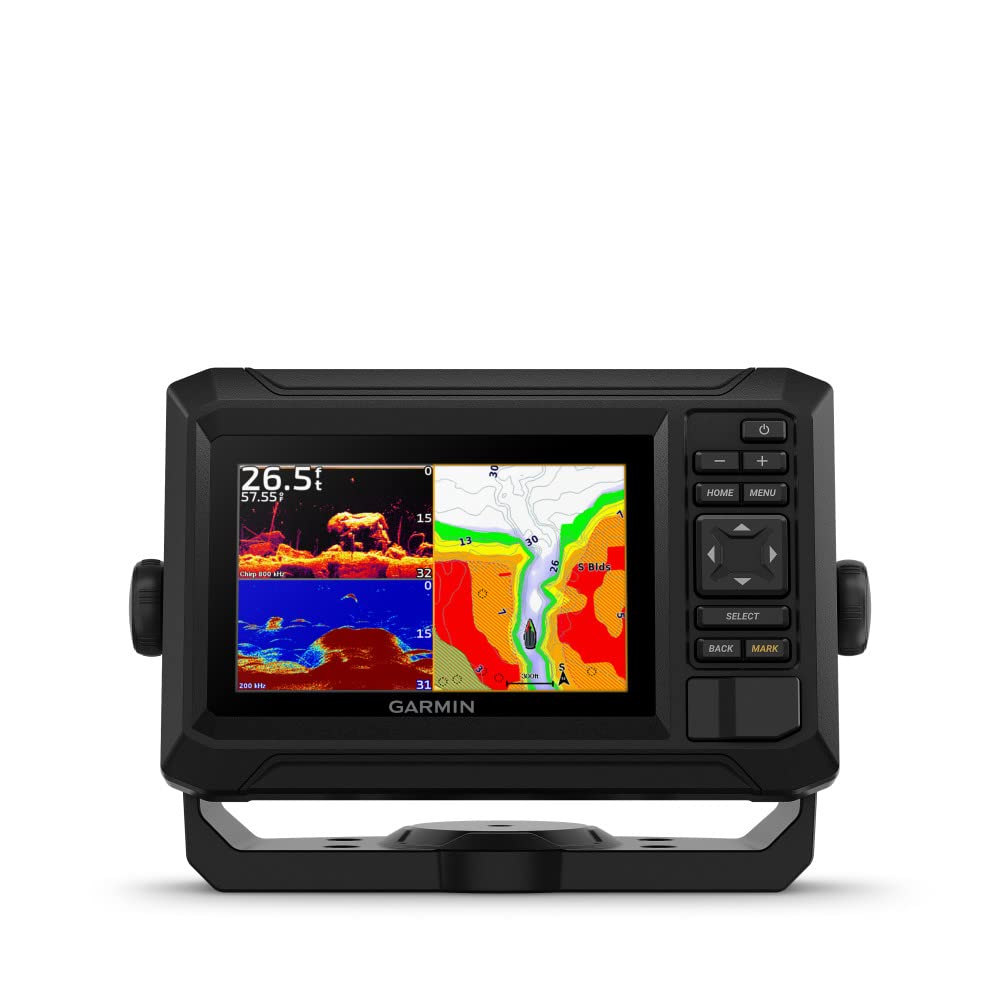
Why Talk To A Local When You Can Fish Like One? They Say Locals Know Best. But Anyone Who Says That Hasnt Fished With The Echomap Uhd2 Chartplotters With Clear, Crisp Sonar And Mapping. The Bright Keyed Display Is Made For Convenience. Get Double The Views With Garmin Chirp Traditional And Clearv Scanning Sonars. Whats Under The Water Looks Even Better With High-Contrast Vivid Color Palettes. Wi-Fi Connectivity Between Compatible Chartplotters Makes It Easy To Share Info. Enjoy No. 1 In Mapping With Our Lakev G3 And Bluechart Maps With Navionics Data.
⚠️ WARNING (California Proposition 65): This product may contain chemicals known to the State of California to cause cancer, birth defects, or other reproductive harm. For more information, please visit www.P65Warnings.ca.gov.
Frequently Asked Questions
Q: What is the screen size of the Garmin ECHOMAP UHD2?A: The screen size is five inches. This size provides a clear and concise view of maps and sonar readings.
Q: What type of display does the Garmin ECHOMAP UHD2 use?A: It uses a bright keyed display. This design enhances visibility, especially in bright outdoor conditions.
Q: What sonar technology does the Garmin ECHOMAP UHD2 support?A: It supports Garmin CHIRP traditional and ClearVü scanning sonars. This technology allows for enhanced fish detection and underwater imaging.
Q: What maps are preloaded on the Garmin ECHOMAP UHD2?A: It includes built-in LakeVü g3 inland maps and BlueChart g3 coastal charts. These maps provide detailed navigation for various bodies of water.
Q: What is the color of the Garmin ECHOMAP UHD2?A: The color is black. This neutral tone helps the device blend well with various boat interiors.
Q: How do you connect the Garmin ECHOMAP UHD2 to other devices?A: It connects via Wi-Fi. This feature allows users to share data with other compatible Garmin chartplotters.
Q: How do I install the Garmin ECHOMAP UHD2?A: Installation involves mounting the chartplotter in a suitable location on your boat and connecting the power supply. Detailed instructions are included in the product manual.
Q: Is the Garmin ECHOMAP UHD2 suitable for beginners?A: Yes, it is suitable for both beginners and experienced users. Its user-friendly interface makes navigation and sonar use accessible to all skill levels.
Q: How do I operate the sonar features of the Garmin ECHOMAP UHD2?A: You operate the sonar features through the touchscreen display. Select the sonar mode you want to use, and the device will display real-time underwater information.
Q: How should I care for the Garmin ECHOMAP UHD2?A: Keep it clean and dry. Regularly wipe the screen with a soft cloth, and avoid exposing it to harsh chemicals or prolonged moisture.
Q: Does the Garmin ECHOMAP UHD2 require any special maintenance?A: No special maintenance is required. Just ensure it is kept clean and stored properly when not in use.
Q: What should I do if my Garmin ECHOMAP UHD2 arrives damaged?A: Contact the retailer immediately for support. Most retailers will assist you with exchanges or returns for damaged items.
Q: What warranty does the Garmin ECHOMAP UHD2 come with?A: It typically comes with a one-year limited warranty. This covers defects in materials and workmanship under normal use.
Q: Can I use the Garmin ECHOMAP UHD2 in saltwater?A: Yes, it is suitable for saltwater use. However, rinsing it with fresh water after exposure is recommended to prevent corrosion.
Q: Is the Garmin ECHOMAP UHD2 waterproof?A: Yes, it is designed to be water-resistant. However, it should not be submerged in water for extended periods.