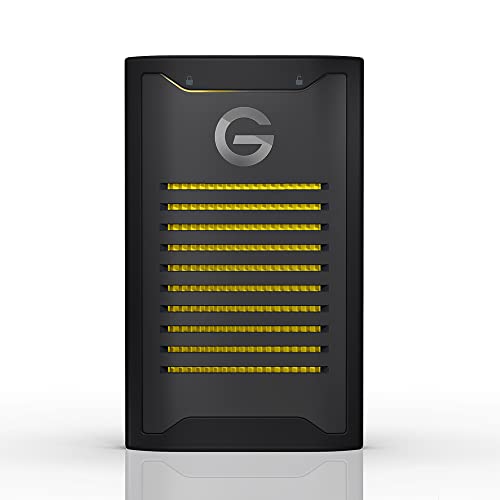
Remembering Passwords, Entering Codes And Downloading Software Slows Down Access To Critical Content. Weve Removed Access Barriers Without Sacrificing Content Security. With Armorlock Technology, Your Phone Is Your Key, Leveraging Your Phones Biometric Authentication To Simply And Quickly Access Your Content With The Tap Of A Button.
⚠️ WARNING (California Proposition 65): This product may contain chemicals known to the State of California to cause cancer, birth defects, or other reproductive harm. For more information, please visit www.P65Warnings.ca.gov.
Frequently Asked Questions
Q: What is the storage capacity of the SanDisk Professional G-Drive ArmorLock SSD?A: The storage capacity is four terabytes. This allows you to store a large amount of data, ideal for professionals needing ample space.
Q: What are the dimensions of the SanDisk Professional G-Drive ArmorLock SSD?A: The dimensions are five point twenty-eight inches in length, three point twenty-three inches in width, and zero point seventy-five inches in height. Its compact size makes it portable and easy to carry.
Q: What type of security technology does this SSD use?A: It uses ArmorLock security technology. This revolutionary feature allows for secure access without traditional passwords, ensuring data safety.
Q: How do I unlock the SanDisk Professional G-Drive ArmorLock SSD?A: You unlock it with your phone. Simply use your phone's biometric authentication for a quick and secure access experience.
Q: What speeds can I expect from this SSD?A: You can expect speeds up to one thousand megabytes per second for both read and write operations. This ensures fast data transfer and efficient performance.
Q: Can I manage multiple users with this SSD?A: Yes, it supports multi-user and multi-drive management. This feature is particularly beneficial for collaborative work environments.
Q: How do I maintain the SanDisk Professional G-Drive ArmorLock SSD?A: To maintain it, store it in a dry place and avoid extreme temperatures. Regularly back up your data to ensure its safety.
Q: Is the SSD water-resistant or rugged?A: Yes, it is designed to be ultra rugged. This makes it suitable for use in challenging environments without compromising data integrity.
Q: What should I do if my SSD arrives damaged?A: If it arrives damaged, contact customer support immediately. They will guide you through the return or replacement process.
Q: Is the SanDisk Professional G-Drive ArmorLock SSD compatible with all devices?A: Yes, it is compatible with most USB-C devices. However, performance may vary based on the host device.
Q: How do I clean the SSD?A: To clean it, use a soft, dry cloth. Avoid using any liquids or abrasive materials that could damage the surface.
Q: What if I forget my phone that I used to unlock the SSD?A: If you forget your phone, you may not be able to access the SSD. It's essential to have a backup device authorized for auto-unlock.
Q: Are there any special installation requirements for this SSD?A: No special installation is required. Simply connect it via USB-C to your compatible device and it's ready to use.
Q: Is the SSD suitable for storing high-resolution videos?A: Yes, it is suitable for high-resolution video storage. Its high-speed performance allows for seamless editing and playback.
Q: What type of warranty comes with the SanDisk Professional G-Drive ArmorLock SSD?A: It typically comes with a limited warranty from the manufacturer. Check the product details for specific warranty duration and conditions.
Q: Can I use this SSD for gaming?A: Yes, it can be used for gaming. Its fast read and write speeds make it ideal for quick loading times and smooth gameplay.