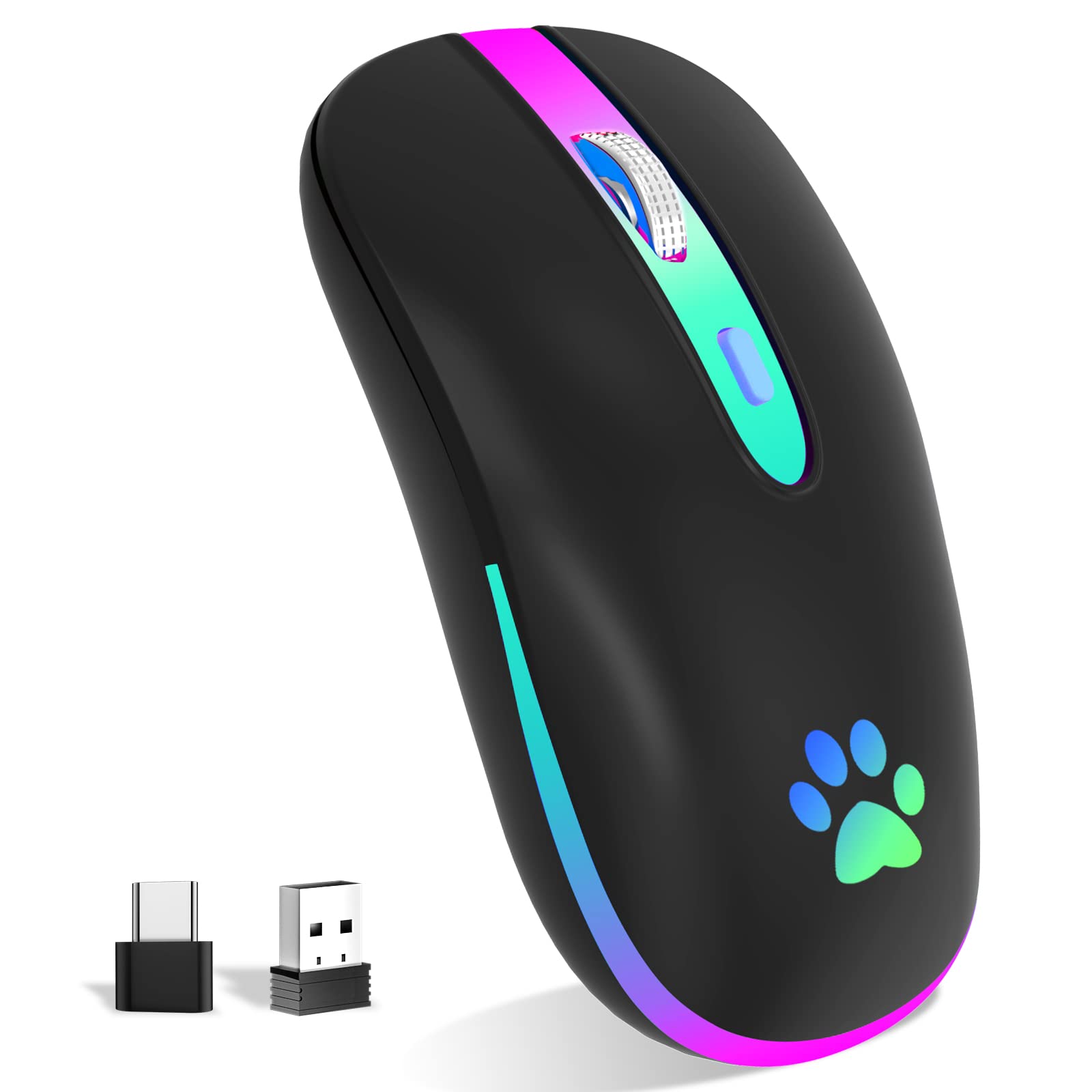
Wireless Bluetooth Mouse,Led Wireless Mouse,Rechargeable Mouse 2.4G Usb Optical Wireless Mouse,Portable Usb Optical 2.4G Wireless Bluetooth Two Mode Computer Mice For Laptop,Pc, Mac Os, Windows ? Led Wireless Mouse This Wireless Mouse Bluetooth With Lights Can Give You More Fun During Office Time. You Can Choose Use The 2.4G Wireless Mouse When The Mouse Botton Switch Is On The 2.4G Mode,Or Connect Your Laptop'S Bluetooth To Use The Bluetooth Mouse, Easy To Switch,Suitable For Any Occasion. ? Slim&Comfortable Design Good Surface Coating Technology Gives You A Skin-Like Touch. The Ergonomic Design Provides 24 Hours Comfort For Your Work And Study, And The Portable And Pocket Size Are Perfect For You.Built-In Battery,Easy To Charge By Usb Cable,No More Need For Extra Aaa Battery.It Can Be Easily Activated By Clicking Any Buttons. ? Wide Compatibility 2.4Ghz Mode Is Suitable For Laptops, Desktops Or Any Device With Usb Port, Just Plug In The Usb Receiver And Play Directly. Bluetooth Mode Is Suitable For Windows/Android/Mac Os System. Note: Bt5.1 System Requirements. Windows 8.0, Windows 10 Or Later; Macosx 10.10 Or Later; Ipad Os 13 Or Later / Android 5.0 Or Later. Please Check Or Update The Operating System Before Use. ?3 Adjustable Dpi Values ( 1600, 1200, 1000) Resolution Optical Tracking Technology Provides Sensitivity And Precise Tracking On A Wide Range Of Surfaces. Meet Your Multiple Needs, Either For Daily Work Or Gaming. Packing List: 1 X Rechargeable Wireless Mouse 1 X Usb Charging Cable 1 X Usb Receiver (Placed On The Bottom Of The Mouse) 1 X User Manual 1 X Warranty Card
⚠️ WARNING (California Proposition 65): This product may contain chemicals known to the State of California to cause cancer, birth defects, or other reproductive harm. For more information, please visit www.P65Warnings.ca.gov.
Frequently Asked Questions
Q: What are the dimensions of the FUWANG Wireless Mouse?A: The dimensions are approximately four point four inches long, two point two inches wide, and zero point seventy-nine inches high. This compact size makes it easy to carry in a laptop bag.
Q: What materials are used in the FUWANG Wireless Mouse?A: The mouse is primarily made from plastic. It also contains lithium-ion batteries for the rechargeable function.
Q: What is the battery capacity and charging time?A: The built-in battery has a capacity of five hundred milliamp hours and takes two to three hours to fully charge. Once charged, it offers over seven days of working time.
Q: How do I switch between Bluetooth and USB modes?A: You can switch modes by toggling the mouse button switch between Bluetooth mode and two point four gigahertz mode. Simply connect your device accordingly with no extra setup required.
Q: How do I connect the mouse to my laptop?A: To connect via USB, plug the USB receiver into your laptop's USB port. For Bluetooth, ensure your laptop's Bluetooth is enabled and follow the pairing instructions.
Q: Is this mouse suitable for left-handed users?A: Yes, this mouse can be used by left-handed users, although its design is more ergonomic for right-handed use. It remains functional for all users.
Q: How should I clean the FUWANG Wireless Mouse?A: To clean the mouse, use a soft, damp cloth to wipe the surface. Avoid using harsh chemicals that could damage the plastic or internal components.
Q: Is the FUWANG Wireless Mouse safe for kids?A: Yes, the mouse is safe for kids, but adult supervision is recommended due to the presence of lithium-ion batteries. Always monitor children while using electronic devices.
Q: What is the shelf life of the rechargeable battery?A: The rechargeable battery can last several years with proper care. Follow charging instructions to maintain battery health and longevity.
Q: How does the FUWANG Wireless Mouse compare to other ergonomic mice?A: The FUWANG Wireless Mouse offers a slim and portable design, making it ideal for travel. Compared to other ergonomic mice, it balances comfort and functionality without bulk.
Q: Is the mouse compatible with Mac and Windows operating systems?A: Yes, the mouse is compatible with both Mac and Windows operating systems, specifically requiring Windows eight point zero or later and MacOS ten point ten or later.
Q: Can the mouse be used while charging?A: No, the FUWANG Wireless Mouse cannot be used while charging. It is recommended to charge it fully before use to ensure optimal performance.
Q: What if the mouse does not connect to my device?A: If the mouse does not connect, ensure that the USB receiver is properly plugged in or that Bluetooth is enabled on your device. Restarting the mouse may also help.
Q: What is the warranty period for the FUWANG Wireless Mouse?A: The FUWANG Wireless Mouse typically comes with a warranty period of one year. Check the warranty card provided in the packaging for specific details.
Q: Does this mouse have adjustable DPI settings?A: Yes, the mouse features three adjustable DPI settings of one thousand, twelve hundred, and sixteen hundred. This allows users to customize sensitivity for different tasks.