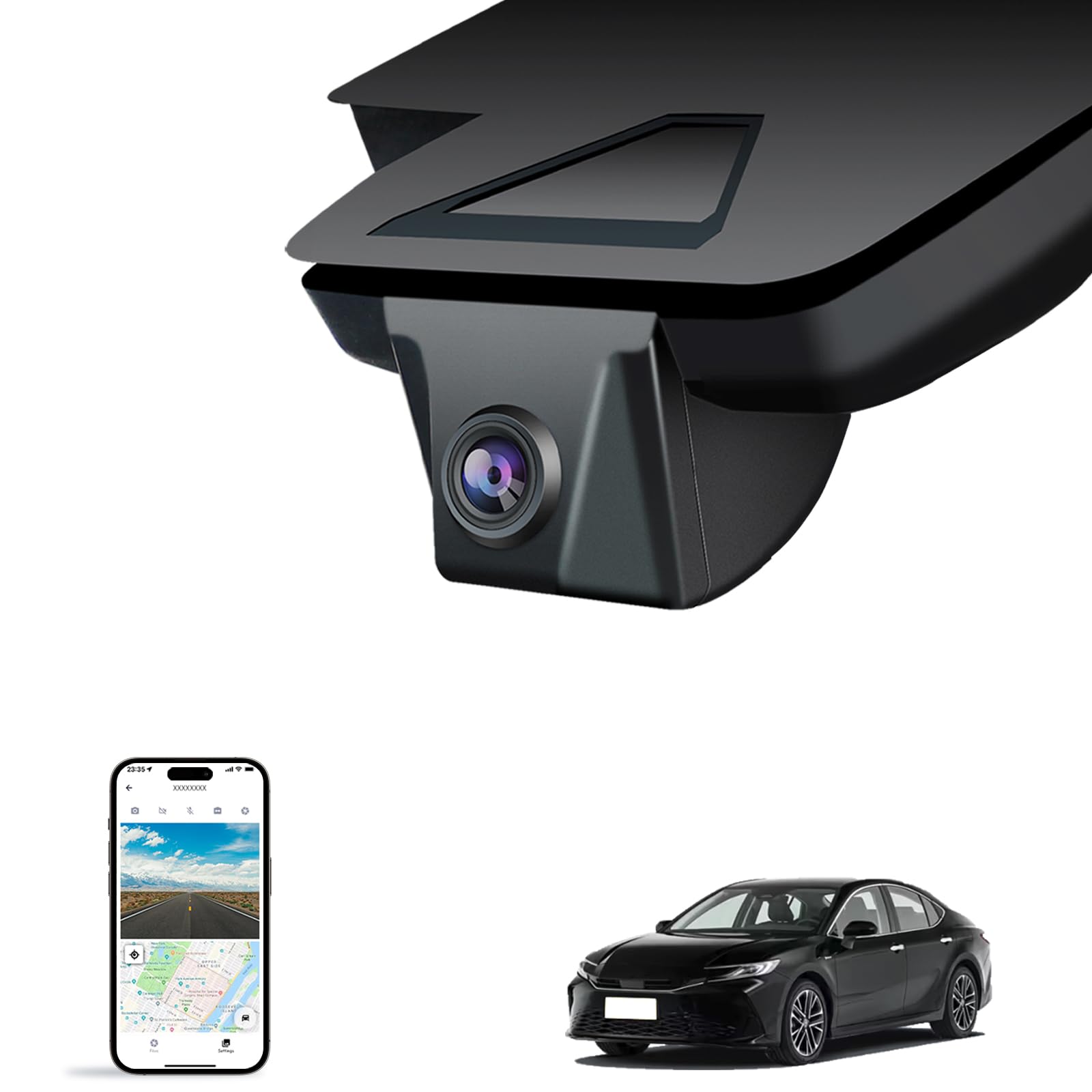
Fuvymyt Front 4K Dash Cam For Toyota Camry 2025,Hybrid Le Se Xse Xle (Hd2-06090),Easy Installation,Oem-Style,Collision Detection,Loop Recording,Wifi & App,64G Card
⚠️ WARNING (California Proposition 65): This product may contain chemicals known to the State of California to cause cancer, birth defects, or other reproductive harm. For more information, please visit www.P65Warnings.ca.gov.
Frequently Asked Questions
Q: What are the dimensions of the FUVYMYT Front 4K Dash Cam?A: The FUVYMYT Front 4K Dash Cam measures seven point eight seven inches in length, eight point two seven inches in width, and three point five inches in height.
Q: What video quality does the dash cam provide?A: The dash cam captures video in four K resolution at two thousand one hundred sixty pixels and thirty frames per second.
Q: What is included in the package when I purchase this dash cam?A: The package includes the front four K dash cam, an instruction manual, a crowbar, a sixty-four gigabyte TF card, a card reader, and a Y-type conversion cable.
Q: How do I install the FUVYMYT Dash Cam?A: The installation is easy and does not require rewiring. Simply mount the dash cam onto the windshield using the included accessories.
Q: Is the dash cam compatible with all Toyota Camry models?A: No, the dash cam is exclusively designed for Toyota Camry models from twenty twenty-five and twenty twenty-six, including variants like Hybrid LE, SE, XSE, and XLE.
Q: How does the loop recording feature work?A: The loop recording feature automatically overwrites the oldest footage with new video, allowing continuous recording even when the memory card is full.
Q: What kind of memory card does the dash cam support?A: The dash cam supports a sixty-four gigabyte TF card, with the capability to accommodate cards up to two hundred fifty-six gigabytes.
Q: Is there a parking monitor feature available?A: Yes, there is a twenty-four hour parking monitor feature, but it requires an additional harness for full functionality.
Q: How can I access the live view on the app?A: To access the live view, connect to the dash cam's Wi-Fi. If you experience issues, try turning off cellular data or Bluetooth.
Q: What should I do if my dash cam doesn't connect to the app?A: If the dash cam fails to connect to the app, ensure your cellular data is turned off, and if the problem persists, contact customer support for assistance.
Q: Does the dash cam have night vision capabilities?A: Yes, the dash cam features High Dynamic Range technology for improved night vision, ensuring clear video capture even in low-light conditions.
Q: Can I share videos from the dash cam easily?A: Yes, the FUVYMYT app allows for easy sharing and editing of videos, enhancing the user experience for sharing recorded footage.
Q: What is the warranty period for the FUVYMYT dash cam?A: Warranty details are typically provided by the manufacturer, so please refer to the instruction manual or contact customer support for specific information.
Q: How do I clean the dash cam?A: To clean the dash cam, use a soft, dry cloth to wipe the exterior. Avoid using harsh chemicals or abrasive materials that could damage the lens.
Q: What should I do if the dash cam arrives damaged?A: If the dash cam arrives damaged, contact customer support immediately to report the issue and arrange for a return or exchange.