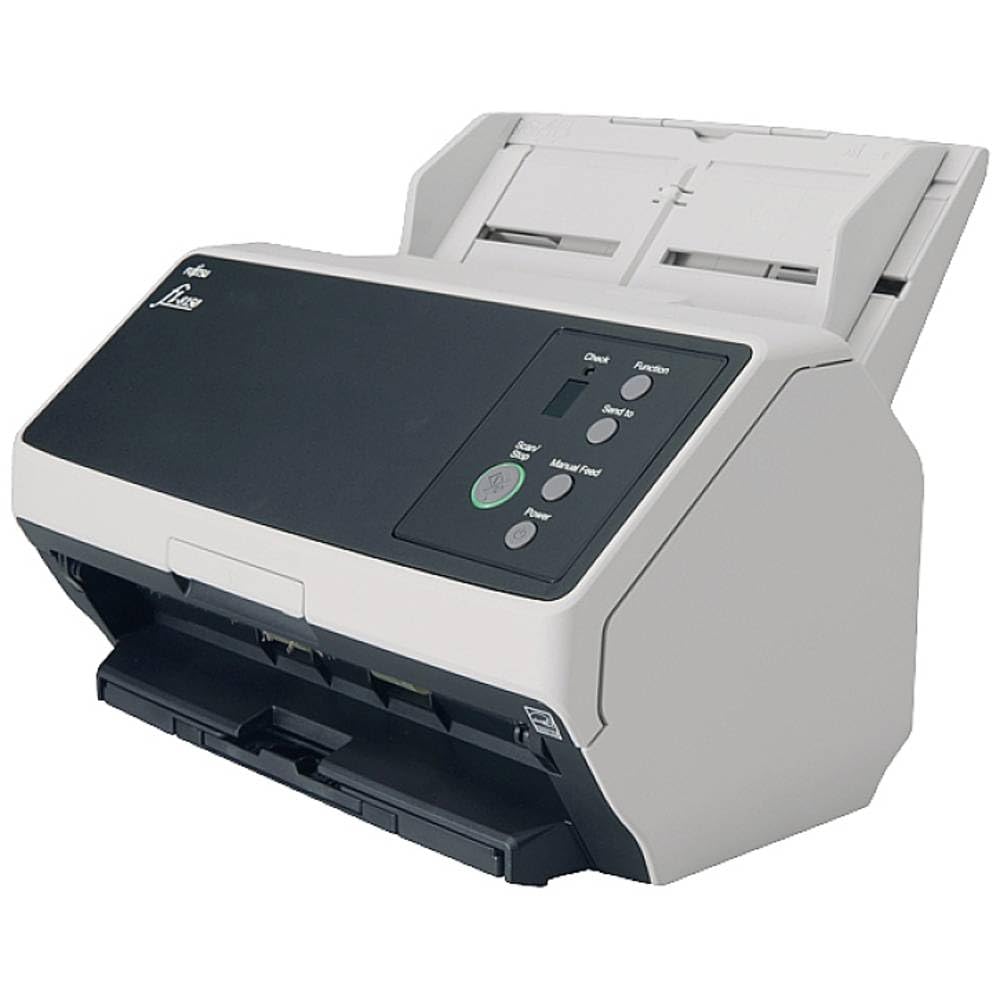
Organizations Of All Kinds Rely On Fujitsu Scanners For Their Paperwork Processing. Small Enough To Fit On Any Desk, Yet Powerful Enough To Sail Through Up To 8,000 Scans A Day, The Fi-8150 Professional Duplex Network Scanner Is Unmatched In Its Speed, Accuracy, And Reliability. Paperstream Ip Twain And Isis Drivers Supported, Paperstream Ip Net Supported, Paperstream Nx Manager Supported, Making The Scanner Compatible With Virtually Any Software. Paperstream Capture And Paperstream Clickscan Included. Paperstream Clickscan Software Is Designed To Be Simple For Drastically Reduced Waiting Times. Place Paper In The Scanner, Push The Scan Button, And Send To Email, Print, Or Folder - Simple As One, Two, Three. Start Using The Scanner Right Away With No Need For Administrators To Preset Scan Settings Or Output Destinations.
⚠️ WARNING (California Proposition 65): This product may contain chemicals known to the State of California to cause cancer, birth defects, or other reproductive harm. For more information, please visit www.P65Warnings.ca.gov.
Frequently Asked Questions
Q: What are the dimensions of the Fujitsu fi-8150 Document Scanner?A: The dimensions are approximately three point nine four inches in height, eleven point four two inches in width, and two point seven six inches in depth.
Q: What is the scanning speed of the Fujitsu fi-8150?A: The scanning speed is up to fifty pages per minute and one hundred images per minute in duplex mode.
Q: What type of connectivity does the Fujitsu fi-8150 offer?A: It features USB three point two connectivity and is network-enabled for both Mac and PC.
Q: How do I set up the Fujitsu fi-8150 Scanner?A: To set it up, connect the scanner to your computer using the USB cable, install the necessary drivers, and follow the on-screen instructions.
Q: Is the Fujitsu fi-8150 suitable for home use?A: Yes, it is suitable for home use, especially for users needing to digitize documents quickly and efficiently.
Q: Can the Fujitsu fi-8150 scan both sides of a document?A: Yes, it can scan both sides of a document simultaneously thanks to its duplex scanning capability.
Q: How do I maintain the Fujitsu fi-8150 Scanner?A: To maintain it, regularly clean the scanner's glass and rollers with a soft cloth and use a cleaning sheet accordingly.
Q: What is the warranty period for the Fujitsu fi-8150?A: The warranty period typically lasts for one year from the date of purchase, covering manufacturing defects.
Q: What if my Fujitsu fi-8150 arrives damaged?A: If it arrives damaged, contact customer support immediately to initiate a return or exchange process.
Q: Can I use the Fujitsu fi-8150 for scanning photos?A: Yes, it can be used for scanning photos, although for high-quality photo scans, a dedicated photo scanner may be preferable.
Q: Is the Fujitsu fi-8150 compatible with Windows and Mac?A: Yes, it is compatible with both Windows and Mac operating systems for seamless integration.
Q: What power supply does the Fujitsu fi-8150 require?A: It operates on standard electrical power, typically requiring a voltage of one hundred to two hundred forty volts.
Q: What types of documents can I scan with the Fujitsu fi-8150?A: You can scan various document types, including A4-sized documents, receipts, and even thin cards.
Q: Does the Fujitsu fi-8150 support mobile scanning?A: Yes, it supports mobile scanning when connected to compatible mobile devices via network features.
Q: What software is included with the Fujitsu fi-8150 Scanner?A: It typically includes scanning software for document management, which enhances the scanning and organizing process.