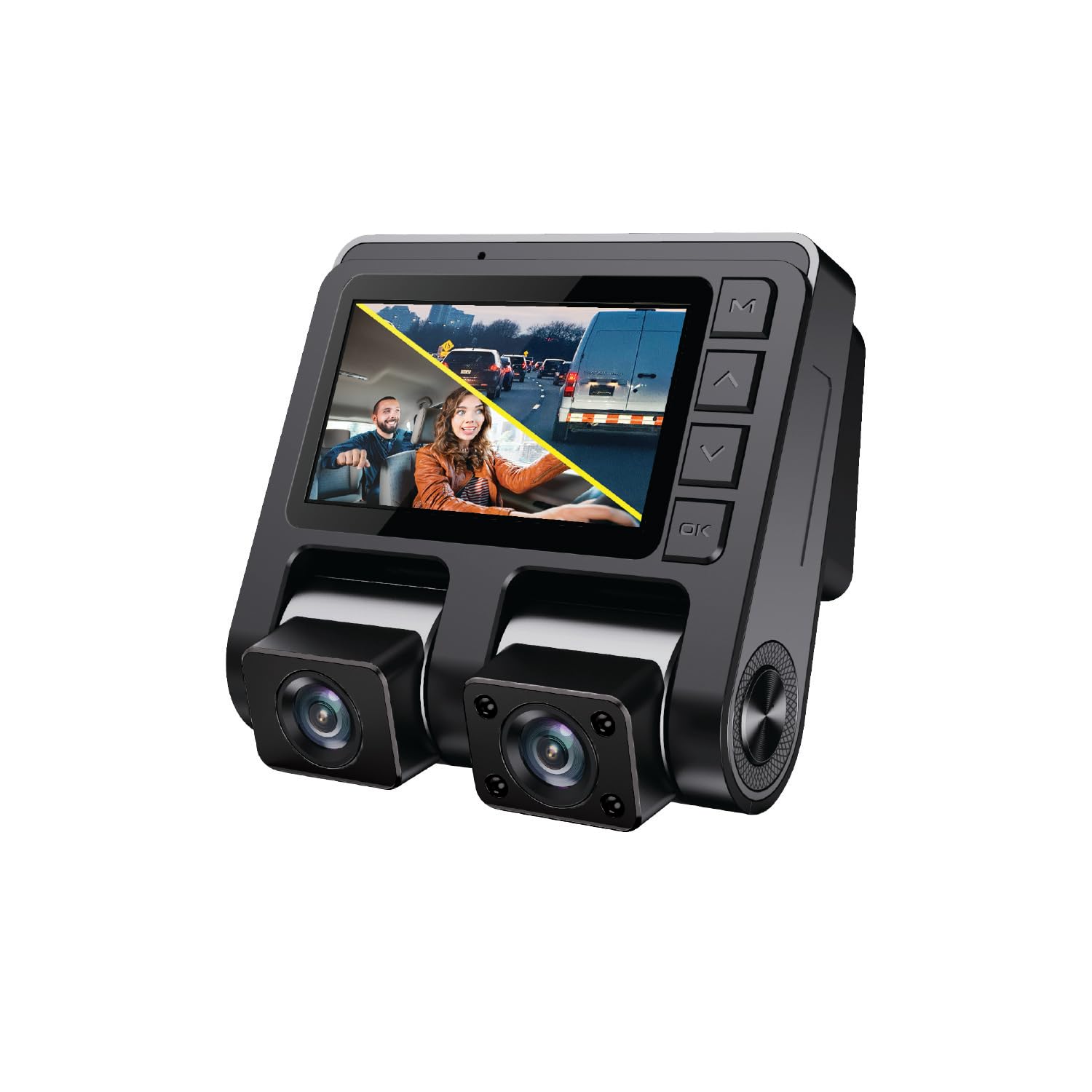
Introducing The Gekogear Orbit D110 Your Reliable Companion On The Road. This Sleek And Innovative Device Captures Crystalclear 2Channel 1080P Highresolution Video, Ensuring Every Detail Is Preserved. With Its Impressive 150 Both In The Front And Rear Wide Viewing Angles, You Won'T Miss A Thing. Featuring A 2 Inch Display You Ll Be Able To Easily Navigate Your Dashcam And Make The Most Of All The Features Included. The Orbit D110 Dash Cam Records At 1080P Full Hd With A 150 Wideangle Lens To Capture All The Important Details In The Field And Provide Key Evidence When You Need It The Most. Equipped With 2 Adjustable Lenses, You Can Record The Front Of Your Vehicle And Inside The Cabin To Ensure Every Detail Is Recorded. The Gsensor Is A Gravity Sensor That Will Sense Any Collision, Swerve, Or Hard Braking, And Automatically Lock The Current Video So It Cannot Be Loop Recorded Over. Supports 128Gb Of Storage In Order To Store All Important ?Files Without The Worry Of Missing Important Details In The Full Hd Resolution Recordings.
⚠️ WARNING (California Proposition 65): This product may contain chemicals known to the State of California to cause cancer, birth defects, or other reproductive harm. For more information, please visit www.P65Warnings.ca.gov.
Frequently Asked Questions
Q: What are the dimensions of the myGEKOgear Orbit D110 dashcam?A: The dimensions of the myGEKOgear Orbit D110 dashcam are three point four inches in length, one point forty-two inches in width, and one point nine inches in height.
Q: What storage capacity does the Orbit D110 support?A: The Orbit D110 supports up to one hundred twenty-eight gigabytes of storage, allowing you to record hours of footage without running out of space.
Q: What resolution does the dashcam record in?A: The dashcam records in stunning one thousand eighty P Full HD resolution, capturing clear video evidence for your safety.
Q: How do I install the myGEKOgear Orbit D110 dashcam?A: To install the dashcam, mount it on your vehicle's windshield using the provided adhesive mount, then connect it to your vehicle's power source using the included mini-USB cable.
Q: Can I use the Orbit D110 for both front and rear recording?A: Yes, the Orbit D110 is designed to record both front and rear views simultaneously, ensuring comprehensive coverage of your driving experience.
Q: Is the myGEKOgear Orbit D110 easy to use?A: Yes, the Orbit D110 features a user-friendly two point four five-inch display, making it simple to navigate settings and review footage on the go.
Q: How do I maintain the myGEKOgear Orbit D110 dashcam?A: To maintain the dashcam, keep the lens clean and free of obstructions, and ensure the device is securely mounted and connected to power.
Q: Is the dashcam safe to use in extreme temperatures?A: Yes, the Orbit D110 is designed to operate safely in temperatures ranging from minus twenty degrees to plus seventy degrees Celsius.
Q: What should I do if the dashcam does not turn on?A: If the dashcam does not turn on, check the power connection to ensure it is securely plugged in and try restarting the device.
Q: Does the Orbit D110 come with a warranty?A: Yes, the myGEKOgear Orbit D110 typically comes with a manufacturer's warranty, covering defects in materials and workmanship.
Q: Can I access saved footage easily?A: Yes, you can easily access saved footage through the device's display or by connecting the dashcam to a computer via USB.
Q: How does the G-sensor work in the Orbit D110?A: The built-in G-sensor automatically detects sudden incidents like collisions or hard braking, locking and saving the current video footage for later review.
Q: Is the myGEKOgear Orbit D110 suitable for professional drivers?A: Yes, the Orbit D110 is suitable for professional drivers seeking reliable video evidence and protection on the road.
Q: What materials are used in the construction of the dashcam?A: The myGEKOgear Orbit D110 features durable materials designed to withstand various environmental conditions and ensure longevity.
Q: How can I improve the night vision of the dashcam?A: The dashcam is equipped with advanced camera sensors and glass lenses to enhance night vision automatically, ensuring clarity in low-light conditions.
Q: What if the dashcam footage appears blurry?A: If the footage appears blurry, ensure the lens is clean and free from dust or obstructions, and check the resolution settings.