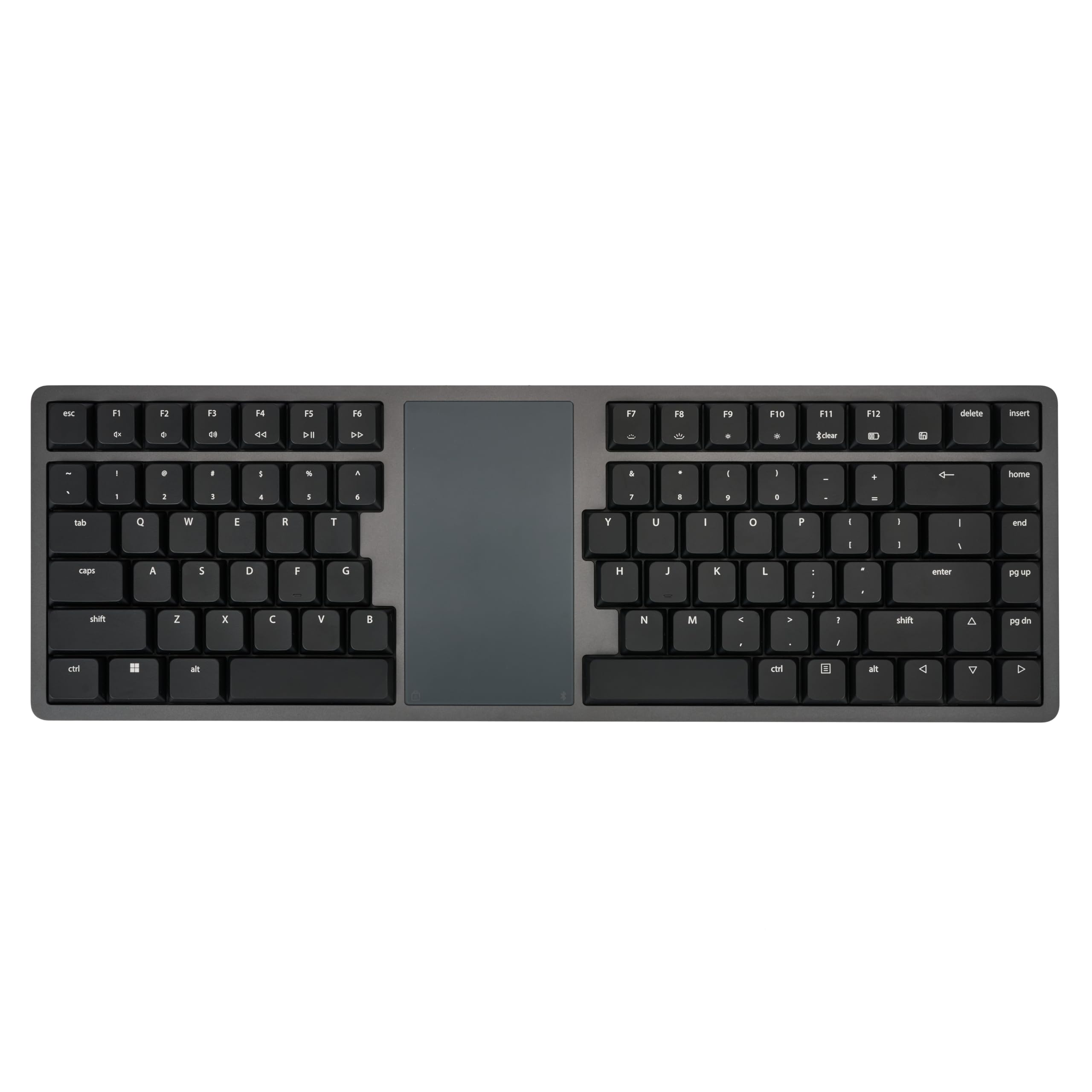
Entry-Level Ergonomics: Familiar Laptop Layout Is Split To Put Your Hands And Arms In Proper Typing Form | Integrated Touchpad: Point, Click, And Scroll With Either Hand Using The Windows Precision Touchpad | Mechanical: Low Profile Mechanical Switches Offer Unmatched Typing Feel, Durability And Ergonomics | 100% Aluminum: Anodized, Machined Aluminum Case Provides A Striking Design And Incredible Strength | Connectivity: Dual-Channel Bluetooth And Usb-C Let You Pair With Variety Of Devices (Pc, Tablet, Smartphone, Smarttv)
⚠️ WARNING (California Proposition 65): This product may contain chemicals known to the State of California to cause cancer, birth defects, or other reproductive harm. For more information, please visit www.P65Warnings.ca.gov.
Frequently Asked Questions
Q: What materials is the Form Split Touchpad Keyboard made of?A: The keyboard is made of one hundred percent aluminum. This anodized and machined aluminum case provides both strength and an attractive design.
Q: What are the dimensions of the Form Split Touchpad Keyboard?A: The keyboard measures sixteen inches in length, five point twenty-five inches in width, and zero point seventy-five inches in height. These dimensions make it compact and suitable for various workspace setups.
Q: What type of switches does the keyboard use?A: The keyboard features low profile mechanical switches. These switches are designed for enhanced typing feel, durability, and ergonomics.
Q: How do I connect the Form Split Touchpad Keyboard to my device?A: You can connect the keyboard via dual-channel Bluetooth or USB-C. This allows you to easily pair it with devices like PCs, tablets, smartphones, and smart TVs.
Q: Is the keyboard suitable for ergonomic use?A: Yes, the keyboard is designed with entry-level ergonomics in mind. Its split layout helps to position your hands and arms in a more natural typing form.
Q: Can I use the integrated touchpad with my left hand?A: Yes, the integrated touchpad allows for use with either hand. It supports Windows Precision Touchpad functionality for easy pointing, clicking, and scrolling.
Q: How do I clean the Form Split Touchpad Keyboard?A: To clean the keyboard, use a damp cloth with mild soap. Avoid using harsh chemicals that could damage the aluminum surface or the mechanical switches.
Q: What should I do to ensure the keyboard's longevity?A: To keep the keyboard in good condition, avoid exposing it to extreme temperatures and moisture. Regular cleaning and proper storage will also help maintain its functionality.
Q: Is the keyboard safe to use with lithium-ion batteries?A: Yes, the keyboard contains lithium-ion batteries that are safely integrated into the equipment. Ensure proper handling and avoid puncturing the battery to maintain safety.
Q: What if the keyboard arrives damaged?A: If the keyboard arrives damaged, you should contact the retailer for a return or exchange. Most retailers have a policy for handling damaged goods.
Q: Does the keyboard come with a warranty?A: Yes, the Form Split Touchpad Keyboard typically comes with a manufacturer’s warranty. Check the retailer's site for specific warranty details.
Q: What devices is the keyboard compatible with?A: The keyboard is compatible with a variety of devices including PCs, tablets, smartphones, and smart TVs. This versatility enhances its usability across different platforms.
Q: Is this keyboard ideal for gamers?A: While the keyboard is designed primarily for ergonomic typing, its mechanical switches can benefit gamers seeking a quality typing experience. However, dedicated gaming keyboards may offer additional features.
Q: How long is the battery life of the keyboard?A: Battery life can vary based on usage, but generally, the keyboard is designed to provide extended usage on a single charge. Always refer to the user manual for specifics.
Q: Are there any specific safety precautions I should take?A: Yes, avoid exposing the keyboard to water or excessive moisture. This helps ensure the longevity and functionality of the mechanical switches and electronic components.