⚠️ WARNING (California Proposition 65): This product may contain chemicals known to the State of California to cause cancer, birth defects, or other reproductive harm. For more information, please visit www.P65Warnings.ca.gov.
Frequently Asked Questions
Q: What is the length of the FocalTop USB cable?A: This USB cable is six feet long. This length provides ample reach for connecting your Brother printer to your computer.
Q: What material is the FocalTop USB cable made of?A: The cable is made of copper. Copper ensures efficient data transfer and reliable performance for your printing needs.
Q: Which printers are compatible with this USB cable?A: This cable works with Brother printers including HL-8050N, HL-L2300D, HL-L2305W, HL-L2320D, and HL-L2340DW. This versatility makes it suitable for various Brother models.
Q: How do I connect the FocalTop USB cable to my printer?A: To connect, simply plug one end of the cable into the printer and the other end into your computer. Ensure both devices are powered on for proper recognition.
Q: Is this USB cable suitable for all Brother printers?A: No, it's specifically designed for certain Brother models. Check compatibility with your printer model to ensure functionality.
Q: Can I use this USB cable with devices other than Brother printers?A: Yes, this USB cable can be used with any device that has a compatible USB port. It’s versatile for general USB connections.
Q: How should I store the FocalTop USB cable?A: Store the cable in a cool, dry place. Avoid bending or twisting the cable to prevent damage and ensure longevity.
Q: Can this USB cable be used outdoors?A: No, it is not recommended for outdoor use. To maintain its quality, it should be used in indoor environments.
Q: What should I do if my USB cable arrives damaged?A: Contact customer support for assistance. You may be eligible for a return or exchange if the cable is defective upon arrival.
Q: How do I clean the FocalTop USB cable?A: To clean, wipe the exterior with a damp cloth. Avoid using harsh chemicals to maintain the integrity of the cable.
Q: Is this USB cable compatible with USB-C devices?A: No, this cable is not USB-C compatible. It is designed for standard USB connections.
Q: Does the FocalTop USB cable come with a warranty?A: Yes, it typically comes with a limited warranty. Check with the manufacturer for specific warranty details.
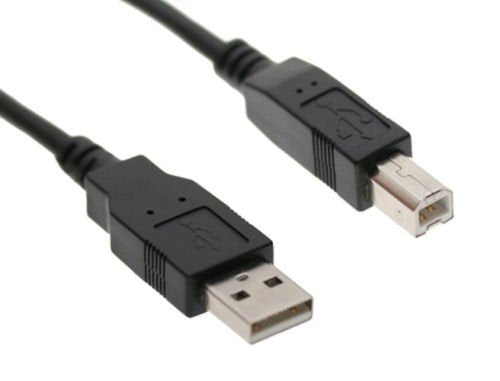
Q: What is the purpose of this USB cable?A: This USB cable is used to connect Brother printers to computers for data transfer. It facilitates printing tasks efficiently.
Q: Is the FocalTop USB cable suitable for high-speed data transfer?A: Yes, it supports high-speed data transfer rates. This ensures quick communication between your printer and computer.
Q: Can I use multiple FocalTop USB cables with different printers?A: Yes, you can use multiple cables with different printers as long as each printer is supported. This allows for flexibility in connecting various devices.