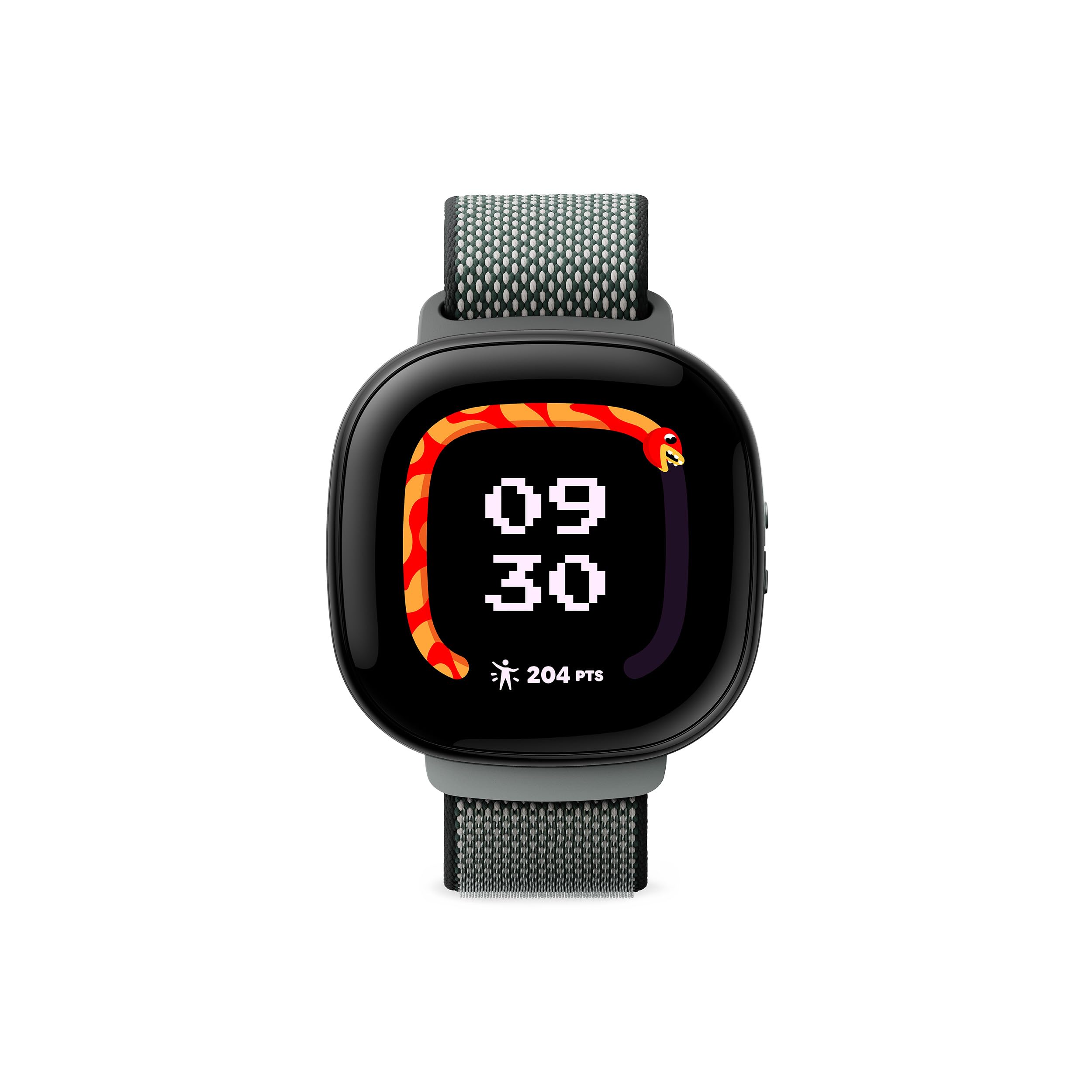
Fitbit Ace Lte Is The First-Of-Its-Kind Kids Smartwatch Designed To Move The Next Generation Of Gamers.[1] Keep Them Active With Fun Games And Daily Goals That Reward Different Types Of Movement.[3] Collect New Bands To Unlock More Rewards.[10] And With Secure Calling, Text Messaging, And Location Sharing, Theyre Never Out Of Reach.[4]
⚠️ WARNING (California Proposition 65): This product may contain chemicals known to the State of California to cause cancer, birth defects, or other reproductive harm. For more information, please visit www.P65Warnings.ca.gov.
Frequently Asked Questions
Q: What are the dimensions of the Fitbit Google Ace LTE?A: The dimensions of the Fitbit Google Ace LTE are one point sixty-two inches in length, one point seventy-seven inches in width, and zero point fifty-two inches in height.
Q: What material is the Fitbit Google Ace LTE made of?A: The Fitbit Google Ace LTE features Corning Gorilla Glass three, providing durability and scratch resistance. It also includes a protective bumper case for added safety.
Q: What type of battery does the Fitbit Google Ace LTE use?A: The Fitbit Google Ace LTE uses lithium-ion batteries, which are packed with the equipment for safe and efficient power.
Q: How do kids use the Fitbit Google Ace LTE for calls?A: Kids can make in-app calls using the Fitbit Google Ace LTE without a phone number. They can connect with up to twenty additional contacts aged thirteen and over.
Q: Is the Fitbit Google Ace LTE suitable for children?A: Yes, the Fitbit Google Ace LTE is designed specifically for kids, combining a smartwatch and fitness tracker with features tailored for younger users.
Q: How do I charge the Fitbit Google Ace LTE?A: To charge the Fitbit Google Ace LTE, simply connect it to the charger for thirty minutes to gain up to eleven hours of battery life.
Q: What safety features does the Fitbit Google Ace LTE have?A: The Fitbit Google Ace LTE is water-resistant up to fifty meters and features a protective bumper case to resist dust and scratches.
Q: Can the Fitbit Google Ace LTE be used for school?A: Yes, the Fitbit Google Ace LTE includes a School Time feature that limits gameplay during school hours to help kids focus.
Q: What games can kids play on the Fitbit Google Ace LTE?A: Kids can access movement-based games through the Fitbit Arcade, designed to keep them active while having fun.
Q: How do kids pay with the Fitbit Google Ace LTE?A: Kids can use the Fitbit Google Ace LTE for Tap to Pay by adding funds to a supported kids debit card, allowing them to make purchases.
Q: What is the battery life of the Fitbit Google Ace LTE?A: The Fitbit Google Ace LTE has a battery life of over sixteen hours, ensuring it can keep up with kids throughout the day.
Q: How should I clean the Fitbit Google Ace LTE?A: To clean the Fitbit Google Ace LTE, simply wipe it with a soft, damp cloth, avoiding harsh chemicals that could damage the device.
Q: What do I do if my Fitbit Google Ace LTE arrives damaged?A: If your Fitbit Google Ace LTE arrives damaged, contact customer support immediately for assistance with returns or exchanges.
Q: Is the Fitbit Google Ace LTE compatible with smartphones?A: Yes, the Fitbit Google Ace LTE is compatible with both Android and iOS devices, requiring a Google account and the Fitbit Ace app.
Q: Can kids message each other on the Fitbit Google Ace LTE?A: No, kids cannot message each other using the Fitbit Google Ace LTE; communication is limited to approved contacts.