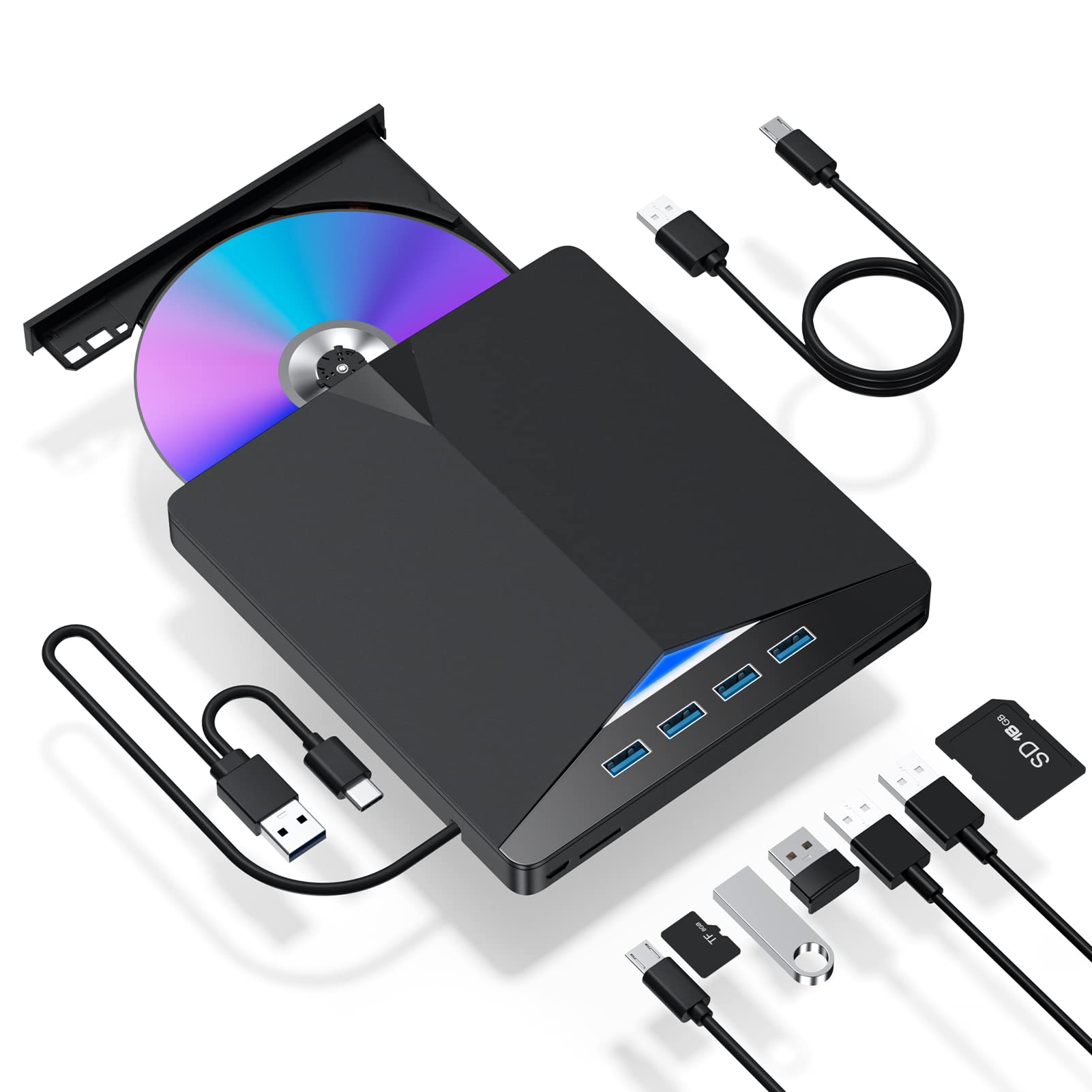
About Our Products ??In Pursuit Of A Slimmer Appearance, Most Notebook Computers Do Not Have A Built-In Dvd Drive, Which Makes It Impossible To Play Cd/Dvd In Our Purchased. But Don'T Worry, Our 7 In 1 External Dvd Drive For Laptop Can Solve This Problem Perfectly. ??Compatible With All Laptops And Desktop Computers Running Windows 11, 10, 8, 7, Xp, Vista, Linux, And Mac Os (Note: Ipad, Phones, Chromebook, Tv, Cars, Blu Ray Are Not Supported). ??7 In 1 Multifunction Optical Drive, Integrated Cd/Dvd Reading And Writing, Usb3.0 Expansion, Sd/Tf Card Reading And Writing Functions. There Are 4 Usb3.0 Ports, Which Can Be Connected To A Mouse, Keyboard, U Disk, Etc. To Meet Your Various Needs. ??The Cable Length Of Our Cd Drive Is 9.4 Inches, And The Integrated Usb Cable Is Convenient For Storage. If The Cable Is Too Short To Use, You Can Consider Buying A Usb3.0 Extension Cable To Increase The Use Distance. ??There Is A Reset Hole Beside The Eject Button. If The Tray Of The External Cd Drive Cannot Be Ejected Normally, You Can Use The Card Pin To Eject The Tray Through The Reset Hole Tips 1. When The Dvd Drive Does Not Work Properly, Use The Included Power Cord To Connect An Extra Power Source. 2. The Maximum Read Capacity Is 8.5G, So The Portable Cd/Dvd Burner Cannot Play Discs Over 8.5Gb. 3. When Using This Cd Player, Please Connect The External Power Of Your Laptop. 4. Due To The Front Usb Port May Be Unstable, Suggest Connecting The Dvd Drive To The Usb Port Behind The Computer, When You Use The Desktop. 5. The Newly Released Windows System Has Stopped Using External Dvd Media Player Software. If Your Device System Is Windows 10 Or Above, When Dvd Cannot Be Played Normally, Please Install Vlc Media Player To Play Dvd Or Cd. 6. Before Using External Disk Drive, Please Make Sure Your Computer Has ''Media Player''. Thank You For Watching, And Wish You A Good Day!
⚠️ WARNING (California Proposition 65): This product may contain chemicals known to the State of California to cause cancer, birth defects, or other reproductive harm. For more information, please visit www.P65Warnings.ca.gov.
Frequently Asked Questions
Q: What are the dimensions of the External CD/DVD Drive?A: The external CD/DVD drive measures six point twenty-six inches long, five point eighty-three inches wide, and zero point sixty-three inches high.
Q: What materials is the External CD/DVD Drive made of?A: The external CD/DVD drive is made of plastic, ensuring a lightweight and portable design.
Q: Is the External CD/DVD Drive compatible with all operating systems?A: No, the external CD/DVD drive is not compatible with iPad, phones, Chromebook, TV, cars, or Blu-ray players.
Q: How do I install the External CD/DVD Drive?A: Simply plug the external CD/DVD drive into a USB port on your laptop or desktop computer; it requires no additional drivers.
Q: Can I use the External CD/DVD Drive with my gaming console?A: No, the external CD/DVD drive is not compatible with gaming consoles or devices like iPads and TVs.
Q: How do I use the SD and TF card readers on the device?A: Insert your SD or TF card into the respective slot, but note that both cannot be used simultaneously.
Q: How do I clean the External CD/DVD Drive?A: To clean the external CD/DVD drive, use a soft, dry cloth to wipe the exterior and avoid using liquids.
Q: What should I do if the drive does not eject?A: If the drive tray does not eject, use a card pin to press the reset hole located next to the eject button.
Q: How do I store the External CD/DVD Drive?A: Store the external CD/DVD drive in a cool, dry place, preferably in its original packaging to avoid damage.
Q: Is it safe to use the External CD/DVD Drive while traveling?A: Yes, the lightweight design makes it portable and suitable for use at home, in the office, or while traveling.
Q: Can I connect multiple devices to the External CD/DVD Drive?A: Yes, the drive features four USB three point zero ports for connecting additional devices like a mouse or keyboard.
Q: Is the External CD/DVD Drive suitable for both Mac and Windows?A: Yes, it is compatible with Windows eleven, ten, eight, seven, Linux, and Mac OS systems.
Q: What if I experience issues with DVD playback?A: If you encounter playback issues, consider installing VLC media player, especially for Windows ten or above systems.
Q: What is the maximum read capacity of the External CD/DVD Drive?A: The maximum read capacity of the drive is eight point five gigabytes for DVDs.
Q: Does the External CD/DVD Drive require external power?A: Yes, if the drive does not work properly, connect the included power cord to an external power source.
Q: Can I use the drive with my desktop computer's front USB port?A: It is recommended to use the USB ports located at the back of the desktop for a more stable connection.