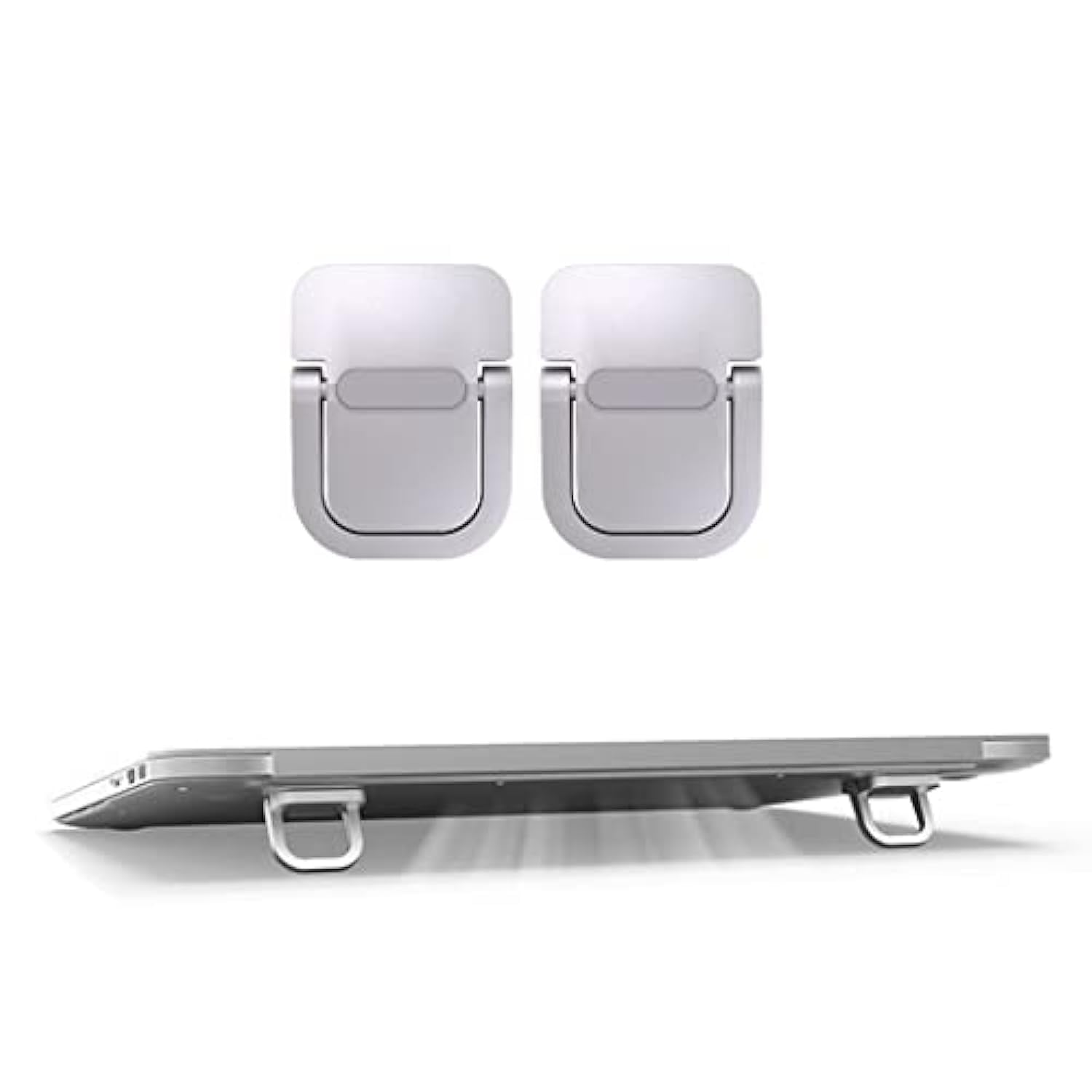
Size : 39X29X6Mm&Nbsp; Gross Weight : 0.16 Lb Material : Zinc Alloy Contain : 1 Pack ( 2 Pcs ) Aluminum Macbook Stand Application : Moft Laptop Stand, Stable Invisible Ergonomic Computer Keyboard Riser Mini Portable Laptop Stands : For 10 - 18 Inches Laptops Macbook Riser Computer Keyboard Stand : Mac Magic Keyboard Riser, Computer Tilted Keyboard Riser Stand When Travelling. Computer Stand For Laptop : Moft Laptop Stand For Desk , Macbook Riser Cooling Stand How To Use: Peel Off The Adhesive Film And Stick It On The Back Of Your Laptop And Hold For 12 Hours. The Extra 3M Pads Is Spare Stickers For Your Second Use. The Rectangular Sticker Is Anti-Slip Silicone Pads To Stick To The Bottom Of Your Laptop Or Keyboard To Prevent Slipping.Note: Please Wipe Off Dust And Keep Clean On The Area To Be Pasted, Metal Or Smooth Surfaces With Paint Are More Likely To Stick.
⚠️ WARNING (California Proposition 65): This product may contain chemicals known to the State of California to cause cancer, birth defects, or other reproductive harm. For more information, please visit www.P65Warnings.ca.gov.
Frequently Asked Questions
Q: What is the size of the Exdtgt Portable Keyboard Riser?A: The size is thirty-nine millimeters by twenty-nine millimeters by six millimeters. This compact design makes it portable and easy to use.
Q: What materials are used in the Keyboard Riser?A: The Keyboard Riser is made of zinc alloy and aluminum. These materials provide durability and stability for your laptop.
Q: How much does the Keyboard Riser weigh?A: The gross weight is zero point sixteen pounds. Its lightweight construction enhances its portability.
Q: How do I use the Keyboard Riser?A: Peel off the adhesive film and stick it on the back of your laptop. Hold it for twelve hours for optimal adhesion.
Q: Is the Keyboard Riser suitable for all laptop sizes?A: It is designed for laptops ranging from ten inches to eighteen inches. This makes it versatile for various laptop models.
Q: Can the Keyboard Riser be used while traveling?A: Yes, it is a portable and foldable stand suitable for travel. Its mini size allows it to fit easily in your bag.
Q: How do I clean the Keyboard Riser?A: Use a soft, dry cloth to wipe it clean. Avoid using harsh chemicals that may damage the aluminum finish.
Q: Are there any safety precautions for using the Keyboard Riser?A: Make sure to wipe off dust and keep the surface clean before application. This ensures better adhesion and stability.
Q: What should I do if my Keyboard Riser arrives damaged?A: Contact customer support for assistance with returns or replacements. They will guide you through the process.
Q: How long will the adhesive last on the Keyboard Riser?A: The adhesive is designed for long-term use but may require replacement after several applications. Spare stickers are included.
Q: Is the Keyboard Riser removable and reusable?A: Yes, it is removable and can be reused. You can leave it on the laptop when packed in a bag.
Q: Does the Keyboard Riser fit on a MacBook?A: Yes, it is specifically designed to work well with MacBook models. It enhances ergonomics when using your laptop.
Q: What features make the Keyboard Riser ergonomic?A: It tilts the keyboard slightly, promoting a better typing posture. This can help reduce strain during extended use.
Q: What type of adhesive does the Keyboard Riser use?A: It uses a strong adhesive film that ensures a firm grip on the laptop surface. This prevents slipping during use.
Q: Can I use the Keyboard Riser on a desk?A: Yes, it is suitable for use on desks, enhancing comfort while typing. It also helps with cooling during prolonged use.