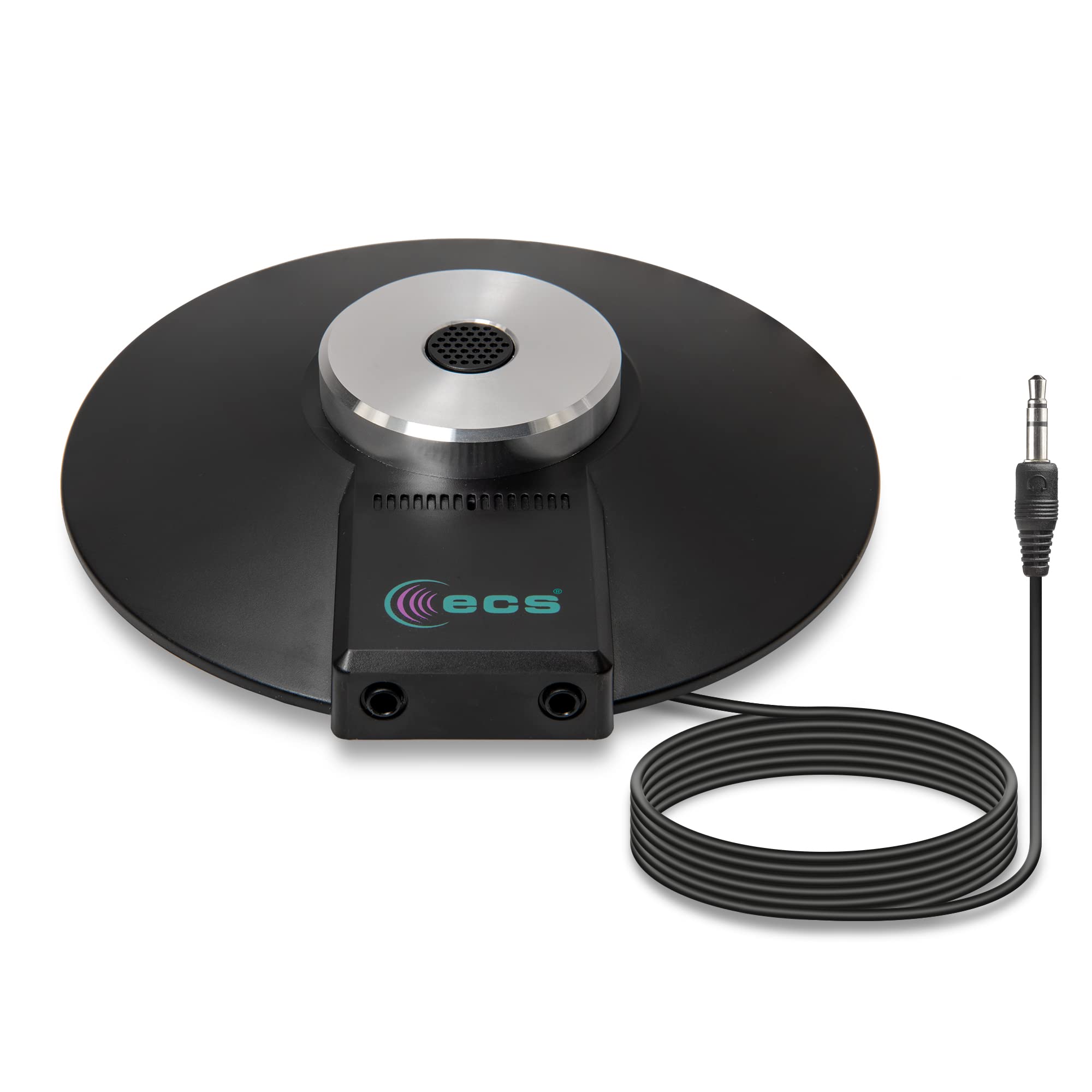
Wordforum 3.5 Mm 360 Stereo Conference Microphone - Omnidirectional Digital Recording For Meetings, Teleconferencing, Video Conferencing - Daisy Chain Option 3.5 Mm Equipped 360 Degree Boundary Conference Microphone With Omnidirectional Digital Recording. Microphone Works With Dictation Equipment, Laptops, And Desktops Equipped With Two Headphone Ports Capable Of Recording Multiple People Speaking At Once For Meetings, Teleconferencing, Video Conferencing, Zoom, Skype, Voip (Voiceover Internet Protocol) Calls Features Wide Frequency Response For Clarity And Enhanced Intelligbility 3.5Mm Microphone Features (2) 3.5Mm Inputs For Cascading Multiple Microphones (Daisy Chain) In Multi-User Applications Includes 1 Wordforum 3.5Mm Conference Microphone With 8 Foot Cord, 1 Zippered Carrying Case. No External Power Required.
⚠️ WARNING (California Proposition 65): This product may contain chemicals known to the State of California to cause cancer, birth defects, or other reproductive harm. For more information, please visit www.P65Warnings.ca.gov.
Frequently Asked Questions
Q: What size is the ECS WordForum microphone?A: The ECS WordForum microphone measures six point one inches in length, six point zero six inches in width, and one point six five inches in height.
Q: What materials is the microphone made of?A: The microphone is made from plastic, ensuring durability while remaining lightweight for easy transport.
Q: How many microphones are included in the package?A: The package includes one ECS WordForum microphone.
Q: How do I connect the microphone to my device?A: To connect, use the three point five millimeter TRS stereo plug, which is compatible with devices that have a three point five millimeter TRS stereo powered jack.
Q: Is this microphone suitable for group meetings?A: Yes, the microphone is capable of recording multiple people speaking at once, making it ideal for meetings, teleconferencing, and video conferencing.
Q: Can I daisy chain multiple microphones together?A: Yes, the microphone features two three point five millimeter inputs that allow for cascading multiple microphones in multi-user applications.
Q: How do I clean and maintain the microphone?A: To clean the microphone, gently wipe it with a soft, dry cloth. Ensure it is unplugged before cleaning to avoid damage.
Q: Is the microphone compatible with all computers?A: The microphone is compatible with laptops and desktops that have two headphone ports; however, it will not work with three point five millimeter TRRS four pole jacks unless an adapter is used.
Q: What is the frequency response of the microphone?A: The microphone features a wide frequency response that enhances clarity and intelligibility during recordings.
Q: Does the microphone require external power?A: No, the ECS WordForum microphone does not require any external power to operate.
Q: What environments is this microphone best suited for?A: This microphone is best suited for environments where clear audio is essential, such as meetings, video conferences, and teleconferences.
Q: What is the length of the microphone's cord?A: The microphone comes with an eight-foot cord, providing ample length for flexible placement during use.
Q: Can I use this microphone for Skype or Zoom calls?A: Yes, the ECS WordForum microphone is compatible with Skype, Zoom, and VoIP calls, ensuring high-quality audio.
Q: Is there a warranty for the microphone?A: Warranty information may vary by retailer; please check with the seller for specific warranty details.
Q: What type of carrying case does the microphone come with?A: The microphone includes a zippered carrying case, making it easy to transport and store.
Q: What color is the ECS WordForum microphone?A: The ECS WordForum microphone is available in black.