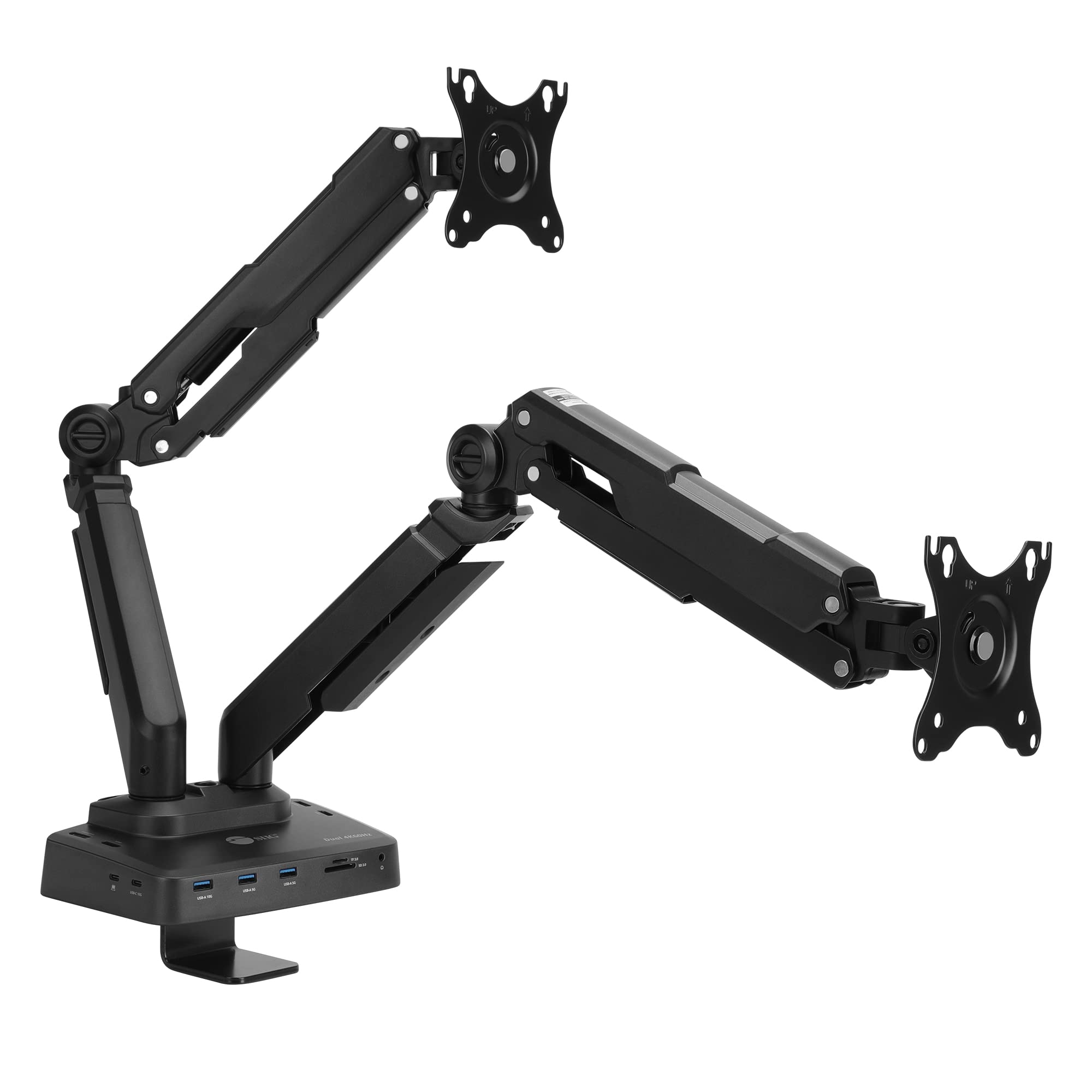
Unique Dual Moniter Desk Mount And Docking Station Combo Design, Gives You Dual-Display Visuals And Multiple Peripheral Connections, Adds Dual 4K@60Hz Displays, One Usb-C 10Gbps, One Usb-A 10Gbps, Two Usb-A 5Gbps, Sd/Tf Reader, One Gigabit Ethernet, One 3.5Mm Headset Jack, And Pd Up To 100W To Windows/Mac Computers, Fits 17'' To 32'' Monitor, Weights Up To 22 Lbs (Each), 75 X 75 And 100 X 100 Mm|228.88|0|None|None|
⚠️ WARNING (California Proposition 65): This product may contain chemicals known to the State of California to cause cancer, birth defects, or other reproductive harm. For more information, please visit www.P65Warnings.ca.gov.
Frequently Asked Questions
Q: What are the dimensions of the SIIG Dual Monitor Desk Arm Stand?A: The dimensions are approximately twenty point eight seven inches in length, thirty nine point three seven inches in width, and five point two eight inches in height.
Q: What is the weight capacity of the monitor arms?A: The monitor arms can support screens weighing up to twenty two pounds, allowing for a wide range of monitor sizes.
Q: What type of VESA mounting holes does it support?A: It supports seventy five by seventy five millimeters and one hundred by one hundred millimeters VESA mounting holes for compatibility with most monitors.
Q: How do I install the dual monitor desk mount?A: To install, secure the VESA plate to your monitor, then attach it to the mount, following the included instructions for optimal setup.
Q: Is this desk mount suitable for curved monitors?A: Yes, it is compatible with most flat and curved monitors ranging from seventeen inches to thirty two inches in size.
Q: How do I adjust the monitor arms for better ergonomics?A: You can adjust the arms for swivel and tilt, allowing for a full range of motion of one hundred eighty degrees and monitor tilting angles of plus or minus ninety degrees.
Q: What is the cleaning procedure for the monitor arm?A: To clean, use a soft cloth to wipe down the monitor arms; avoid abrasive cleaners to maintain the finish.
Q: Can I use this with MacBook M1 or M2 systems?A: Yes, it is compliant with MacBook M1 and M2 systems, and requires the latest drivers from SIIG or DisplayLink for optimal functionality.
Q: How do I store the monitor mount when not in use?A: When not in use, disassemble the mount and store it in a dry place to prevent damage, ensuring all parts are kept together.
Q: Is there a warranty for the SIIG monitor mount?A: Yes, SIIG provides a warranty for their products; refer to the packaging or SIIG's website for specific details.
Q: What should I do if the monitor mount arrives damaged?A: If it arrives damaged, contact SIIG's customer service through Amazon for assistance with returns or replacements.
Q: Does the docking station support USB-C devices?A: Yes, the docking station features a USB-C connection with a speed of ten gigabits per second, accommodating various USB-C devices.
Q: Can I connect two monitors at the same time?A: Yes, the dual monitor arm allows you to connect two monitors simultaneously through its dual HDMI or DisplayPort outputs.
Q: What is the power delivery capability of the docking station?A: The docking station supports up to one hundred watts of power delivery, ensuring your devices charge efficiently while connected.
Q: Is there any setup software required for this docking station?A: Yes, you need to download the latest DisplayLink driver from SIIG or DisplayLink's website to ensure compatibility and functionality.
Q: Does this product have any hazardous materials?A: No, the SIIG Dual Monitor Desk Arm Stand does not contain any hazardous materials, making it safe for home or office use.