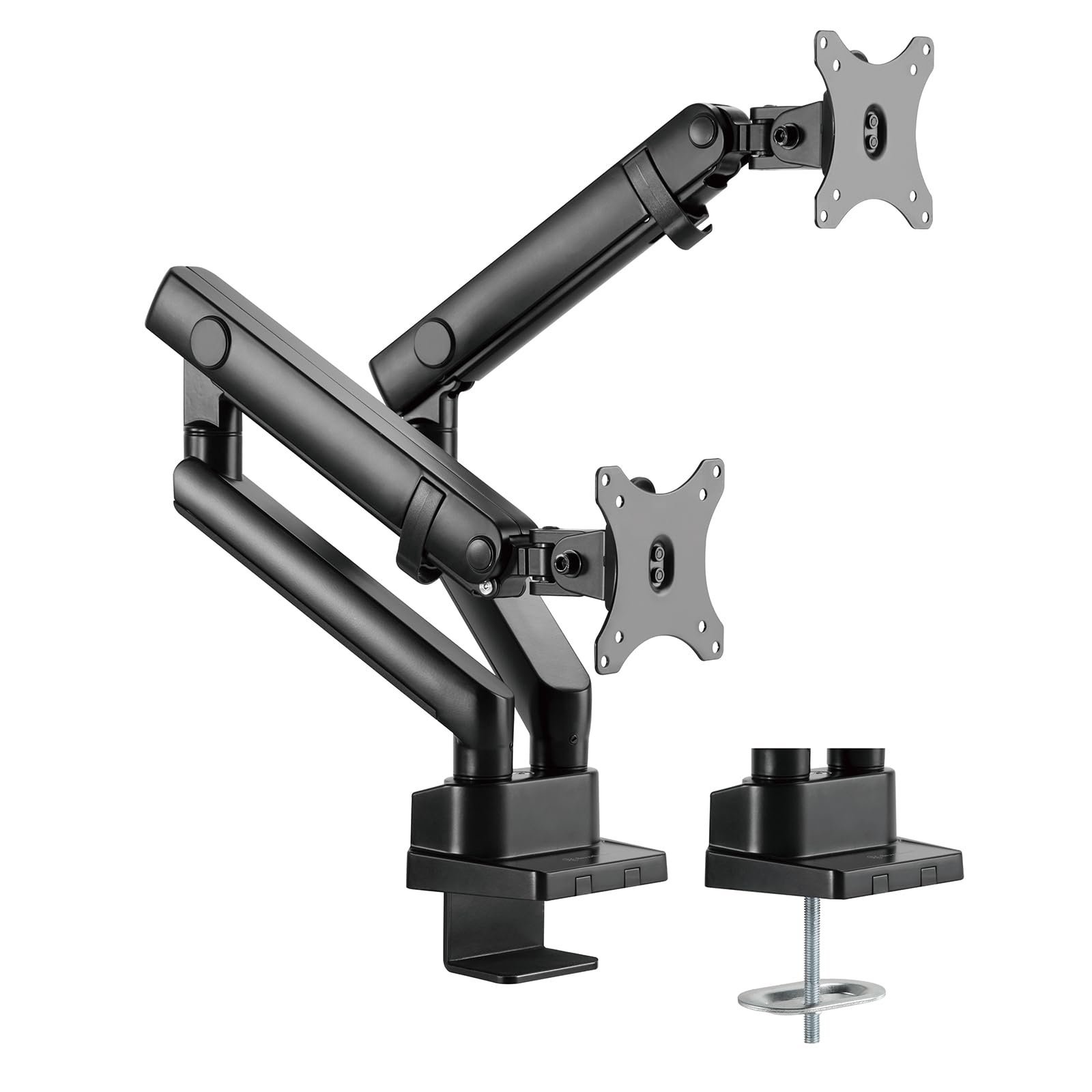
Silverstone'S Arm25 Is A Dual Extended Arm Mount Constructed With Robust Aluminum Alloy And Steel. It'S Designed With Mechanical Springs To Allow For Effortless Raising And Lowering Of Installed Monitors. Supporting Monitors Up To 32'' In Size And 19.9 Lbs (9 Kg) In Weight. It Features 90 Degree Swivel And Tilt Capabilities, Along With A 360 Degree Pivot Rotation. The Arm25 Also Follows The Vesa Mounting Interface Standard (Mis) And Is Compliant With Vesa Standardized Screw-Hole Positions Of 100Mm X 100Mm Or 75Mm X 75Mm. There Are Two Mounting Mechanisms For The Arm25: One Is The Clamp Mount Approach, And The Other Is A Grommet Mount Approach. Ease Of Installation And Cable Management Routing Make It The Perfect Product For People Who Wish For Hassle-Free Adjustments In Height And Reach, Providing Various Viewing Angles For The Monitor, Freeing You From Traditional Restricted Positions And Keeping Cables Out Of Sight.
⚠️ WARNING (California Proposition 65): This product may contain chemicals known to the State of California to cause cancer, birth defects, or other reproductive harm. For more information, please visit www.P65Warnings.ca.gov.
Frequently Asked Questions
Q: What materials is the SilverStone Technology ARM25 made of?A: The SilverStone Technology ARM25 is constructed from robust aluminum alloy and steel. This combination ensures durability and stability for supporting monitors.
Q: What are the dimensions of the SilverStone ARM25?A: The dimensions of the SilverStone ARM25 are approximately forty-one point one inches in length, five point twelve inches in width, and twenty point fifty-nine inches in height.
Q: How much weight can the ARM25 support?A: The ARM25 can support monitors weighing up to nineteen point nine pounds, which is about nine kilograms. This makes it suitable for a wide variety of monitors.
Q: How do I install the SilverStone ARM25?A: You can install the ARM25 using either a clamp mount or a grommet mount. Both methods provide flexibility for different desk setups and ensure a secure attachment.
Q: Is the ARM25 compatible with my monitor?A: Yes, the ARM25 is compatible with monitors up to thirty-two inches in size. It also follows the VESA mounting interface standard for easy installation.
Q: How do I adjust the height of the ARM25?A: The ARM25 features a mechanical spring design that allows for effortless raising and lowering of your monitor. Simply grasp the monitor and adjust it to your desired height.
Q: How should I care for the SilverStone ARM25?A: To keep the ARM25 in good condition, regularly check for loose screws and clean it with a soft cloth. Avoid using harsh chemicals that might damage the finish.
Q: Is the ARM25 safe for my monitors?A: Yes, the ARM25 is designed with robust materials and a secure mounting system to safely hold your monitors. It complies with VESA standards for added safety.
Q: What is the best way to manage cables with the ARM25?A: The ARM25 features built-in cable management routing to keep cables out of sight. This helps maintain a clean and organized workspace.
Q: Can I use the ARM25 for dual monitors?A: Yes, the ARM25 is specifically designed for dual monitor setups. It allows for independent movement and adjustment of each monitor arm.
Q: What if the ARM25 arrives damaged?A: If the ARM25 arrives damaged, you should contact the retailer immediately to initiate a return or exchange process. Most retailers have customer support for warranty issues.
Q: Does the ARM25 have a warranty?A: Yes, the ARM25 typically comes with a warranty from SilverStone Technology. Ensure to check the warranty details included with your purchase.
Q: How do I troubleshoot installation issues with the ARM25?A: If you encounter installation issues, refer to the user manual for step-by-step instructions. Additionally, checking online resources or customer support can provide further assistance.
Q: Is the ARM25 easy to adjust for different viewing angles?A: Yes, the ARM25 allows for ninety-degree swivel and tilt capabilities, along with a three hundred sixty-degree pivot rotation for optimal viewing angles.
Q: What type of monitors work best with the ARM25?A: The ARM25 works best with monitors that are up to thirty-two inches in size and comply with VESA hole positions of either one hundred millimeters by one hundred millimeters or seventy-five millimeters by seventy-five millimeters.