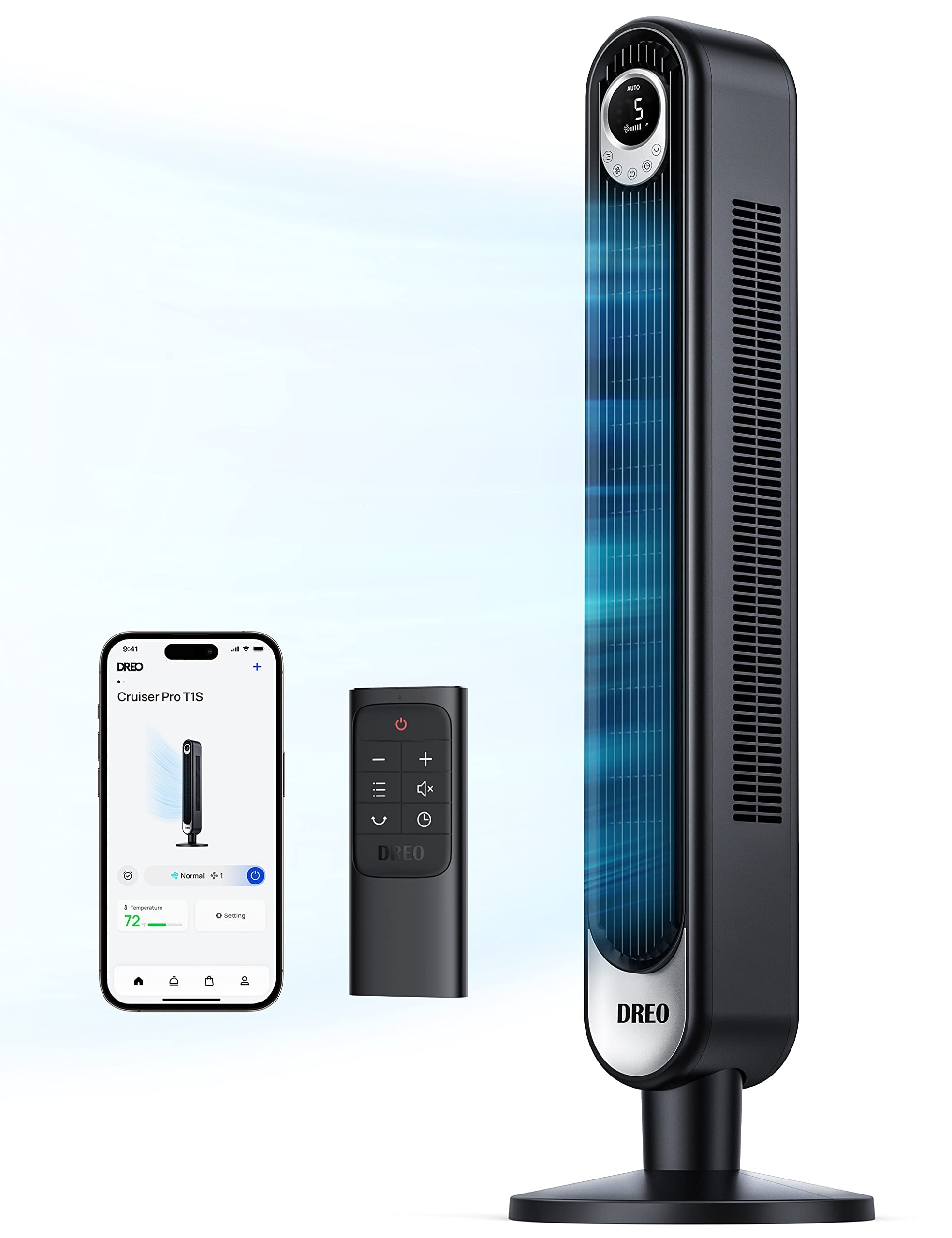
Safe And Reliable: This Etl Certified Wifi Tower Fan Is Safe For Your Family. The Bladeless Fan Creates Powerful Airflow Without Fast Spinning Blades. The Safety Design Prevents Children And Pets From Putting Fingers And Paws Insideportable Carrying Handle: Comes With A Built-In Carrying Handle For Easy Movement. The Remote Control Can Be Placed Inside The Handle For Your Conveniencefour Modes: Customize Your Breeze With Four Modes - Sleep, Normal, Natural, And Auto Mode. Stay Cool On Hot Summer Days In The Bedroom, Study, Living Room, Dorm Or Office12H Timer: Automatically Turn Off The Wifi Tower Fan By Setting The 12 Hour Timer In 1 Hour Increments, Saving Unnecessary Energy Consumption Mute Function: Turn The Beep On Or Off By Pressing The 'Mute' Button On The Dreo App Or The Remote Control For A Good Rest
⚠️ WARNING (California Proposition 65): This product may contain chemicals known to the State of California to cause cancer, birth defects, or other reproductive harm. For more information, please visit www.P65Warnings.ca.gov.
Frequently Asked Questions
Q: What is the height of the Dreo Smart Tower Fan?A: The Dreo Smart Tower Fan is forty-two inches tall. Its height makes it suitable for various indoor locations like bedrooms and offices.
Q: What material is the Dreo Smart Tower Fan made of?A: The fan is made from Acrylonitrile Butadiene Styrene, which is durable and lightweight. This material contributes to the fan's sleek design and longevity.
Q: What is the power consumption of the Dreo Smart Tower Fan?A: The fan consumes forty-five watts of power. It operates efficiently, making it an economical choice for cooling.
Q: How do I control the Dreo Smart Tower Fan?A: You can control the fan using voice commands with Alexa or Google Assistant. It also has a remote and a dedicated smartphone app for convenience.
Q: How many speeds does the Dreo Smart Tower Fan have?A: The fan has six different speed settings. This allows you to customize the airflow according to your comfort level.
Q: What modes are available on the Dreo Smart Tower Fan?A: It has four modes including normal, natural, sleep, and auto. These modes cater to different cooling needs and preferences.
Q: How do I clean the Dreo Smart Tower Fan?A: To clean the fan, simply wipe it down with a damp cloth. Ensure that it is unplugged before cleaning to maintain safety.
Q: Are there any hazardous materials in the Dreo Smart Tower Fan?A: Yes, the fan contains lithium metal batteries. It's important to handle it with care and follow disposal guidelines for batteries.
Q: Is the Dreo Smart Tower Fan suitable for a bedroom?A: Yes, it is designed for use in bedrooms and features a sleep mode for quieter operation. This makes it ideal for nighttime use.
Q: What is the air velocity of the Dreo Smart Tower Fan?A: The fan can achieve an impressive air velocity of twenty-five feet per second. This ensures effective airflow throughout the room.
Q: What is the weight of the Dreo Smart Tower Fan?A: The weight of the fan is not specified, but it is designed to be easily movable. Its lightweight build allows for convenient relocation.
Q: How do I set the timer on the Dreo Smart Tower Fan?A: You can set the timer up to twelve hours using the remote or the smartphone app. This feature allows for flexible cooling control.
Q: Can I use the Dreo Smart Tower Fan outdoors?A: No, the Dreo Smart Tower Fan is designed for indoor use only. It is not suitable for outdoor conditions.
Q: What kind of display does the Dreo Smart Tower Fan have?A: The fan features a large LED display. This shows vital information such as temperature, fan speed, mode, and timer settings.
Q: What is the oscillation feature of the Dreo Smart Tower Fan?A: Yes, the fan has an oscillation feature that helps distribute airflow evenly across the room. This enhances cooling efficiency.