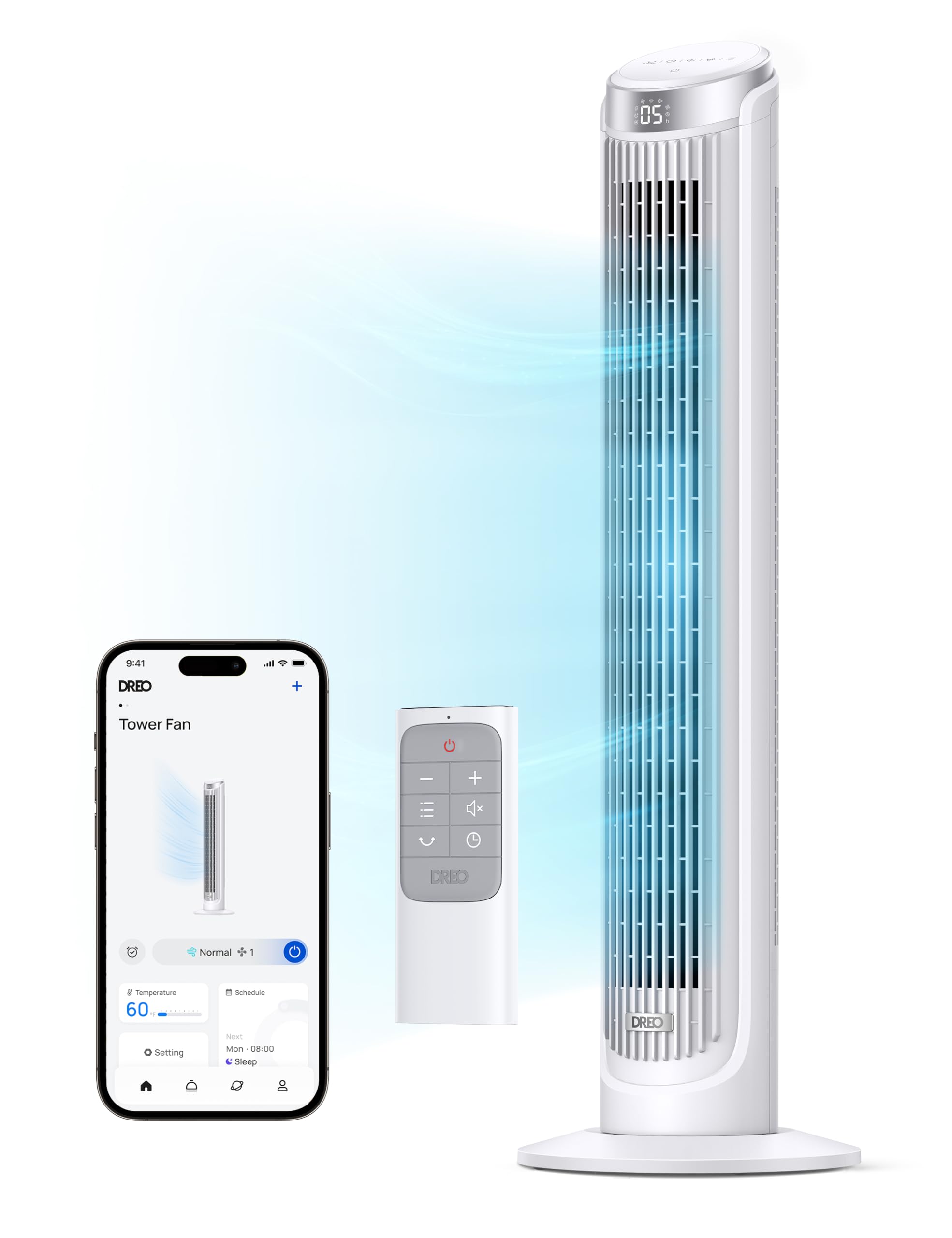
Enjoy Ultra-Fast Winds: Dreo'S Aerodynamic Airflow System Of This Smart Tower Fan Delivers Refreshing Air Up To 26Ft/S, Covering Every Inch Of Your Living Space | Sleep Peacefully: With 34Db Low Noise, Display Auto Off, And A Mind-Soothhing Sleep Mode, You Can Rest At Your Bedroom All Night Long Without Any Disturbances | Control Your Fan Anywhere: Access And Control Your Oscillating Fan Anytime, Anywhere With The Free Dreo App. Share With Up To 8 Members And Enjoy Handsfree Control With Alexa And Google Home | Personalize Your Comfort: Choose From 4 Modes (Normal/Natural/Sleep/Auto) To Customize Your Breeze. In Auto Mode, The Fan Speed Adapts To The Ambient Temperature, Saving Energy And Money | Wide-Angle Oscillation: 90
⚠️ WARNING (California Proposition 65): This product may contain chemicals known to the State of California to cause cancer, birth defects, or other reproductive harm. For more information, please visit www.P65Warnings.ca.gov.
Frequently Asked Questions
Q: What are the dimensions of the Dreo Smart Tower Fan?A: The Dreo Smart Tower Fan measures approximately eleven point three four inches in length, eleven point three four inches in width, and thirty-nine point seven six inches in height.
Q: What materials are used in the Dreo Smart Tower Fan?A: The Dreo Smart Tower Fan is primarily made of plastic, ensuring lightweight yet durable construction for indoor use.
Q: What is the weight of the Dreo Smart Tower Fan?A: The weight of the Dreo Smart Tower Fan is not specified, but it is designed to be easily movable for convenience.
Q: How do I control the Dreo Smart Tower Fan?A: You can control the Dreo Smart Tower Fan via the Dreo app on your smartphone, or use voice commands with Alexa and Google Home.
Q: What are the different modes available on the Dreo Smart Tower Fan?A: The fan offers four modes: Normal, Natural, Sleep, and Auto, allowing you to customize your cooling experience.
Q: Can I use the Dreo Smart Tower Fan in a large room?A: Yes, the fan is designed to deliver airflow up to twenty-six feet per second, making it suitable for larger indoor spaces.
Q: How do I maintain the Dreo Smart Tower Fan?A: To maintain the fan, regularly clean the exterior with a damp cloth and ensure the air intake is free from dust and debris.
Q: Is the Dreo Smart Tower Fan safe for kids and pets?A: Yes, its no-blade design makes it safe for use around children and pets, reducing the risk of accidents.
Q: What is the noise level of the Dreo Smart Tower Fan?A: The fan operates at a low noise level of thirty-four decibels, making it suitable for peaceful sleep environments.
Q: Does the Dreo Smart Tower Fan have a timer feature?A: Yes, the fan includes a twelve-hour timer that allows you to set it to automatically turn off after your desired duration.
Q: What type of batteries does the Dreo Smart Tower Fan use?A: The fan is packed with lithium-ion batteries, which are integrated into the equipment for wireless operation.
Q: Can I connect multiple users to the Dreo Smart Tower Fan app?A: Yes, the Dreo app allows you to share control with up to eight members, making it convenient for family use.
Q: What is the oscillation angle of the Dreo Smart Tower Fan?A: The Dreo Smart Tower Fan features a ninety-degree oscillation angle, ensuring even airflow distribution throughout the room.
Q: How energy-efficient is the Dreo Smart Tower Fan?A: The fan's Auto mode adapts the speed based on ambient temperature, which helps save energy and reduce electricity costs.
Q: What should I do if my Dreo Smart Tower Fan doesn't work properly?A: If you experience issues, check the power source, ensure the fan is properly connected to Wi-Fi, and consult the user manual for troubleshooting steps.