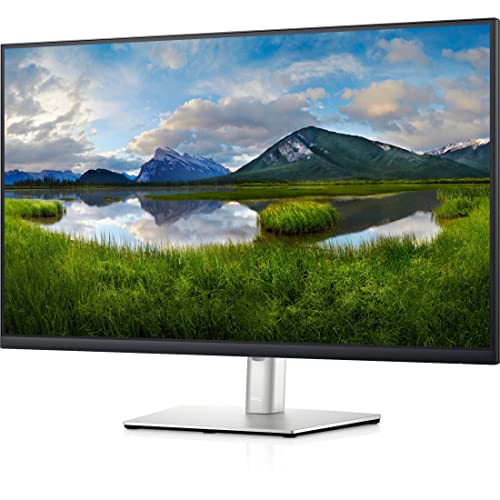
More To See. This Vast 31.5 Qhd Monitor With Fantastic Views From All Angles, Proves That One Display Is All You Need. Work Comfortably. Pivot, Tilt, Swivel And Adjust The Height Of Your Monitor To Your Exact Preference. Beauty Meets Function. This Stylish, Sleek Monitor Can Also Charge Your Device With Up To 65W Of Power Delivery With Usb-C.
⚠️ WARNING (California Proposition 65): This product may contain chemicals known to the State of California to cause cancer, birth defects, or other reproductive harm. For more information, please visit www.P65Warnings.ca.gov.
Frequently Asked Questions
Q: What is the size of the Dell P3221D monitor?A: The Dell P3221D monitor is thirty-one point five inches in size. It has dimensions of sixteen point five inches in height, twenty-eight point one inches in width, and two point two inches in depth.
Q: What is the resolution of the Dell P3221D monitor?A: The Dell P3221D monitor features a QHD resolution of one thousand four hundred forty pixels. This high resolution provides clear and detailed images for various tasks.
Q: What is the brightness level of the Dell P3221D?A: The brightness level of the Dell P3221D is three hundred fifty nits. This ensures an exceptional visible display for clear on-screen pictures.
Q: Is the Dell P3221D monitor VESA mount compatible?A: Yes, the Dell P3221D monitor is VESA mount compatible. This allows you to mount it on a wall or with a stand based on your preferences.
Q: What color is the Dell P3221D monitor?A: The Dell P3221D monitor is black in color. This sleek design fits well with various setups and aesthetics.
Q: How do I set up the Dell P3221D monitor?A: To set up the Dell P3221D monitor, start by connecting the power cable and video cables to your computer. Then, adjust the monitor's settings using the on-screen display menu.
Q: Is the Dell P3221D monitor suitable for gaming?A: Yes, the Dell P3221D monitor is suitable for gaming. Its QHD resolution and high brightness level enhance the gaming experience with clearer visuals.
Q: Can I use the Dell P3221D for office work?A: Yes, the Dell P3221D is ideal for office work. Its large screen and high resolution provide ample space for multitasking and detailed work.
Q: How do I clean the Dell P3221D monitor?A: To clean the Dell P3221D monitor, use a microfiber cloth with a gentle cleaning solution. Avoid using abrasive materials to prevent scratching the screen.
Q: What is the warranty period for the Dell P3221D monitor?A: The Dell P3221D monitor typically comes with a three-year limited warranty. It's best to check the specific details provided with your purchase.
Q: What if the Dell P3221D monitor arrives damaged?A: If the Dell P3221D monitor arrives damaged, contact the retailer immediately for assistance. Most retailers will facilitate a return or exchange process.
Q: Does the Dell P3221D monitor have any hazardous materials?A: No, the Dell P3221D monitor does not contain hazardous materials. It complies with safety standards for electronic devices.
Q: What is the aspect ratio of the Dell P3221D monitor?A: The aspect ratio of the Dell P3221D monitor is sixteen to nine. This widescreen format is perfect for watching movies and playing video games.
Q: Can I use the Dell P3221D monitor for photo editing?A: Yes, the Dell P3221D monitor is suitable for photo editing. Its high resolution and color accuracy help in detailed image editing.
Q: What are the connectivity options for the Dell P3221D monitor?A: The Dell P3221D monitor offers various connectivity options, including HDMI, DisplayPort, and USB ports. This allows for easy connection to multiple devices.