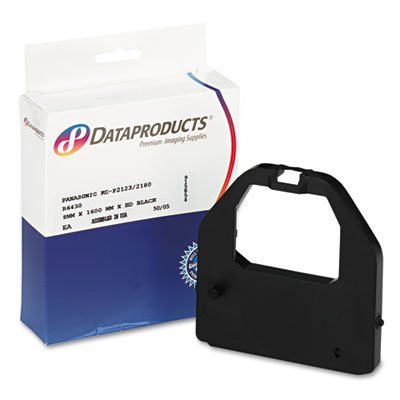
R6430 Compatible Ribbon With Ink For Use With Panasonic Kx-P2123, Kx-P2124, Kx-P2180, Kx-P3123 And Kx-P3124 Printers. Long Useful Life And Exceptional Character Definition. Device Types: Printer; Color(S): Black; Oem/Compatible: Compatible Global Product Type: Ink/Correction Ribbons Device Types: Printer Color(S): Black Oem/Compatible: Compatible Material: Nylon Pre-Consumer Recycled Content Percent: 0% Post-Consumer Recycled Content: 0% Total Recycled Content Percent: 0% Special Features: Reusable
⚠️ WARNING (California Proposition 65): This product may contain chemicals known to the State of California to cause cancer, birth defects, or other reproductive harm. For more information, please visit www.P65Warnings.ca.gov.
Frequently Asked Questions
Q: What is the material of the Dataproducts R6430 ribbon?A: The Dataproducts R6430 ribbon is made of nylon. This material provides durability and ensures high-quality prints.
Q: What are the dimensions of the package for this ribbon?A: The package dimensions are sixteen point two centimeters in length, four centimeters in height, and twelve centimeters in width. These dimensions make it compact for storage.
Q: What is the weight of the Dataproducts R6430 ribbon package?A: The package weighs two point eight ounces. This lightweight design makes it easy to handle and ship.
Q: How do I install the Dataproducts R6430 ribbon?A: To install the ribbon, open your compatible printer, remove the old ribbon, and place the new Dataproducts R6430 in the designated slot. Ensure it is secured properly.
Q: Is the Dataproducts R6430 ribbon suitable for my printer?A: Yes, the R6430 ribbon is compatible with Panasonic KX-P2123, KX-P2124, KX-P2180, KX-P3123, and KX-P3124 printers. Verify your printer model for proper fit.
Q: Can I reuse the Dataproducts R6430 ribbon?A: Yes, the R6430 ribbon is designed to be reusable. This feature allows for extended use, making it a cost-effective option.
Q: How should I store the Dataproducts R6430 ribbon?A: Store the ribbon in a cool, dry place away from direct sunlight. Proper storage helps maintain ink quality and prolongs its useful life.
Q: What is the shelf life of the Dataproducts R6430 ribbon?A: The shelf life varies, but it is recommended to use the ribbon within a year for optimal performance. Check for any signs of drying before use.
Q: Are there any special cleaning instructions for the ribbon?A: No special cleaning instructions are required for the ribbon itself. However, keep your printer clean to ensure the best print quality.
Q: Is the Dataproducts R6430 ribbon environmentally friendly?A: No, the ribbon has zero percent pre-consumer and post-consumer recycled content. It’s important to consider this if sustainability is a priority.
Q: What if the Dataproducts R6430 ribbon arrives damaged?A: If the ribbon arrives damaged, contact the seller for a return or replacement. Most sellers offer a warranty or satisfaction guarantee.
Q: How do I know when to replace the Dataproducts R6430 ribbon?A: Replace the ribbon when print quality deteriorates or if you see streaks and faded prints. Regular checks help maintain print clarity.
Q: Can I use the Dataproducts R6430 ribbon with other printer brands?A: No, the R6430 ribbon is specifically designed for Panasonic printers. Using it with incompatible brands may cause damage or poor performance.
Q: What is the print color of the Dataproducts R6430 ribbon?A: The Dataproducts R6430 ribbon prints in black. This color is ideal for standard printing needs.
Q: What is the global product type for the Dataproducts R6430 ribbon?A: The global product type is ink or correction ribbons. This classification helps in identifying the product category.