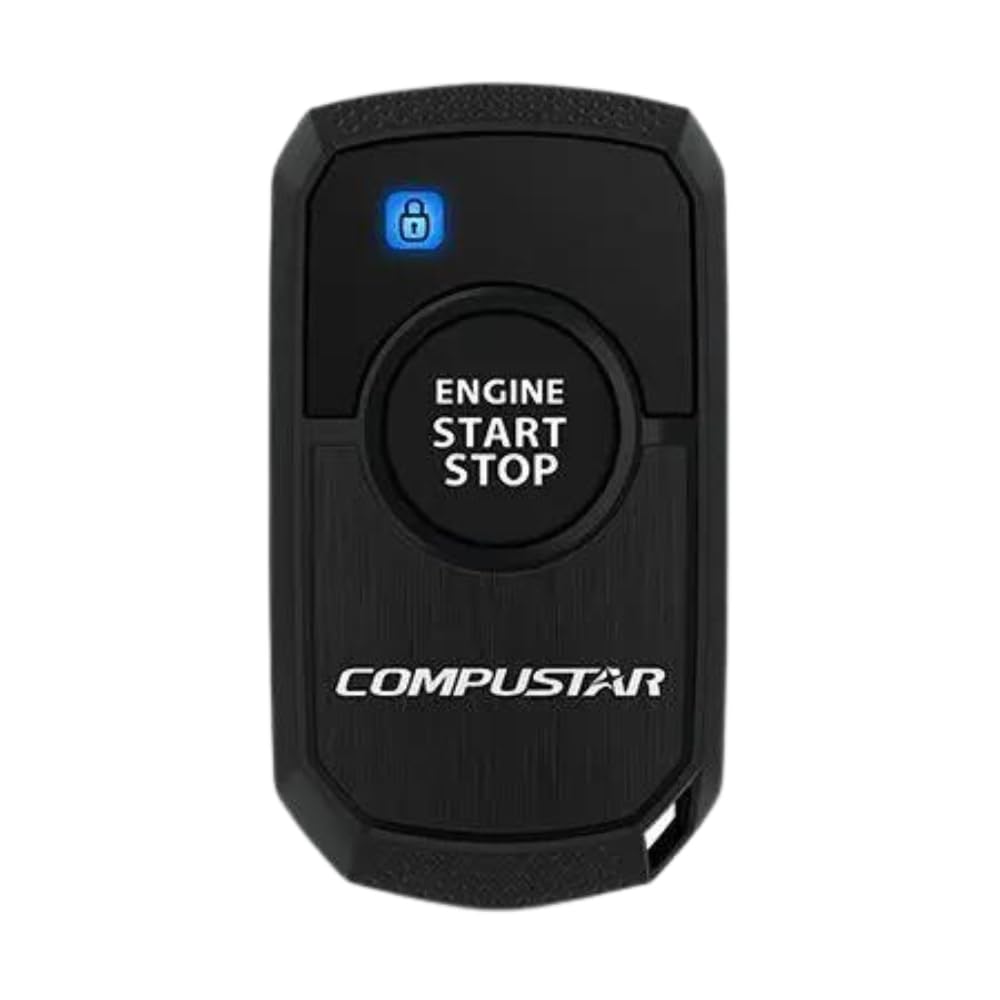
Replacement Compustar 1Wr3R-Am 1B 1-Way, 1000' Remote These Remotes Use Am Transmission Technology To Provide About 500 Feet Of Range. We Refer To This As 1X Power Range. You Can Start Your Car, Truck Or Suv From The Door Of Your Home, Office Or Favorite Restaurant. A Quick Tap On The Single Control Button Will Lock Your Car Doors. Double-Tapping The Button Will Unlock Your Doors. Pressing And Holding The Button For Three Seconds Will Initialize The Remote Start Sequence.
⚠️ WARNING (California Proposition 65): This product may contain chemicals known to the State of California to cause cancer, birth defects, or other reproductive harm. For more information, please visit www.P65Warnings.ca.gov.
Frequently Asked Questions
Q: What is the range of the Compustar 1WR3R-AM remote?A: The remote has a range of one thousand feet. This range allows you to start your vehicle from a significant distance, making it convenient for users.
Q: What is the main material of the Compustar 1WR3R-AM remote?A: The remote is primarily made of durable plastic materials. This construction ensures durability and resistance to everyday wear and tear.
Q: Does the Compustar 1WR3R-AM remote require batteries?A: Yes, it uses lithium metal batteries. These batteries are essential for powering the remote's features and functionality.
Q: How do I use the Compustar 1WR3R-AM remote to start my car?A: To start your vehicle, press and hold the control button for three seconds. This initiates the remote start sequence for your car.
Q: Is the Compustar 1WR3R-AM remote easy to use?A: Yes, it features a single control button for easy operation. Locking and unlocking your car doors is as simple as tapping the button once or twice.
Q: Can I use the Compustar 1WR3R-AM remote with any vehicle?A: Yes, as long as your vehicle is compatible with the remote start system. Check your vehicle's specifications to ensure compatibility.
Q: What precautions should I take with the Compustar 1WR3R-AM remote?A: Keep the remote away from moisture and extreme temperatures. Proper care extends the lifespan of the device and maintains its performance.
Q: How do I maintain the Compustar 1WR3R-AM remote?A: Regularly check the battery level and replace the lithium batteries as needed. Additionally, clean the exterior with a soft cloth to keep it in good condition.
Q: Is the Compustar 1WR3R-AM remote safe for children?A: Yes, but keep it out of reach to prevent accidental use. The remote should be treated as any electronic device with batteries.
Q: How does the Compustar 1WR3R-AM compare to other remotes?A: It offers a one-way communication system with a range of one thousand feet, which is competitive in the market. This makes it a solid choice for basic remote start needs.
Q: What should I do if my Compustar 1WR3R-AM remote is not working?A: First, check if the batteries need replacement. If the issue persists, consult the user manual or contact customer support for assistance.
Q: Is there a warranty for the Compustar 1WR3R-AM remote?A: Yes, there is typically a warranty provided by the manufacturer. Review the warranty terms to understand the coverage and duration.
Q: Can I return the Compustar 1WR3R-AM remote if I am not satisfied?A: Yes, returns are generally accepted within a specified period. Check the retailer’s return policy for details on how to initiate a return.
Q: What are the dimensions of the Compustar 1WR3R-AM remote?A: The exact dimensions are not specified, but it is designed to be compact and easily portable. This makes it convenient to carry around.
Q: Is the Compustar 1WR3R-AM remote suitable for older vehicles?A: Yes, it can be used with many older models as long as they are compatible with remote start systems. Verify compatibility with your vehicle.