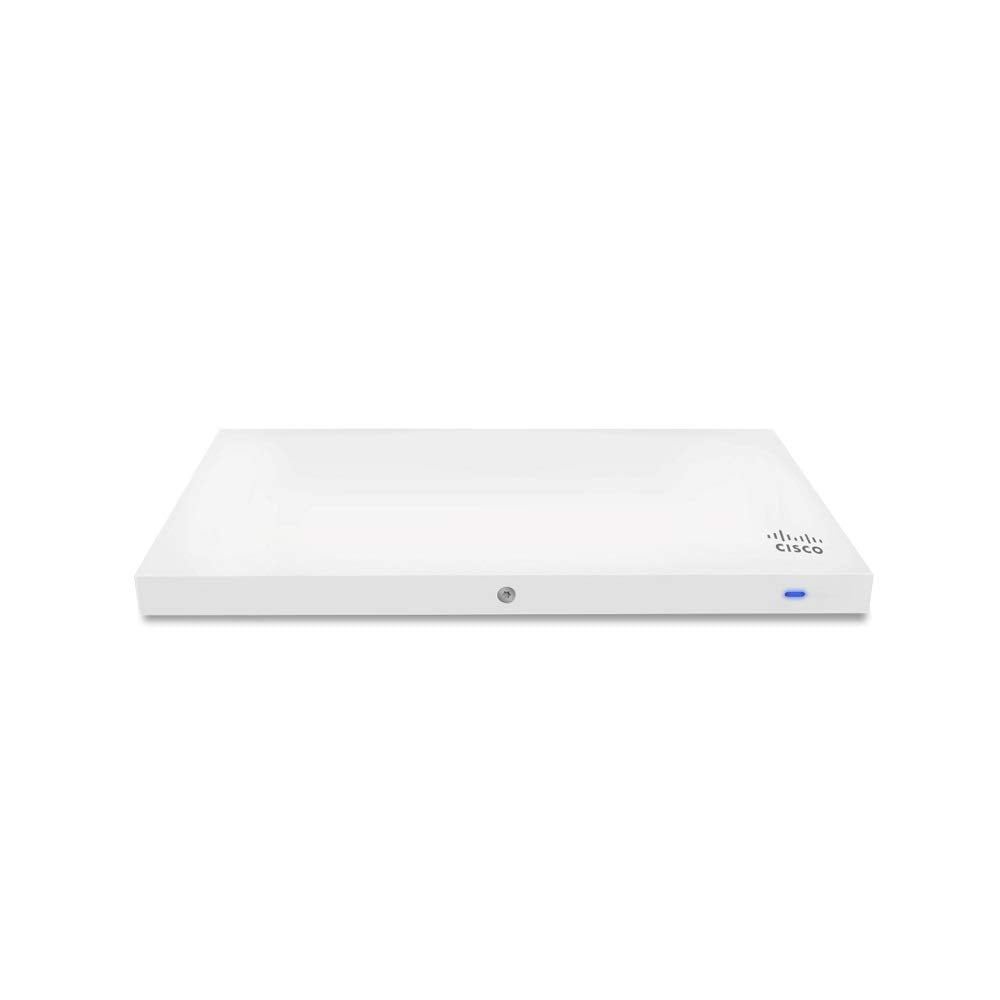
The Cisco Meraki Mr33 Is A Quad-Radio, Cloud-Managed 2X2:2 802.11Ac Wave 2 Access Point With Mu-Mimo Support. Designed For Next-Generation Deployments In Offices, Schools, Hospitals, Shops, And Hotels, The Mr33 Provides Performance, Enterprise-Grade Security, And Simple Management. The Mr33 Provides A Maximum 1.3 Gbps* Aggregate Frame Rate With Concurrent 2.4 Ghz And 5 Ghz Radios. A Dedicated Third Radio Provides Real-Time Wids/Wips With Automated Rf Optimization. An Integrated Bluetooth Low Energy (Ble) Radio Delivers Beacon And Scanning Capabilities. The Combination Of Cloud Management, 802.11Ac Wave 2, Full-Time Rf Environment Scanning, And Integrated Bluetooth Technology Delivers The Throughput, Reliability, And Flexibility Required By Demanding Business Applications Like Voice And High-Definition Streaming Video, Today And Tomorrow.
⚠️ WARNING (California Proposition 65): This product may contain chemicals known to the State of California to cause cancer, birth defects, or other reproductive harm. For more information, please visit www.P65Warnings.ca.gov.
Frequently Asked Questions
Q: What is the maximum performance of the Cisco Meraki MR33?A: The maximum performance is one point three gigabits per second. This is achieved with concurrent two point four gigahertz and five gigahertz radios.
Q: What type of wireless technology does the MR33 use?A: The MR33 uses dual-band, 802.11ac Wave 2 technology. It's designed for high-density environments requiring reliable wireless connectivity.
Q: What is the model number of this product?A: The model number is MR33-HW-LIC1YR. It reflects the specific configuration of the access point and its licensing.
Q: How do I set up the Cisco Meraki MR33?A: To set it up, connect the access point to your network and follow the Meraki Dashboard instructions. The cloud-managed interface simplifies the installation process.
Q: Is the MR33 suitable for home use?A: Yes, the MR33 is suitable for home use, especially in larger homes or those with high bandwidth needs. It delivers reliable performance and management.
Q: Can I mount the MR33 on a wall or ceiling?A: Yes, the MR33 can be mounted on both walls and ceilings. It includes hardware for versatile installation options.
Q: What is the warranty period for the Cisco Meraki MR33?A: The warranty period is typically one year. This covers defects in materials and workmanship under normal use.
Q: How do I update the firmware on the MR33?A: Firmware updates can be done via the Meraki Dashboard. It allows for easy management and automatic updates as needed.
Q: Is there support available for the MR33?A: Yes, support is available as part of the enterprise license. This includes technical assistance and resources for troubleshooting.
Q: What is the integrated Bluetooth capability used for?A: The integrated Bluetooth Low Energy radio is used for beacon and scanning capabilities. It enhances location-based services and device discovery.
Q: What environments is the MR33 designed for?A: The MR33 is designed for offices, schools, hospitals, shops, and hotels. It meets the needs of various business applications.
Q: How do I maintain the Cisco Meraki MR33?A: Maintain the MR33 by ensuring it is kept clean and free from obstructions. Regularly check the Meraki Dashboard for performance metrics.
Q: Is it safe to use the MR33 in outdoor environments?A: No, the MR33 is not designed for outdoor use. It should be installed in indoor environments to ensure optimal performance.
Q: What should I do if the MR33 is not connecting to the network?A: If the MR33 is not connecting, verify your network settings and ensure the device is powered on. Restarting the access point may also help.
Q: How many users can the MR33 support simultaneously?A: The MR33 can support a large number of concurrent users, but the exact number varies based on usage. It’s optimized for high-density environments.
Q: Can I use the MR33 for video streaming?A: Yes, the MR33 supports video streaming. It provides the throughput and reliability needed for high-definition video applications.