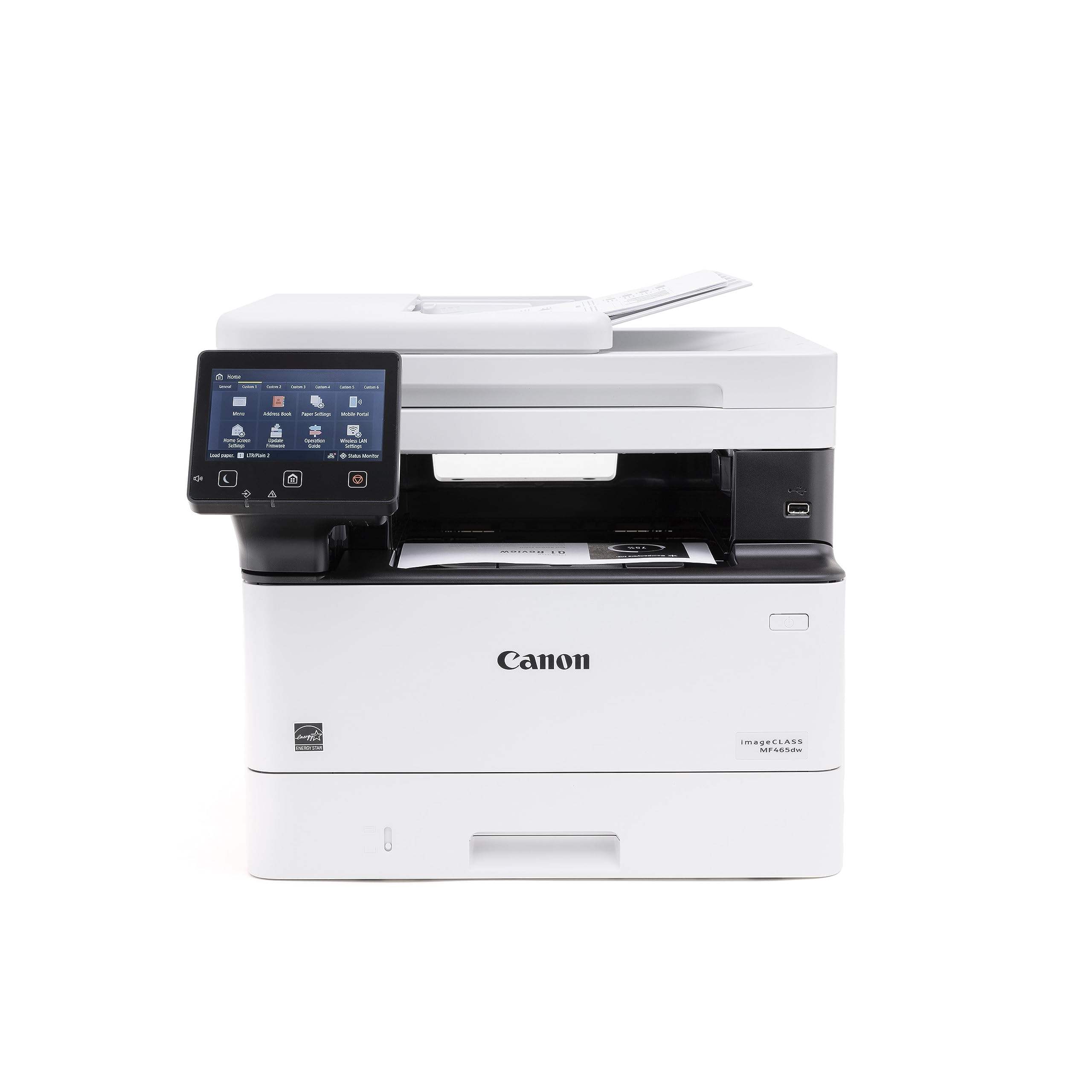
Designed For Small And Medium-Size Businesses, The Imageclass Mf465Dw Model Balances Speedy Performance And Minimal Maintenance. The Mf465Dw Is Easy To Set Up And Offers Media Versatility To Print On A Variety Of Media Types And Sizes, Including Envelopes. With The Easy To Use 5-Inch Touchscreen And Application Library, You Can Customize Your Printer To Access The Features You Use Most. The Mf465Dw Has Fast Print Speeds Of Approximately 42 Pages Per Minute To Keep Up With Your Business. The Mf465Dw Uses High Quality Canon Genuine Toner 070 / 070 H, For Bold, Crisp Output Your Business Can Count On. Toner 070 Yields Approximately 3,000 Pages And Toner 070 High-Capacity Yields Approximately 10,200 Pages. The Mf465Dw Offers An Expandable Paper Capacity Of Up To 900 Sheets 250 Sheets In The Standard Cassette, 100 Sheets In The Multipurpose Tray, And 550 Sheets Using Optional Cassette Ah-1. The 2-Sided, Automatic Document Feeder (Adf) Holds Up To 50-Sheets And Also Scans Both Sides Of Your Document In A Single Pass Using The One-Pass Scan Function, Which Helps Save You Time. Easily Connect And Print Through Wirelessly From Computers Or Mobile Devices. Print Using A Variety Of Mobile Apps, Including The Canon Print Business App Using Your Compatible Mobile Device.The Mf465Dw Comes With A 3-Year Limited Warranty And Is Backed By Canon'S Service And Support Network.
⚠️ WARNING (California Proposition 65): This product may contain chemicals known to the State of California to cause cancer, birth defects, or other reproductive harm. For more information, please visit www.P65Warnings.ca.gov.
Frequently Asked Questions
Q: What is the print speed of the Canon imageCLASS MF465dw?A: The print speed is up to forty-two pages per minute. This rapid output helps keep your business running efficiently.
Q: What dimensions does the Canon imageCLASS MF465dw have?A: The printer measures eighteen point one inches in length, sixteen point six inches in width, and fourteen point eight inches in height. These dimensions make it suitable for both home and office environments.
Q: What is the paper capacity of the Canon imageCLASS MF465dw?A: The printer has an expandable paper capacity of up to nine hundred sheets. This includes two hundred fifty sheets in the standard cassette and five hundred fifty sheets in an optional cassette.
Q: How do I set up the Canon imageCLASS MF465dw wirelessly?A: You can set up the wireless connection in just a few simple steps. Follow the on-screen instructions on the five-inch color touchscreen for a seamless setup.
Q: Can I print from my mobile device with the Canon imageCLASS MF465dw?A: Yes, you can print from compatible mobile devices. Use the free Canon PRINT Business app, Apple AirPrint, or Mopria Print Service for easy mobile printing.
Q: How do I use the automatic document feeder on the Canon imageCLASS MF465dw?A: The automatic document feeder can hold up to fifty sheets. Simply load your documents, and the printer will scan both sides in a single pass for efficiency.
Q: What kind of toner does the Canon imageCLASS MF465dw use?A: This printer uses Canon Genuine Toner 070 and 070 High-Capacity. The standard toner yields approximately three thousand pages, while the high-capacity toner yields around ten thousand two hundred pages.
Q: Is the Canon imageCLASS MF465dw suitable for small businesses?A: Yes, it is designed for small and medium-size businesses. Its fast print speeds and versatile functionality make it ideal for office environments.
Q: How do I maintain the Canon imageCLASS MF465dw?A: Regular maintenance includes using Canon Genuine Toner and keeping the printer clean. Follow the guidelines in the user manual for optimal care.
Q: Is there a warranty for the Canon imageCLASS MF465dw?A: Yes, it comes with a three-year limited warranty. This warranty ensures peace of mind regarding service and support.
Q: What types of media can I print on with the Canon imageCLASS MF465dw?A: You can print on various media types, including envelopes. The printer supports multiple sizes to accommodate different printing needs.
Q: Does the Canon imageCLASS MF465dw support duplex printing?A: Yes, it features automatic duplex printing. This capability saves paper and reduces the need for manual intervention.
Q: How can I troubleshoot common issues with the Canon imageCLASS MF465dw?A: For troubleshooting, refer to the user manual or Canon's support website. Common issues include connectivity problems and print quality concerns.
Q: What is the first print time for the Canon imageCLASS MF465dw?A: The first print time is approximately five seconds. This quick start feature minimizes delays in your printing tasks.
Q: Can the Canon imageCLASS MF465dw scan in color?A: Yes, it can scan in color and black and white. The scanning speed is up to eighty images per minute for color documents.