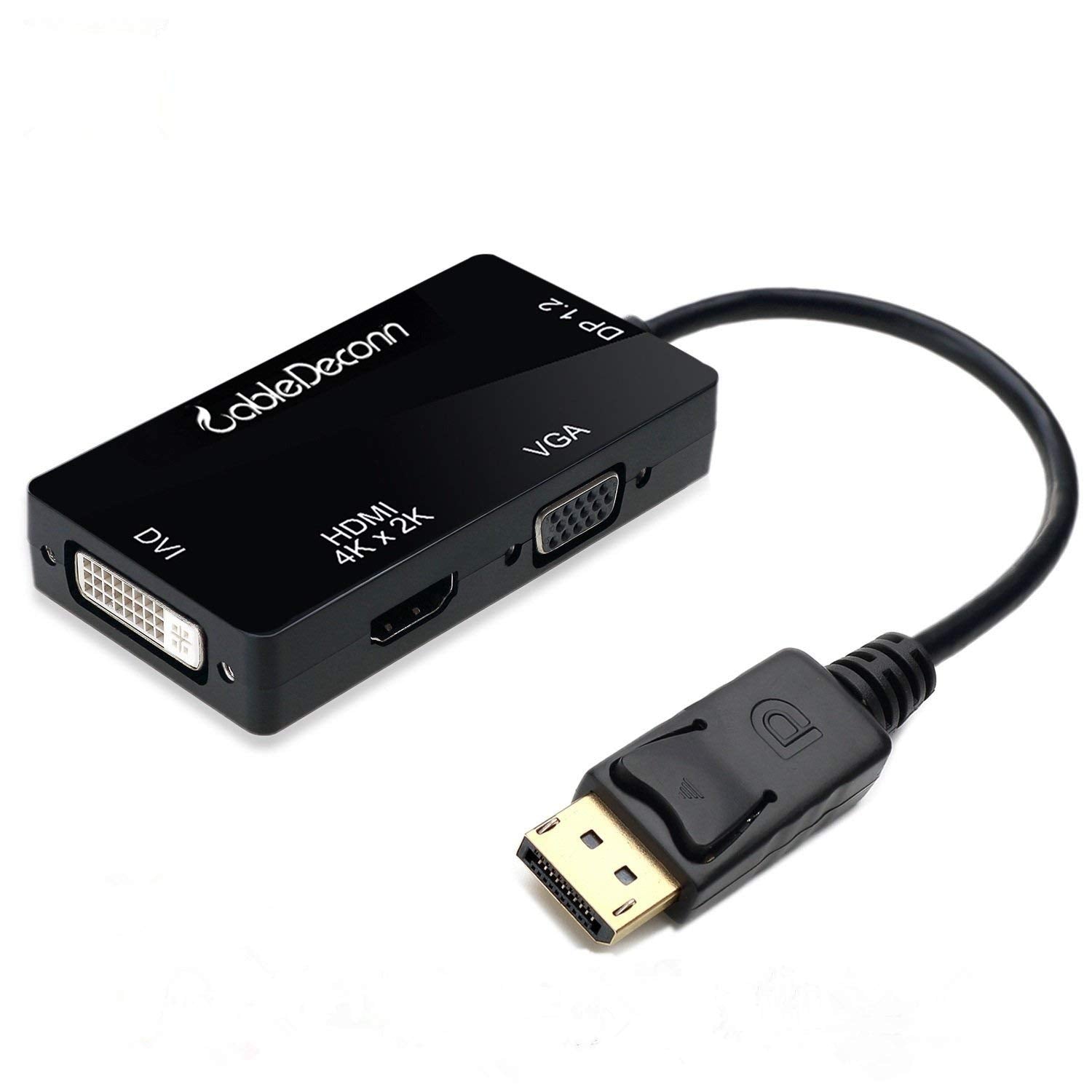
The Cabledeconn Gold-Plated Displayport 1.2 To Hdmi/Dvi/Vga Adapter Is An Indispensable Companion For Your Laptop Or Desktop Equipped With Displayport.Connect Your Computer To An Hdtv For High-Definition Video (4K Via Hdmi And Dvi) And Audio Streaming Or To An Hd Monitor/Projector With This Portable And Versatile Adapter And An Hdmi/Dvi/Vga Cable (Sold Separately).Use This Adapter To Enjoy Movies On The Big Hdtv, Mirror Or Extend Your Desktop For An Expanded Workstation Or Show Presentations At School Or Work.Connection Notes:- Input: Displayport Male- Output: Hdmi Female; Dvi Female; Vga Female; Note: Only Supports 1 Display Output At A Time,A Separate Hdmi/Dvi/Vga Cable Is Required, Not Included,Not Compatible With Usb Ports- Can Only Convert Signal From Displayport To Hdmi/Dvi/Vga. This Is Not A Bi-Directional Adapter- Connect Up To 2 Monitors Using Amd Eyefinity Multi-Display Technology (One Adapter Per Monitor); An Active Adapter Is Required To Support More Monitors- It Does Not Support More Than One Output Simultaneously- No Audio Output From Vga And Dvi- Depress The Button On The Displayport Connector To Release The Latches And Avoid Damage When Unpluggingimportant Note- This Adapter Is Not Compatible With Usb Port On Your Computerwhat'S Include:1 X Cabledeconn Displayport Dp1.2 To Hdmi/Dvi/Vga Male To Female Cable Adapter Converterwarranty Policy:45 Days Money-Back And 18-Month, Worry-Free Guarantee!
⚠️ WARNING (California Proposition 65): This product may contain chemicals known to the State of California to cause cancer, birth defects, or other reproductive harm. For more information, please visit www.P65Warnings.ca.gov.
Frequently Asked Questions
Q: What is the length of the CableDeconn DisplayPort to HDMI adapter?A: The CableDeconn adapter measures zero point seventy-nine inches in length. This compact size makes it easy to carry and use.
Q: What are the dimensions of the CableDeconn adapter?A: The adapter has dimensions of zero point seventy-nine inches in length, five point forty-three inches in width, and eight point zero seven inches in height. These dimensions make it portable and convenient for various setups.
Q: What materials are used in the CableDeconn adapter?A: The CableDeconn adapter features gold-plated connectors. This material choice enhances durability and improves signal transmission.
Q: How do I connect the CableDeconn DisplayPort adapter to my devices?A: To use the adapter, connect the DisplayPort male end to your laptop or desktop and the HDMI, DVI, or VGA end to your display device. Ensure you have the appropriate HDMI, DVI, or VGA cable.
Q: Is the CableDeconn adapter suitable for gaming?A: Yes, the CableDeconn adapter supports high-definition video and audio streaming, making it suitable for gaming. It can transmit resolutions up to four thousand pixels by two thousand one hundred sixty for an excellent gaming experience.
Q: Can I use the CableDeconn adapter with multiple displays?A: Yes, but only one display output is supported at a time. However, you can connect up to two monitors using AMD Eyefinity Multi-Display technology, requiring an active adapter for each monitor.
Q: How can I clean the CableDeconn DisplayPort adapter?A: To clean the adapter, simply wipe it with a soft, dry cloth. Avoid any liquids or harsh chemicals to prevent damage.
Q: Is the CableDeconn adapter compatible with USB ports?A: No, the CableDeconn adapter is not compatible with USB ports. It only converts signals from DisplayPort to HDMI, DVI, or VGA.
Q: What should I do if the CableDeconn adapter doesn't work?A: If the adapter doesn't work, check your connections and ensure that the proper cables are used. If issues persist, contact customer support for assistance.
Q: What is the warranty policy for the CableDeconn adapter?A: The CableDeconn adapter comes with a forty-five-day money-back guarantee and an eighteen-month worry-free warranty. This ensures you can purchase with confidence.
Q: Can I use the CableDeconn adapter to watch movies on my TV?A: Yes, you can use the CableDeconn adapter to connect your computer to an HDTV for high-definition video and audio streaming. Just ensure you have the necessary HDMI cable.
Q: Does the CableDeconn adapter support audio output?A: Yes, the CableDeconn adapter supports audio output through HDMI. However, there is no audio output via DVI or VGA.
Q: Is the CableDeconn adapter portable?A: Yes, the CableDeconn adapter is designed to be portable. Its compact size allows for easy transport and convenient use with laptops and desktops.
Q: What resolutions does the CableDeconn adapter support?A: The adapter supports video resolutions up to four thousand pixels by two thousand one hundred sixty at thirty hertz via HDMI and one thousand nine hundred twenty pixels by one thousand two hundred at sixty hertz via DVI.
Q: How do I avoid damaging the CableDeconn adapter when unplugging it?A: To avoid damage, depress the button on the DisplayPort connector to release the latches before unplugging the adapter. This ensures secure disconnection.