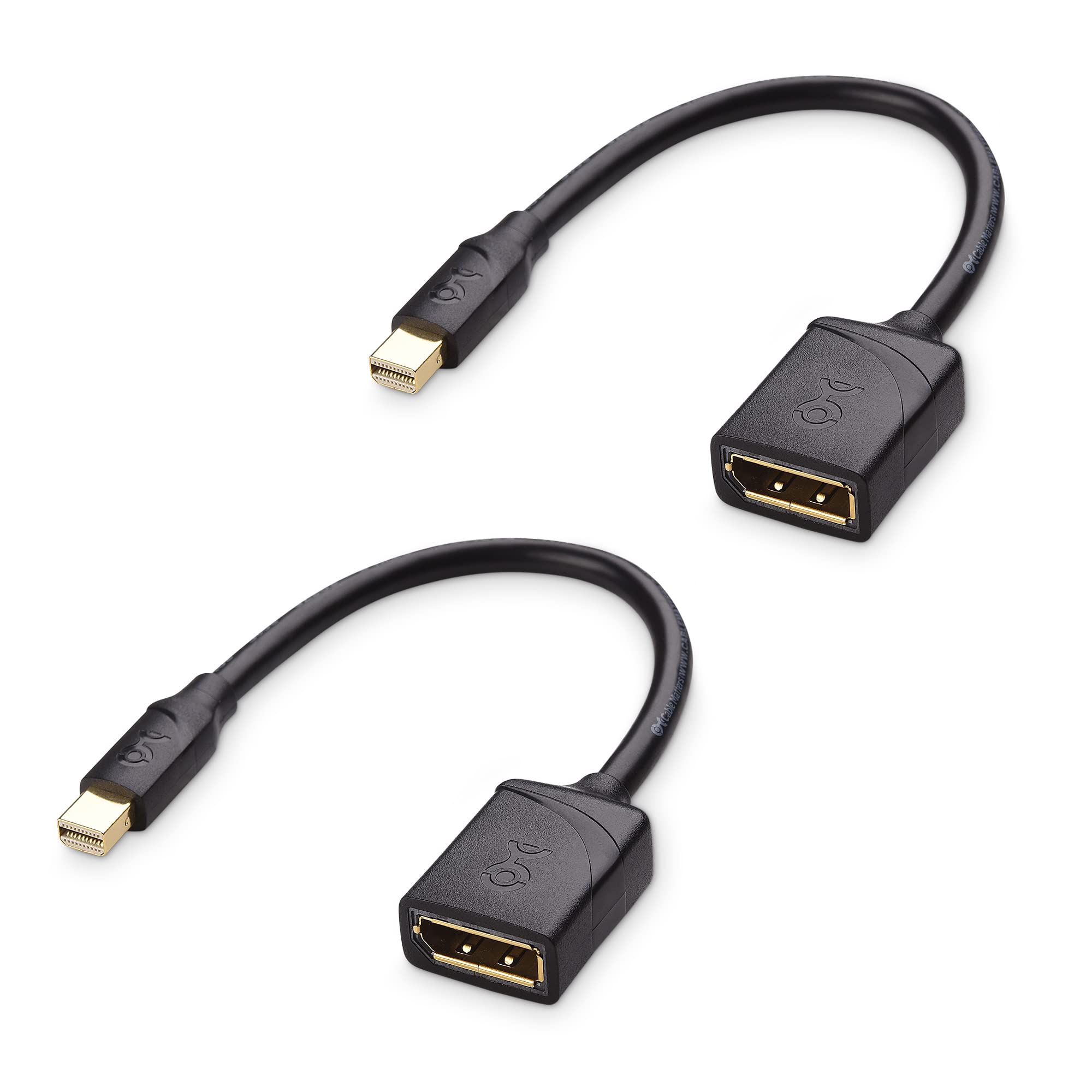
Cable Matters 2-Pack 8K Mini Displayport To Displayport 1.4 Adapter (Mini Dp To Dp 1.4) In Black - 8K@60Hz, 4K@120Hz Resolution Ready - Thunderbolt And Thunderbolt 2 Port Compatible
⚠️ WARNING (California Proposition 65): This product may contain chemicals known to the State of California to cause cancer, birth defects, or other reproductive harm. For more information, please visit www.P65Warnings.ca.gov.
Frequently Asked Questions
Q: What resolutions does the Cable Matters Mini DisplayPort to DisplayPort adapter support?A: This adapter supports resolutions of eight thousand at sixty hertz, four thousand at one hundred twenty hertz, and four thousand at two hundred forty hertz. It is perfect for high-end displays, ensuring smooth video output for gaming and professional use.
Q: Is this adapter compatible with Thunderbolt ports?A: Yes, this adapter is compatible with Thunderbolt and Thunderbolt 2 ports. It allows seamless connectivity between devices that use these ports.
Q: What is the length of the Cable Matters Mini DisplayPort to DisplayPort adapter?A: The adapter comes in a two-pack, with each adapter measuring approximately six feet long. This length provides flexibility in connecting devices without being overly restrictive.
Q: How do I connect my Mini DisplayPort device to a DisplayPort monitor?A: Simply plug the Mini DisplayPort end into your device and the DisplayPort end into your monitor. The adapter ensures a straightforward connection for video and audio transmission.
Q: Can I use this adapter for gaming?A: Yes, this adapter is ideal for gaming. It supports high refresh rates and resolutions, providing an optimal experience for gamers who want stunning visuals.
Q: Is this product suitable for professional presentations?A: Yes, this adapter is suitable for professional presentations. It ensures high-quality audio and video transmission, making it perfect for meetings and conferences.
Q: How should I clean the Cable Matters Mini DisplayPort to DisplayPort adapter?A: To clean the adapter, use a soft, dry cloth to wipe the connectors and surfaces. Avoid using any harsh chemicals or abrasive materials to prevent damage.
Q: Does this adapter come with any warranty?A: Yes, Cable Matters typically offers a limited warranty on their products. Please check the packaging or their website for specific warranty details.
Q: What should I do if my adapter doesn’t work?A: If the adapter doesn't work, first check the connections to ensure they are secure. If issues persist, try using it with a different computer or monitor to identify the problem.
Q: Can this adapter transmit audio as well as video?A: Yes, this adapter transmits both audio and video signals. It supports uncompressed audio formats, providing a complete multimedia experience.
Q: Is the Cable Matters Mini DisplayPort to DisplayPort adapter durable?A: Yes, the adapter features gold-plated connectors for corrosion resistance and a sturdy construction for long-lasting performance. This ensures reliable connectivity over time.
Q: Will this adapter work with my MacBook?A: Yes, this adapter is compatible with various MacBook models, including MacBook Pro and iMac. It provides a seamless connection for video output.
Q: What devices can I connect using this adapter?A: You can connect several devices including laptops, tablets, and desktops with Mini DisplayPort outputs to monitors or projectors with DisplayPort inputs.
Q: How does the low-profile connector design benefit me?A: The low-profile connector design prevents interference with adjacent ports, making it ideal for tight spaces. This design allows for easier access and connection.
Q: What is the color of the Cable Matters Mini DisplayPort to DisplayPort adapter?A: The adapter is available in black. This color is both sleek and professional, making it suitable for any setup.
Q: Does this adapter support high-definition video formats?A: Yes, this adapter supports high-definition video formats, including eight thousand at sixty hertz and four thousand at one hundred twenty hertz. It is designed for high-quality visual output.