⚠️ WARNING (California Proposition 65): This product may contain chemicals known to the State of California to cause cancer, birth defects, or other reproductive harm. For more information, please visit www.P65Warnings.ca.gov.
Frequently Asked Questions
Q: What is the storage capacity of the BUFFALO Replacement Spare Hard Drive?A: This hard drive has a storage capacity of two terabytes. It is designed specifically for NAS-grade applications, ensuring reliability and performance.
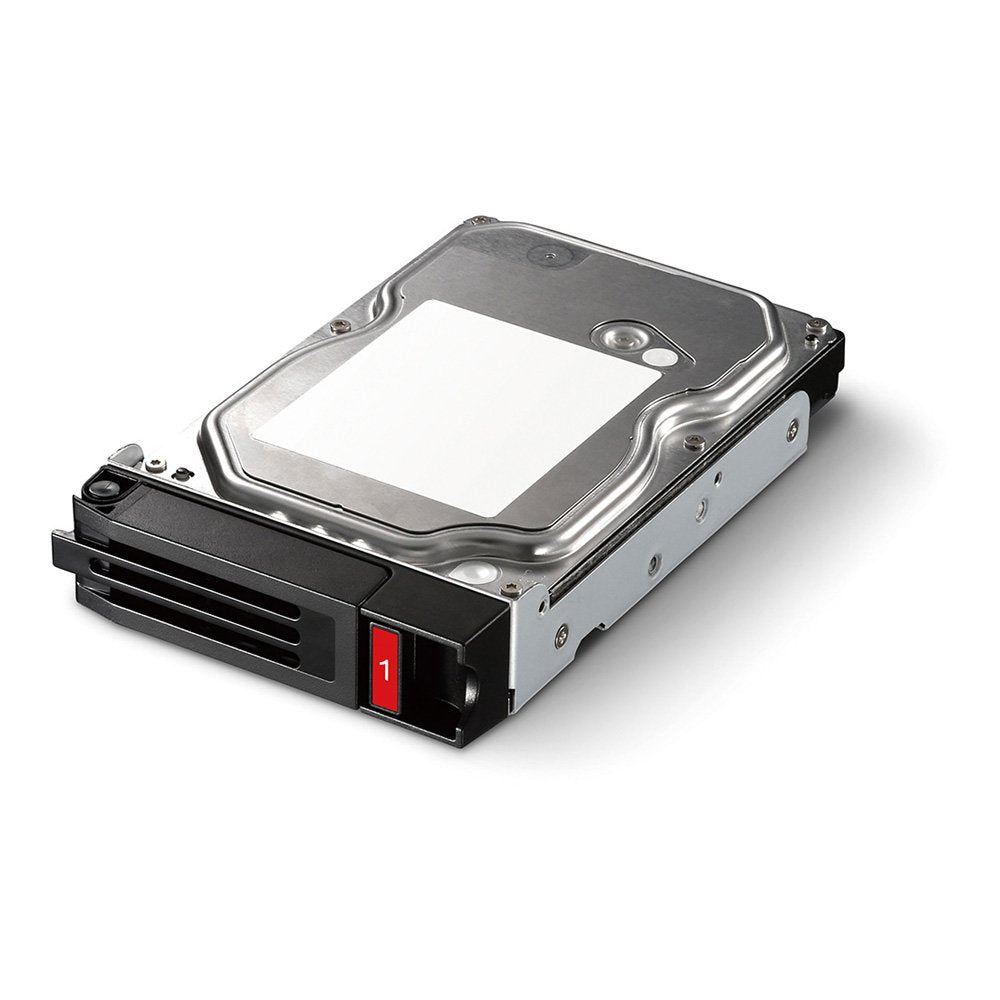
Q: What are the dimensions of the BUFFALO hard drive?A: The dimensions of this hard drive are five point seventy-nine inches in length, four inches in width, and one point zero three inches in height. These compact measurements make it suitable for various setups.
Q: Is the BUFFALO hard drive compatible with multiple TeraStation models?A: Yes, this hard drive is compatible with several TeraStation models including TS3210DN0402, TS3410DN0804, and TS5210DN0402. This wide compatibility makes it a versatile choice for NAS systems.
Q: How do I install the BUFFALO Replacement Spare Hard Drive?A: To install the hard drive, power down your TeraStation, open the drive bay, and securely insert the hard drive into the designated slot. Make sure it is properly connected before powering it back on.
Q: Can I use the BUFFALO hard drive with other brands of NAS systems?A: No, this hard drive is specifically designed for BUFFALO TeraStation models. Using it with other brands may not ensure optimal performance or compatibility.
Q: Is the BUFFALO hard drive suitable for home or office use?A: Yes, this hard drive is suitable for both home and office use, especially for data storage in NAS environments. Its NAS-grade specification ensures it supports multiple users efficiently.
Q: What is the warranty period for the BUFFALO hard drive?A: The BUFFALO Replacement Spare Hard Drive comes with a three-year manufacturer's warranty. This warranty provides peace of mind regarding the product's durability and reliability.
Q: How should I care for my BUFFALO hard drive?A: To care for your hard drive, ensure it remains in a dry, cool environment and avoid physical shocks. Regularly check for firmware updates to maintain optimal performance.
Q: Is the BUFFALO hard drive easy to replace in a TeraStation?A: Yes, the BUFFALO hard drive is designed for easy replacement. It can be swapped out without requiring extensive tools or technical skills.
Q: What should I do if my BUFFALO hard drive arrives damaged?A: If your hard drive arrives damaged, contact the retailer for a return or replacement. Keeping the original packaging is essential for the return process.
Q: Can I return the BUFFALO hard drive if I'm not satisfied?A: Yes, you can return the BUFFALO hard drive if you're not satisfied, provided you adhere to the retailer's return policy. Check for specific conditions regarding returns.
Q: What type of connection does the BUFFALO hard drive use?A: The BUFFALO hard drive uses a SATA six gigabits per second connection. This ensures fast data transfer rates for effective performance.
Q: Does the BUFFALO hard drive require special software to operate?A: No, the BUFFALO hard drive does not require special software. It is designed to work seamlessly with compatible TeraStation models right out of the box.
Q: Is the BUFFALO hard drive suitable for backups?A: Yes, the BUFFALO hard drive is suitable for backups. Its NAS-grade specification ensures reliable data storage for personal and business use.
Q: What is the color of the BUFFALO hard drive?A: The BUFFALO hard drive is black in color. This sleek design fits well with most electronic setups and environments.