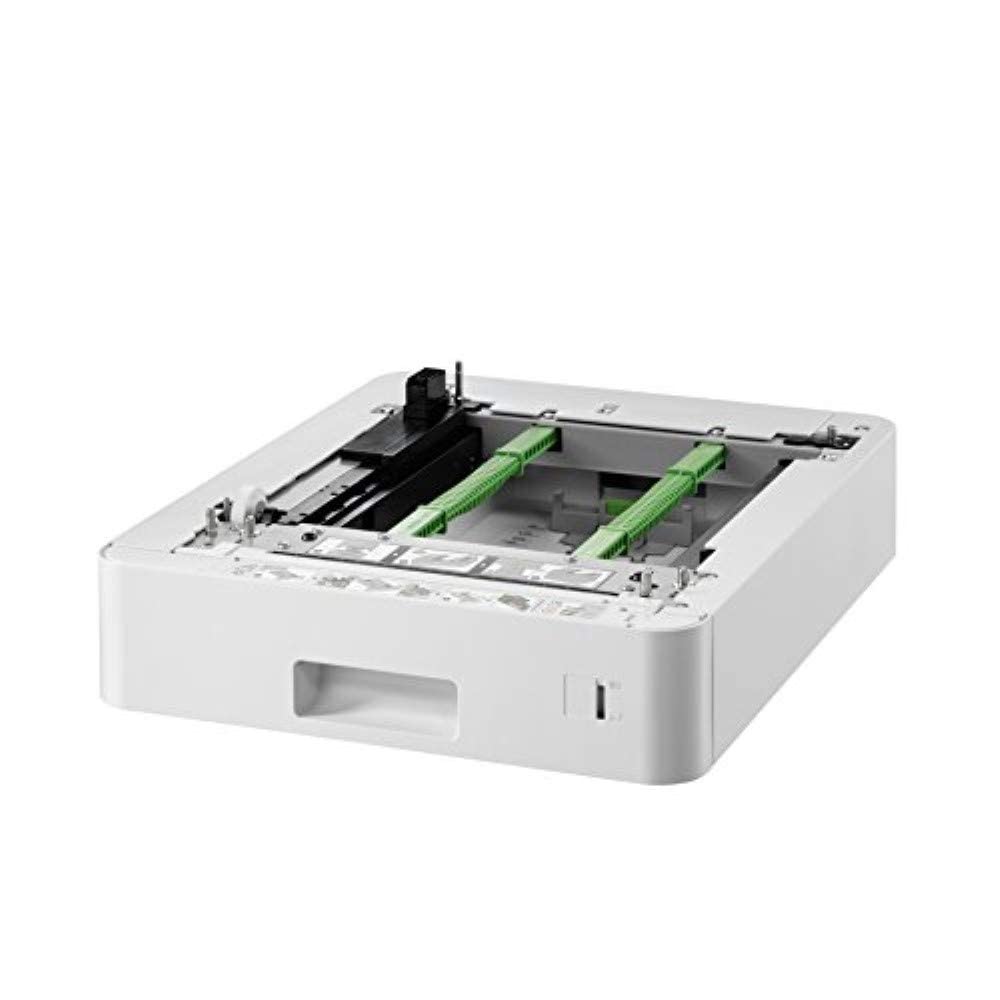
Expand The Paper Capacity Of Your Brother Laser Printer With The Lt-330Cl Optional Lower Printer Tray. It Boosts Your Printers Paper Capacity By 250 Sheets, Ensuring Less Time Spent Refilling And More Time Getting To Work. As A Genuine Brother Accessory, Its Quick To Install And Provides Consistent, Reliable Operation. This Tray Fits The Hl-L8260Cdn, Hl-L8360Cdn, Dcp-L8410Cdw, Mfc-L8690Cdw, Mfc-L8900Cdw, Hl-L9310Cdw And Mfc-L9570Cdw Models.
⚠️ WARNING (California Proposition 65): This product may contain chemicals known to the State of California to cause cancer, birth defects, or other reproductive harm. For more information, please visit www.P65Warnings.ca.gov.
Frequently Asked Questions
Q: What is the size of the Brother Paper Tray Upgrade LT – 330CL?A: The tray measures twenty-two point four four inches in length, twenty-five point five nine inches in width, and ten point six three inches in height. This compact size ensures it fits well with compatible Brother printers.
Q: What material is the Brother Paper Tray made of?A: The Brother Paper Tray is made of paper. This durable material is designed to provide reliable support for your printer's paper capacity.
Q: How much paper can this tray hold?A: The Brother Paper Tray Upgrade LT – 330CL can hold two hundred fifty sheets of paper. This capacity allows for fewer refills, enhancing productivity during printing tasks.
Q: How do I install the Brother Paper Tray Upgrade?A: Installation is quick and easy. Simply slide the tray into the designated slot of your compatible Brother printer, and it's ready for use.
Q: Is this tray compatible with my Brother printer model?A: Yes, this tray is compatible with several Brother printer models, including HL-L8260CDN, HL-L8360CDN, DCP-L8410CDW, MFC-L8690CDW, MFC-L8900CDW, HL-L9310CDW, and MFC-L9570CDW.
Q: Can I use this tray for different media types?A: Yes, the Brother Paper Tray Upgrade LT – 330CL supports flexible media, allowing various paper types to be loaded. This versatility is ideal for different printing needs.
Q: How do I clean the paper tray to keep it in good condition?A: To clean the paper tray, gently wipe it with a soft, dry cloth. Avoid using liquids or abrasive cleaners to maintain its integrity and functionality.
Q: Is this tray safe to use with my Brother printer?A: Yes, the Brother Paper Tray is designed to work flawlessly with compatible Brother printers. It ensures reliable performance without risking damage to your device.
Q: What if my paper tray arrives damaged?A: If your paper tray arrives damaged, contact the retailer for assistance. Most retailers have return policies in place to address such issues.
Q: Can I return the Brother Paper Tray if it doesn't fit my printer?A: Yes, you can return the tray if it's not compatible with your printer. Check the retailer's return policy for specific details.
Q: How does this tray enhance printer productivity?A: This tray increases productivity by boosting paper capacity, reducing the frequency of tray refills. This means more printing time without interruptions.
Q: What is the weight of the Brother Paper Tray Upgrade?A: The weight of the Brother Paper Tray Upgrade LT – 330CL is not specified, but it is designed to be lightweight for easy handling and installation.
Q: Does this tray come with a warranty?A: Yes, the Brother Paper Tray typically comes with a manufacturer's warranty. Check with the retailer for warranty specifics.
Q: What color is the Brother Paper Tray?A: The Brother Paper Tray Upgrade LT – 330CL is light grey in color. This neutral tone fits well with most Brother printer designs.
Q: Is this paper tray suitable for home offices?A: Yes, the Brother Paper Tray is ideal for home offices. Its increased capacity allows for efficient printing without frequent interruptions.
Q: Can this tray be used with other brands of printers?A: No, this tray is specifically designed for Brother printers. Using it with other brands may lead to compatibility issues.