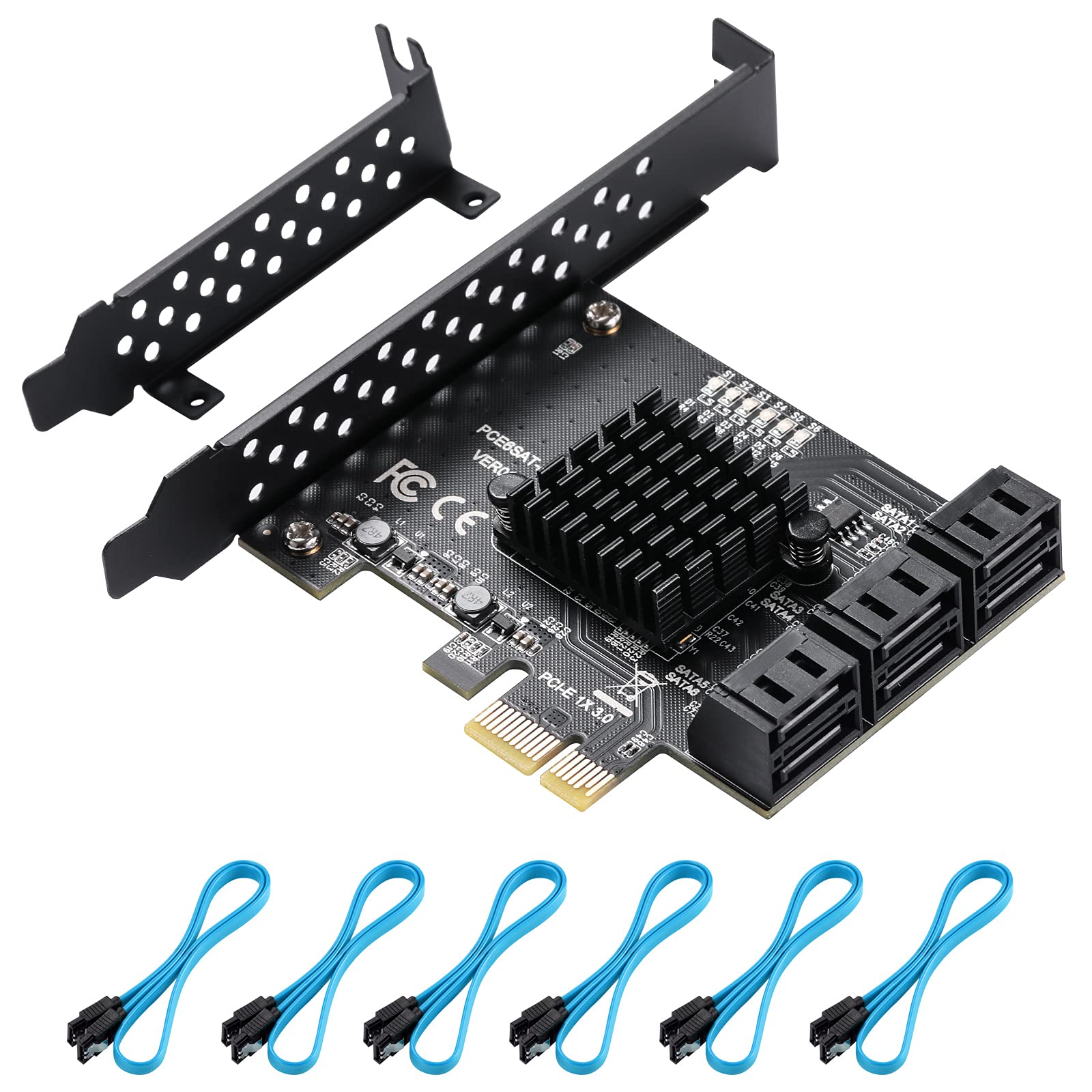
Product Name: 6-Port Sata3.0 Expansion Cardproduct Chip: Asmedia Asm1166Product Interface: Pci-E 1X (It Is Recommended To Use Under Pcie 3.0, Which Is Faster)Support System: Win10 / Win8/ Linux/ Synology/ Ubuntu?Conforms To Serial Ata 3.0 Specification And Backward Compatible With Sata2.0 Sata1.0.?Conforms To Pci-Express V2.0 Specification And Backward Compatible With Pci-Express V1 .0.?Supports 6.0 Gbit / S, 3.0 Gbit / S And 1.5 Gbit / S Communication Speeds?Supports Gen 1I, Gen 1X, Gen 2I, Gen 2M, Gen 2X And Gen 3I.?Supports The Ahci1.0 Mode And Ide Mode?Support 4 Storage Modes: Raid1, Ahci, Span, Raid0.?Native Command Queue Support (Ncq)?Support Fis Based On Port Multiplier Switch Or Command Switch.?Support Hot Hot Swap.?Compatible With Sata6G, 3G And 1.5G Hard Drives?System Requirements: A Pci Express 1X Slot Is Available That Supports 1X / 4X / 8X / 16Xinformation On The Speed Description:1. The Best Effect Can Be Achieved With The Sata3.0 Data Cable.2. The Setting Of The Motherboard Bois: Sata Mode Should Be Changed To Ahci.Although Some Motherboards Are Pcie Version 2.0, By Default Bois Does Not Enable Gen2 High Speed Mode, Which Must Be Enabled Manually.The Fastest Speed Of Pci-E 2.0 Is 380-450 M / S. When Connected To Pci-E1.0, The Speed Is Only 200-300 M / S.Different Computer Configurations And Sata Ssds Have Different Speeds.3. Sata Ports Slow Down When Used At The Same Time. This Is Not For Users Looking For Speed. They Are Only Used For Expansion Hard Disk Interfaces.4.It Is Not Recommended To Use It For Nas System, It Can Only Recognize Up To 4 Hard Disks.Packing List:1 X Pcie X1 To 6 Sata 3.0 Card6 X Sata Cables1 X Low-Profile Bracket
⚠️ WARNING (California Proposition 65): This product may contain chemicals known to the State of California to cause cancer, birth defects, or other reproductive harm. For more information, please visit www.P65Warnings.ca.gov.
Frequently Asked Questions
Q: What are the dimensions of the BEYIMEI PCIe Card?A: The dimensions are approximately five point nine one inches long, four point seven two inches wide, and one point nine seven inches high.
Q: What chip does the PCIe card use?A: It uses the ASMedia ASM1166 chip, which enhances heat dissipation and ensures stable operation.
Q: How many SATA ports does the card have?A: The card has six SATA three point zero ports, allowing connection of multiple devices.
Q: How do I install the BEYIMEI PCIe Card?A: Simply insert the PCIe card into an available PCI Express one x slot on your motherboard and secure it.
Q: Is the PCIe card compatible with Windows ten?A: Yes, it is compatible with Windows ten, Windows eight, Linux, Synology, and Ubuntu systems.
Q: Can I use this card for RAID setups?A: No, the PCIe card does not support hardware RAID mode, but it does support various storage modes like AHCI.
Q: How do I ensure optimal performance of the card?A: For best results, use SATA three point zero cables and set your motherboard BIOS to AHCI mode.
Q: Is the BEYIMEI card suitable for NAS systems?A: No, it is not recommended for NAS systems, as it can only recognize up to four hard disks.
Q: What should I do if the card arrives damaged?A: Contact customer support for assistance with returns or replacements if the card arrives damaged.
Q: What is the warranty period for the PCIe card?A: The warranty period is typically one year from the date of purchase, but check with the retailer for specifics.
Q: How do I monitor the working status of the hard disk?A: You can monitor the status using the LED indicator, which lights up when the hard disk is inserted.
Q: What types of storage devices can I connect to the card?A: You can connect hard disks, optical drives, and solid state drives that have a SATA interface.
Q: Can I use this card with PCIe version two point zero?A: Yes, but performance may vary; the fastest speed achievable is around three hundred eighty to four hundred fifty megabytes per second.
Q: How many cables are included with the card?A: The package includes six SATA cables for connecting your devices to the card.
Q: Does this card support hot swapping of drives?A: Yes, the card supports hot swapping, allowing you to connect and disconnect drives without shutting down the system.