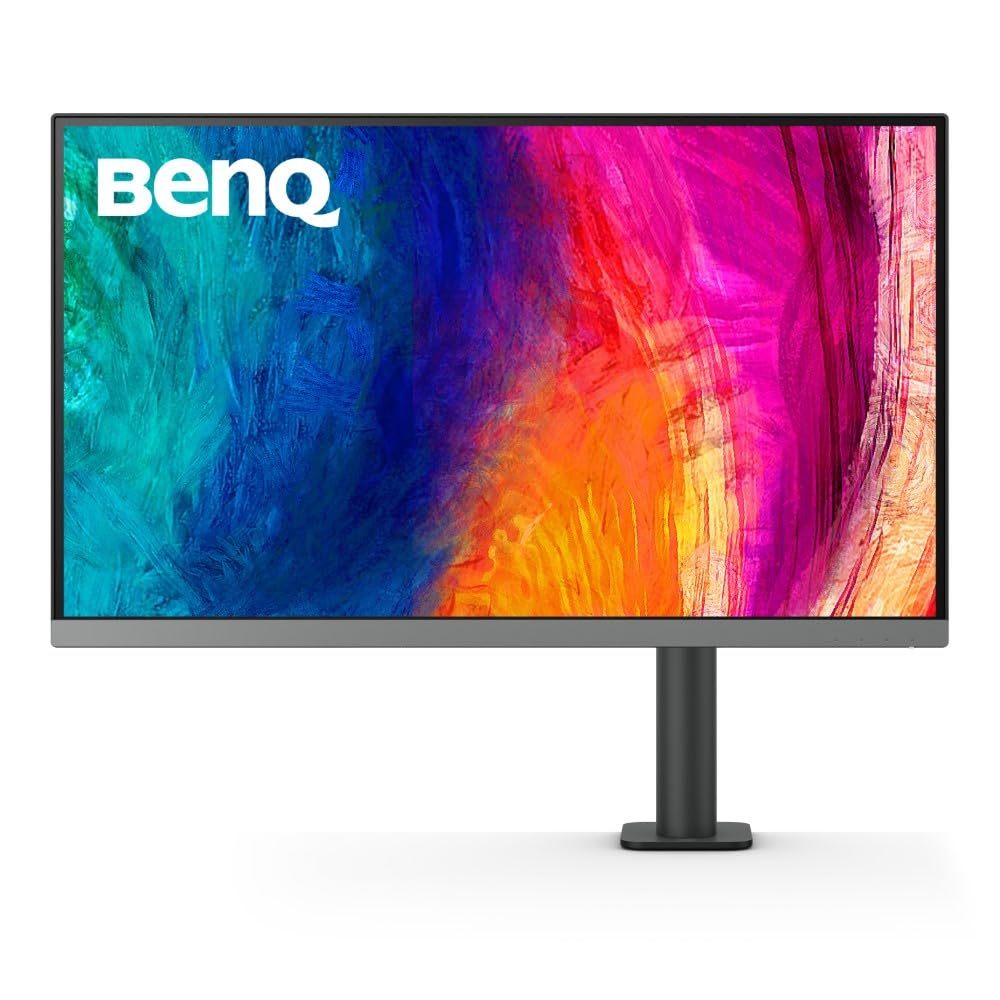
As Designers Put More Emphasis On Accuracy And Productivity, The Need To Ensure Device Compatibility And Reliable Color Performances And Customized Ergonomic Design Becomes More Important Than Ever. With Such Demand In Mind, Benq Pd2706Ua Comes With An Ergo Arm And Aesthetically Elegant Look That Prioritizes Flexibility And Designers Love For Sophistication. To Satisfy Designers Needs For Screen And Workspace Flexibility And Impeccable Color Performances While Enhancing The Overall Productivity For Them, Pd2706Ua Comes With An Upgraded Id Design And Color Gamut Thats Compatible With P3, Srgb And Rec.709 While Offering Usb-C Connectivity With 90W Power Delivery For A More Efficient Image And Data Transmission Experience.
⚠️ WARNING (California Proposition 65): This product may contain chemicals known to the State of California to cause cancer, birth defects, or other reproductive harm. For more information, please visit www.P65Warnings.ca.gov.
Frequently Asked Questions
Q: What are the dimensions of the BenQ PD2706UA monitor?A: The BenQ PD2706UA monitor measures twenty-seven inches diagonally with a width of twenty-four point seventeen inches, a height of twenty-seven point sixty-eight inches, and a depth of eighteen point twenty-three inches.
Q: What type of display technology does the BenQ PD2706UA use?A: The BenQ PD2706UA uses IPS display technology, which provides wide viewing angles and accurate color reproduction.
Q: What color coverage does the BenQ PD2706UA offer?A: The BenQ PD2706UA covers ninety-five percent of the P3 color space and one hundred percent of sRGB and Rec.709.
Q: How do I adjust the height of the BenQ PD2706UA monitor?A: You can adjust the height of the BenQ PD2706UA monitor using the built-in Ergo Arm, which supports height adjustment along with swivel, pivoting, and tilting.
Q: Can the BenQ PD2706UA connect to my Mac device?A: Yes, the BenQ PD2706UA can connect to your Mac device using a single ninety-watt USB-C cable for data transfer and charging.
Q: Does the BenQ PD2706UA support multiple computers?A: Yes, the monitor supports a Keyboard Video Mouse (KVM) switch, allowing you to display content from two different computers using one keyboard and mouse.
Q: How do I clean the BenQ PD2706UA monitor?A: To clean the BenQ PD2706UA monitor, use a soft, lint-free cloth with a mild cleaning solution specifically designed for electronics.
Q: Is the BenQ PD2706UA safe for long usage?A: Yes, the BenQ PD2706UA is designed for long usage, featuring ergonomic adjustments to reduce strain and fatigue.
Q: What is the warranty on the BenQ PD2706UA?A: The BenQ PD2706UA typically comes with a three-year warranty, covering parts and labor for manufacturing defects.
Q: What should I do if my BenQ PD2706UA monitor arrives damaged?A: If your BenQ PD2706UA monitor arrives damaged, contact the seller immediately to initiate a return or replacement process.
Q: Can I use the BenQ PD2706UA for gaming?A: Yes, the BenQ PD2706UA is suitable for gaming due to its high resolution and fast response times, providing an immersive experience.
Q: Is the BenQ PD2706UA suitable for graphic design?A: Yes, the BenQ PD2706UA is highly suitable for graphic design, with Delta E accuracy of less than or equal to three, ensuring color precision.
Q: How does the BenQ ICCsync feature work?A: The BenQ ICCsync feature allows for quick color calibration within one second through the BenQ Display Pilot software.
Q: What is the weight of the BenQ PD2706UA monitor?A: The weight of the BenQ PD2706UA monitor is approximately fifteen point four pounds without the stand.
Q: Does the BenQ PD2706UA have built-in speakers?A: No, the BenQ PD2706UA does not have built-in speakers; it requires external speakers or headphones for audio output.