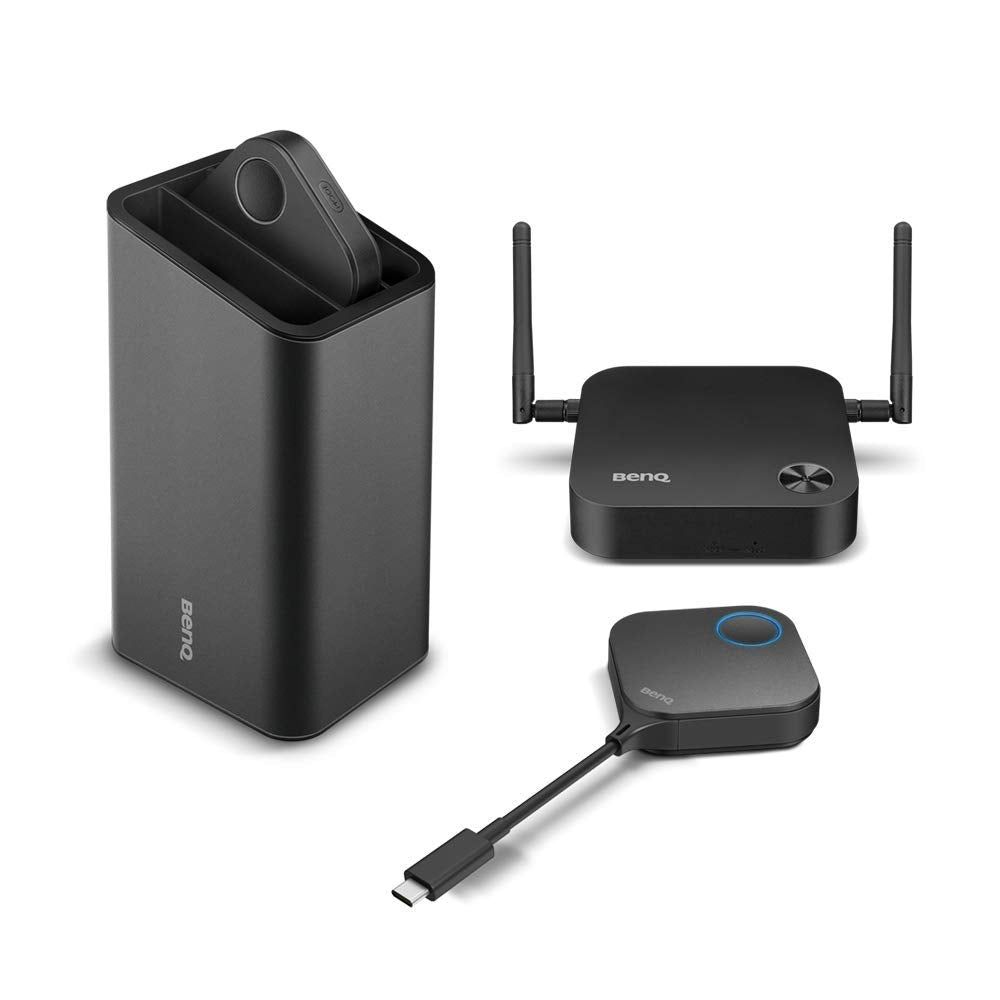
Instashow Wdc10C Collaboration Simple Easy To Use Wireless Hdmi Mac Windows 10 Os Usb-C Thunderbolt 3 Projector Plug Play Adapter Transmitter Receiver Dongle Wi-Fi 1080P Full Had Resolution Hub Displayport Mini Dp Portable Airplay Google Cast Digital Pc Computer Remote Multiple Conference Ps4 Xbox Apple Tv
⚠️ WARNING (California Proposition 65): This product may contain chemicals known to the State of California to cause cancer, birth defects, or other reproductive harm. For more information, please visit www.P65Warnings.ca.gov.
Frequently Asked Questions
Q: What are the dimensions of the BenQ InstaShow WDC10C?A: The dimensions are four inches in length, one inch in width, and nine inches in height. This compact size makes it easy to fit into your meeting space.
Q: What is the model number of this product?A: The model number is WDC10C. This identifier helps in ensuring compatibility with accessories and support.
Q: What color is the BenQ InstaShow WDC10C?A: The color of the product is black. This neutral color complements various office environments.
Q: How do I connect the InstaShow WDC10C to my device?A: Simply plug in the USB-C transmitter to your device and it will connect wirelessly. No app or software is needed for setup.
Q: Can I use this device with a Mac?A: Yes, the InstaShow WDC10C is compatible with Mac devices. It works seamlessly with Mac operating systems for screen sharing.
Q: Is the InstaShow WDC10C easy to set up?A: Yes, it is designed for easy setup. Just plug in the transmitter and you are ready to share your screen instantly.
Q: How should I clean the InstaShow WDC10C?A: To clean, use a soft, dry cloth to wipe the surface. Avoid using any harsh cleaning agents that could damage the device.
Q: What security features does the BenQ InstaShow WDC10C offer?A: It includes AES one hundred twenty-eight bit encryption and WPA2 authentication protocols. These features protect your presentations from unauthorized access.
Q: What is the maximum range of the InstaShow WDC10C?A: The maximum range is thirty-three feet. This allows for flexible positioning within your meeting room.
Q: Can I add more InstaShow buttons to my system?A: Yes, you can add up to sixteen additional InstaShow buttons. This feature enables multiple users to connect simultaneously.
Q: What should I do if my device does not connect?A: First, ensure that the USB-C transmitter is securely connected. If the issue persists, try restarting both the device and the InstaShow WDC10C.
Q: Is there a warranty for the BenQ InstaShow WDC10C?A: Yes, it typically comes with a limited warranty. Check the manufacturer's guidelines for specific warranty details.
Q: What kind of presentations can I share with the InstaShow WDC10C?A: You can share various types of presentations, including PowerPoint slides and videos. The device supports smooth playback for multimedia.
Q: Does the InstaShow WDC10C require an internet connection?A: No, it does not require an internet connection for operation. It functions independently of Wi-Fi networks.
Q: Is the BenQ InstaShow WDC10C suitable for gaming?A: Yes, it can be used for gaming. The device supports smooth video playback, making it suitable for gaming presentations.
Q: What awards has the InstaShow button holder received?A: The button holder has won both the iF Design Award and the Good Design Award. These accolades highlight its innovative design and functionality.