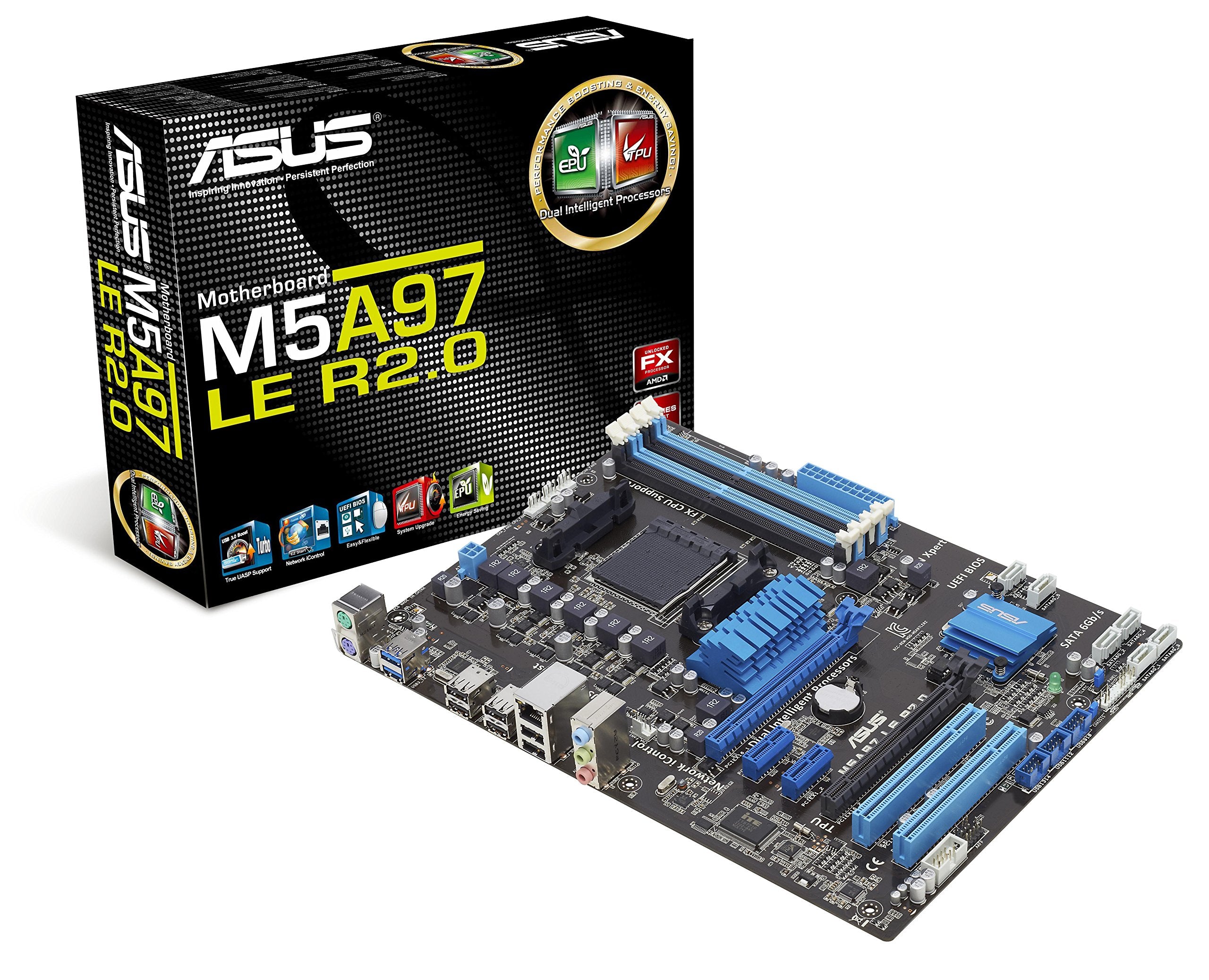
The M5A97 Le R2.0 Features The Amd 970/Sb950 Chipset And Supports The Latest Amd Socket Am3+ For 8-Core Processors. With A New Socket Am3+, It Offers Usability Of Socket Am3 Or Am3+, Allowing The User A Choice Of Previous Or Current Amd Cpus. Dual Intelligent Processor Technology Is Now Available On This Asus Amd Motherboard, Integrating The Epu (Energy Processing Unit) And Tpu (Turbov Processing Unit) Hardware Based Processors For The Ultimate In Energy Savings And Processor Scaling. Asus Epu Conserves Energy By Intelligently Moderating Power And Load Requirements In Real-Time While Tpu Provides Intelligent System Scaling For Incredible Increases In Platform Performance While Retaining Stability.
⚠️ WARNING (California Proposition 65): This product may contain chemicals known to the State of California to cause cancer, birth defects, or other reproductive harm. For more information, please visit www.P65Warnings.ca.gov.
Frequently Asked Questions
Q: What are the dimensions of the ASUS M5A97 LE R2.0 motherboard?A: The dimensions are ten point thirty-five inches long, two point zero nine inches wide, and twelve point ninety-one inches high. This size makes it compatible with standard ATX cases.
Q: What chipset does the ASUS M5A97 LE R2.0 use?A: It uses the AMD 970/SB950 chipset. This chipset supports the latest AMD socket AM3+ processors for high performance.
Q: Is the ASUS M5A97 LE R2.0 compatible with AMD 8-core processors?A: Yes, it supports AMD 8-core processors. This compatibility allows users to take advantage of advanced processing power.
Q: How do I install the ASUS M5A97 LE R2.0 motherboard?A: Begin by placing the motherboard in the case, aligning it with the standoffs. Secure it using screws and connect the power supply and peripherals as needed.
Q: Does the ASUS M5A97 LE R2.0 come with USB 3.0 support?A: Yes, it features USB 3.0 support. This allows for faster data transmission speeds, enhancing overall performance.
Q: Can I use older AMD processors with the ASUS M5A97 LE R2.0?A: Yes, it allows for the use of both Socket AM3 and AM3+ processors. This provides flexibility for users upgrading their systems.
Q: How should I clean the ASUS M5A97 LE R2.0 motherboard?A: Use compressed air to remove dust and debris. Avoid using liquids or abrasive materials that can damage the components.
Q: What is the warranty period for the ASUS M5A97 LE R2.0 motherboard?A: The warranty period is typically one year. Always check with the retailer for specific warranty details.
Q: Is the ASUS M5A97 LE R2.0 motherboard safe for high-performance tasks?A: Yes, it is designed for high-performance tasks. The Dual Intelligent Processor technology enhances energy efficiency and performance.
Q: What is the maximum RAM capacity supported by the ASUS M5A97 LE R2.0?A: It supports up to thirty-two gigabytes of RAM. This capacity is sufficient for most gaming and professional workloads.
Q: Does the ASUS M5A97 LE R2.0 support Windows 8?A: Yes, it is Windows 8 ready. This means it meets the strict hardware requirements for compatibility.
Q: What are the main features of the ASUS M5A97 LE R2.0?A: Key features include Dual Intelligent Processor technology, Network iControl, and USB 3.0 Boost. These features enhance performance and usability.
Q: How do I troubleshoot common issues with the ASUS M5A97 LE R2.0?A: Check all connections, update BIOS, and ensure components are compatible. If issues persist, consult the user manual or customer support.
Q: What is the power supply requirement for the ASUS M5A97 LE R2.0?A: It requires a standard ATX power supply. Ensure your power supply meets the wattage requirements for your components.
Q: Can I upgrade my graphics card with the ASUS M5A97 LE R2.0?A: Yes, it has PCI Express slots for graphics cards. This allows for easy upgrades to higher-performance options.