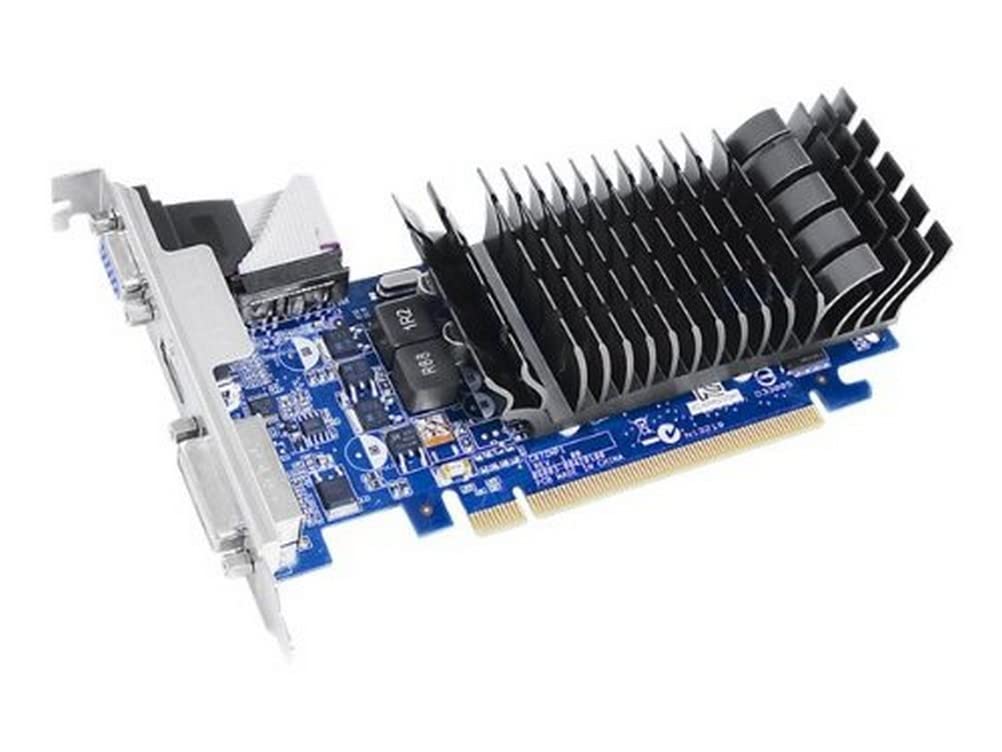
Asus En210 Is A Silent, Low-Profile Card For Hd Htpc Entertainment. It Is Ideal For Home Theater Pcs And Multimedia Centers With Low Profile Design And High Power Efficiency. Silent Passive Cooling Runs 0Db Quiet, Perfect For Hushed Gaming And Multimedia Joy.
⚠️ WARNING (California Proposition 65): This product may contain chemicals known to the State of California to cause cancer, birth defects, or other reproductive harm. For more information, please visit www.P65Warnings.ca.gov.
Frequently Asked Questions
Q: What are the dimensions of the ASUS GeForce 210 video card?A: The ASUS GeForce 210 measures nine point zero two inches long, six point five inches wide, and two point zero one inches high. These dimensions make it suitable for low-profile installations.
Q: What type of memory does the ASUS GeForce 210 use?A: The ASUS GeForce 210 features one gigabyte of DDR3 memory. This provides efficient handling of multimedia tasks and gaming.
Q: What is the memory interface of the ASUS GeForce 210?A: The ASUS GeForce 210 has a sixty-four bit memory interface. This interface supports the card's efficient performance and power management.
Q: How do I install the ASUS GeForce 210 video card?A: To install the ASUS GeForce 210, insert it into a PCI Express two point zero x sixteen slot on your motherboard. Ensure the card is securely fastened and connect any necessary cables.
Q: Is the ASUS GeForce 210 suitable for gaming?A: Yes, the ASUS GeForce 210 is suitable for light gaming and multimedia applications. Its silent design and low power consumption make it ideal for home theater PCs.
Q: Can I use the ASUS GeForce 210 with Windows seven?A: Yes, the ASUS GeForce 210 is compatible with Microsoft Windows seven. It supports various features like NVIDIA PhysX and DirectX ten point one.
Q: How do I clean the ASUS GeForce 210 video card?A: To clean the ASUS GeForce 210, power down your computer and use a soft, dry cloth. Avoid using liquids or abrasive materials to prevent damage.
Q: Does the ASUS GeForce 210 require external power?A: No, the ASUS GeForce 210 does not require external power. It draws power directly from the PCI Express slot.
Q: What is the maximum resolution supported by the ASUS GeForce 210?A: The maximum resolution supported by the ASUS GeForce 210 is two thousand five hundred sixty by one thousand six hundred pixels. This enables high-definition output for multimedia.
Q: Is the ASUS GeForce 210 suitable for professional applications?A: No, the ASUS GeForce 210 is not designed for high-end professional applications. It is more suited for basic gaming and multimedia tasks.
Q: What cooling system does the ASUS GeForce 210 use?A: The ASUS GeForce 210 utilizes a fanless design for silent operation. Its exclusive zero decibel thermal design ensures efficient heat dissipation without noise.
Q: How do I troubleshoot display issues with the ASUS GeForce 210?A: If you experience display issues, check the connections to your monitor and ensure the card is properly seated in the PCI Express slot. Restart your computer to see if the problem persists.
Q: What outputs are available on the ASUS GeForce 210?A: The ASUS GeForce 210 includes one D-Sub output, one DVI output, and one HDMI output. This variety allows for flexible connectivity options.
Q: What kind of warranty does the ASUS GeForce 210 come with?A: The ASUS GeForce 210 typically comes with a limited warranty from the manufacturer. Check with the retailer for specific warranty details.
Q: Can I use the ASUS GeForce 210 for video editing?A: Yes, the ASUS GeForce 210 can be used for basic video editing tasks. However, for more intensive editing, a higher-end graphics card may be recommended.