

Cart
0


Asus Daily Vivobook Laptop, 14'' Fhd Display, Intel Core I3 1215U, 8Gb Ram, 256Gb Ssd, Wi Fi 6, Hdmi, Webcam, Touchpad, Windows
Vendor: ASUS
Type: Business Laptops
Sku: WBCOMB0DB67YDVX
Availability: In Stock
Couldn't load pickup availability
Guarantee safe checkout

Sold by Electroeshop, an authorized reseller.
Returns accepted within 30 days | support@electroeshop.com
Shipping Information
- Free Standard Shipping — United States only
- Processing Time: 1–3 business days
- Estimated Delivery: 3–5 business days after dispatch
- Double-boxed, fully insured & discreetly packaged
- Tracking number sent via email once dispatched
- Orders over $250 require signature upon delivery. Taxes calculated at checkout.
Returns & Refund
Returns accepted within 30 days of delivery.
Damaged or Defective Item
Free return shipping + replacement or full refund
Wrong Item Received
Free return shipping + replacement or full refund
Change of Mind
Return shipping at customer's expense · 25% restocking fee applies
All returns require a Return Authorization (RA) number before sending.
View Full Return & Refund Policy
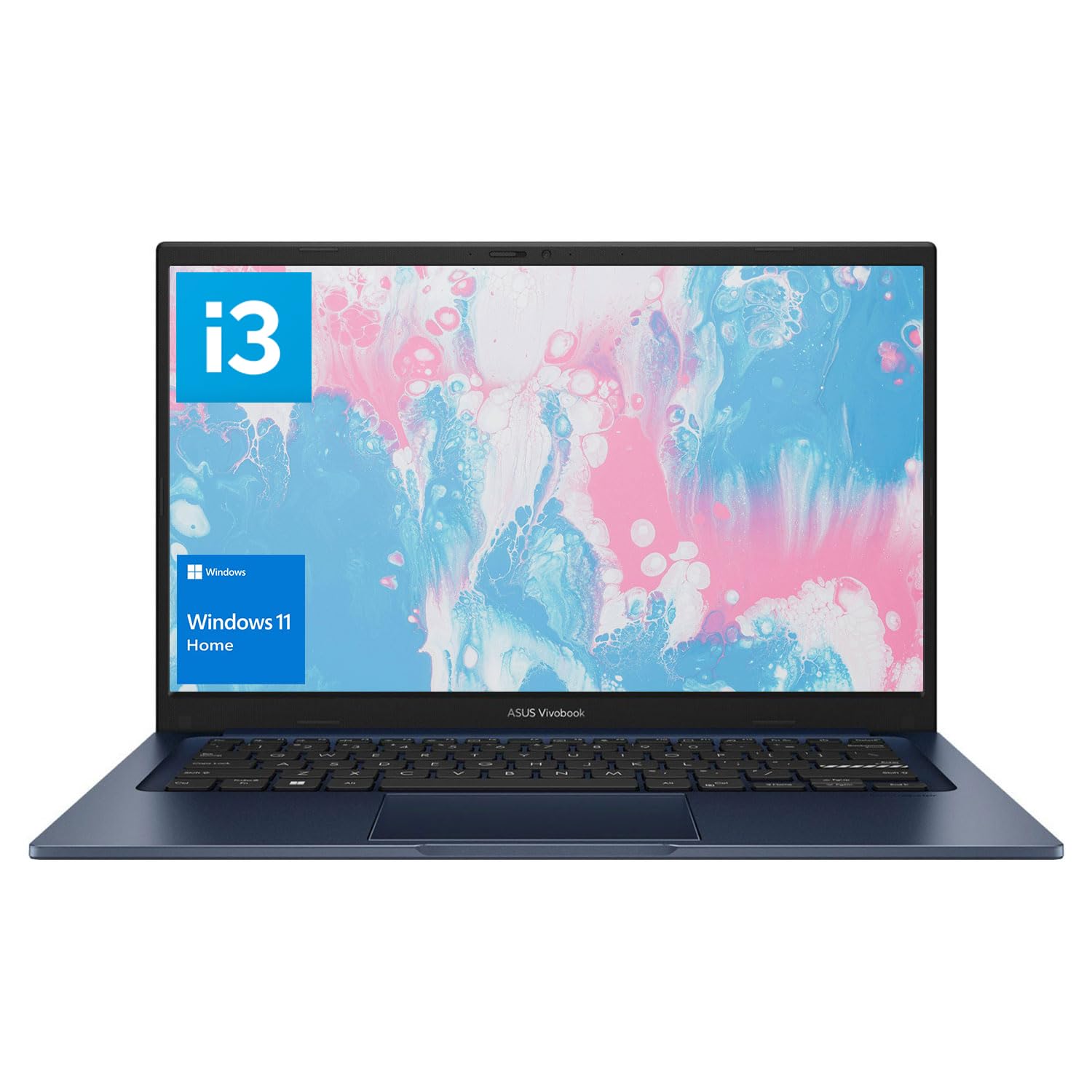
Asus Daily Vivobook Laptop, 14'' Fhd Display, Intel Core I3 1215U, 8Gb Ram, 256Gb Ssd, Wi Fi 6, Hdmi, Webcam, Touchpad, Windows
$433.32

Frequently Asked Questions
- Q: What is the display size of the ASUS Daily Vivobook Laptop? A: The display size is fourteen inches. It features a full HD resolution of one thousand nine hundred twenty by one thousand eighty pixels.
- Q: What type of processor does the ASUS Daily Vivobook use? A: It uses an Intel Core i3-1215U processor. This processor has six cores and eight threads with a maximum turbo frequency of four point four gigahertz.
- Q: How much RAM does the ASUS Daily Vivobook Laptop have? A: The laptop comes with eight gigabytes of DDR4 RAM. This allows for smooth multitasking and running multiple applications simultaneously.
- Q: What is the weight of the ASUS Daily Vivobook Laptop? A: The laptop weighs three point zero nine pounds. This lightweight design makes it portable for daily use.
- Q: What are the dimensions of the ASUS Daily Vivobook Laptop? A: The dimensions are twelve point seventy-nine inches in length, eight point forty-two inches in width, and zero point seventy inches in height.
- Q: What type of storage does the ASUS Daily Vivobook offer? A: It offers a two hundred fifty-six gigabyte PCIe NVMe M.2 solid state drive. This provides fast boot times and quick data access.
- Q: How do I connect to Wi-Fi with the ASUS Daily Vivobook? A: You can connect via Wi-Fi six. This standard provides faster speeds and better connectivity in crowded areas.
- Q: Does the ASUS Daily Vivobook have an HDMI port? A: Yes, it has one HDMI one point four port. This allows you to connect the laptop to external displays easily.
- Q: How do I clean the ASUS Daily Vivobook Laptop? A: Use a soft, lint-free cloth to wipe the screen and body. Avoid using harsh chemicals that can damage the laptop's finish.
- Q: How should I store my ASUS Daily Vivobook Laptop? A: Store it in a cool, dry place when not in use. Ensure it is powered off and disconnected from any peripherals.
- Q: Is the ASUS Daily Vivobook suitable for gaming? A: No, it is not primarily designed for gaming. It features Intel UHD graphics, which are better suited for everyday tasks.
- Q: What is the warranty period for the ASUS Daily Vivobook? A: It generally comes with a one-year limited warranty. Coverage may vary based on the retailer and region.
- Q: Can I upgrade the RAM on the ASUS Daily Vivobook? A: Yes, you can upgrade the RAM up to twenty-four gigabytes. This allows for enhanced performance as needed.
- Q: What operating system does the ASUS Daily Vivobook use? A: It comes pre-installed with Windows eleven Home. This provides a modern interface and various improved features.
- Q: What safety features does the ASUS Daily Vivobook have? A: It includes basic safety features like surge protection and a built-in webcam privacy shutter. Always handle it with care.