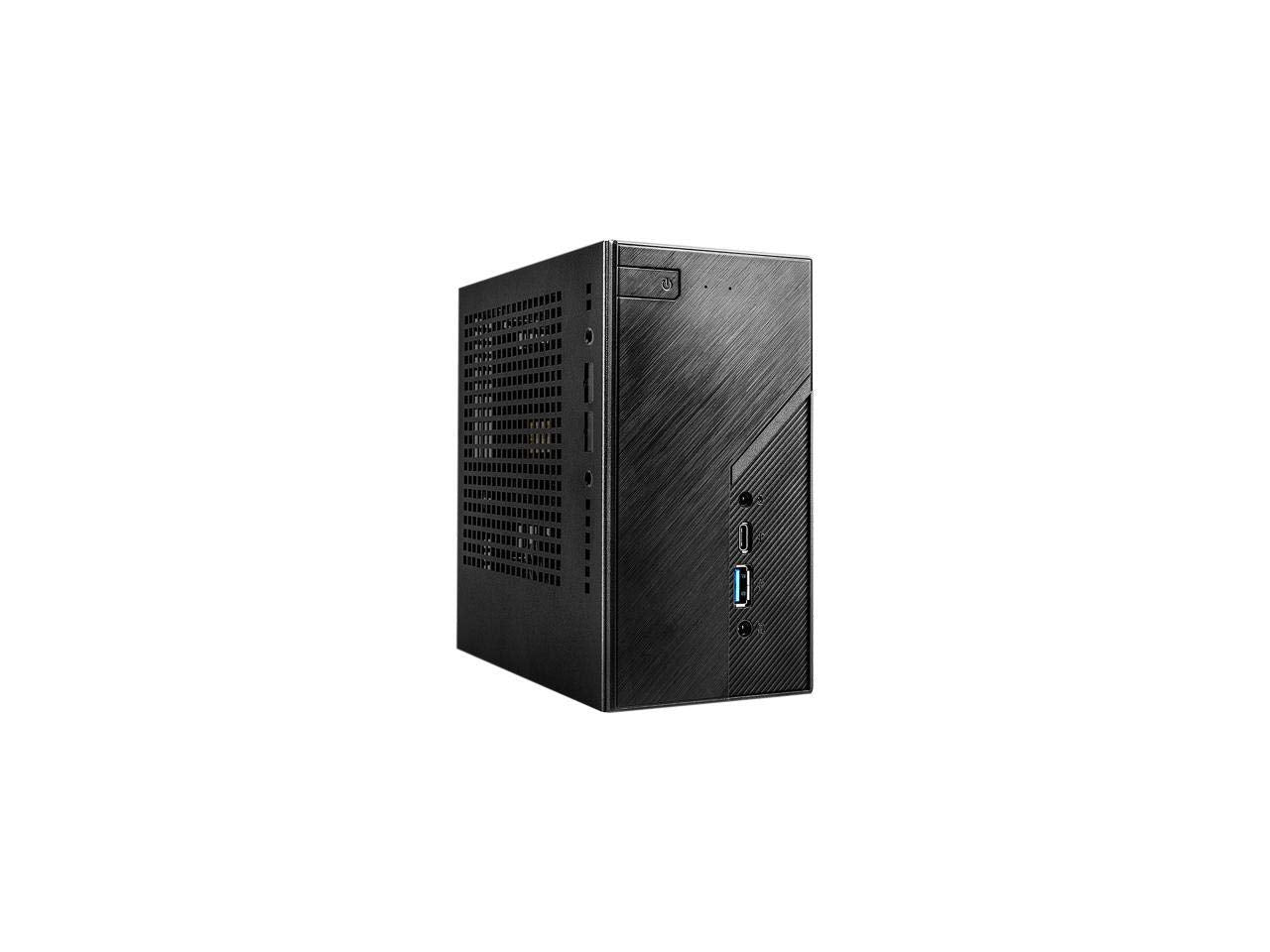
Deskmini H470 Adopts Lga1200 Cpu Socket, Supports Intel The Latest 8 Cores Core I9-11900 65 Watts Processor. Delivering Ultimate Computing Performance Within A Tiny Pc.
⚠️ WARNING (California Proposition 65): This product may contain chemicals known to the State of California to cause cancer, birth defects, or other reproductive harm. For more information, please visit www.P65Warnings.ca.gov.
Frequently Asked Questions
Q: What are the dimensions of the ASRock DESKMINI H470W?A: The ASRock DESKMINI H470W measures twelve point zero one inches in length, five inches in width, and nine point zero two inches in height. This compact size is ideal for limited spaces.
Q: What type of processors does the ASRock DESKMINI H470W support?A: The ASRock DESKMINI H470W supports tenth and eleventh generation Intel Core processors. It is compatible with LGA1200 socket processors up to sixty-five watts.
Q: How much memory can the ASRock DESKMINI H470W hold?A: The ASRock DESKMINI H470W can accommodate up to sixty-four gigabytes of dual DDR4-2933MHz SO-DIMMs. This allows for efficient multitasking and performance.
Q: How do I install components into the ASRock DESKMINI H470W?A: To install components, open the chassis and secure the processor, memory, and storage in their respective slots. Ensure all connections are properly seated for optimal operation.
Q: Can I use the ASRock DESKMINI H470W for gaming?A: Yes, the ASRock DESKMINI H470W can be used for gaming when equipped with a compatible graphics card. It supports multiple video outputs for enhanced graphics performance.
Q: Is the ASRock DESKMINI H470W suitable for office use?A: Yes, the ASRock DESKMINI H470W is highly suitable for office use. Its compact design and powerful specifications make it perfect for productivity tasks.
Q: How do I keep the ASRock DESKMINI H470W clean and maintained?A: To maintain the ASRock DESKMINI H470W, regularly clean the exterior with a damp cloth and ensure that the vents are clear of dust. This helps in maintaining optimal airflow.
Q: What is the warranty period for the ASRock DESKMINI H470W?A: The ASRock DESKMINI H470W generally comes with a standard warranty of one year. This covers defects in materials and workmanship.
Q: Can I upgrade the storage in the ASRock DESKMINI H470W?A: Yes, the ASRock DESKMINI H470W features one Ultra M.2 PCIe Gen3 x4 slot for storage upgrades. This allows for fast SSD installation to enhance performance.
Q: What are the video output options for the ASRock DESKMINI H470W?A: The ASRock DESKMINI H470W offers multiple video output options including two DisplayPort, one HDMI, and one D-Sub. This allows for flexible display configurations.
Q: Is the ASRock DESKMINI H470W compatible with USB-C devices?A: Yes, the ASRock DESKMINI H470W includes one USB Type-C port with alternate mode support. This allows for connection with various modern devices.
Q: What should I do if the ASRock DESKMINI H470W arrives damaged?A: If the ASRock DESKMINI H470W arrives damaged, contact the retailer immediately for a return or exchange. Most retailers have customer service to assist with such issues.
Q: Does the ASRock DESKMINI H470W require special tools for assembly?A: No, the ASRock DESKMINI H470W can be assembled using standard tools. A Phillips screwdriver is typically sufficient for most installation tasks.
Q: What materials is the ASRock DESKMINI H470W made of?A: The ASRock DESKMINI H470W features a black metal chassis. This provides both durability and a sleek appearance for your desktop setup.
Q: How many USB ports does the ASRock DESKMINI H470W have?A: The ASRock DESKMINI H470W is equipped with three USB ports, including one USB 3.2 Gen1 Type-C port. This ensures ample connectivity for peripherals.
Q: Is the ASRock DESKMINI H470W energy efficient?A: Yes, the ASRock DESKMINI H470W is designed to be energy efficient, especially when using processors that operate at up to sixty-five watts. This can help reduce power consumption.