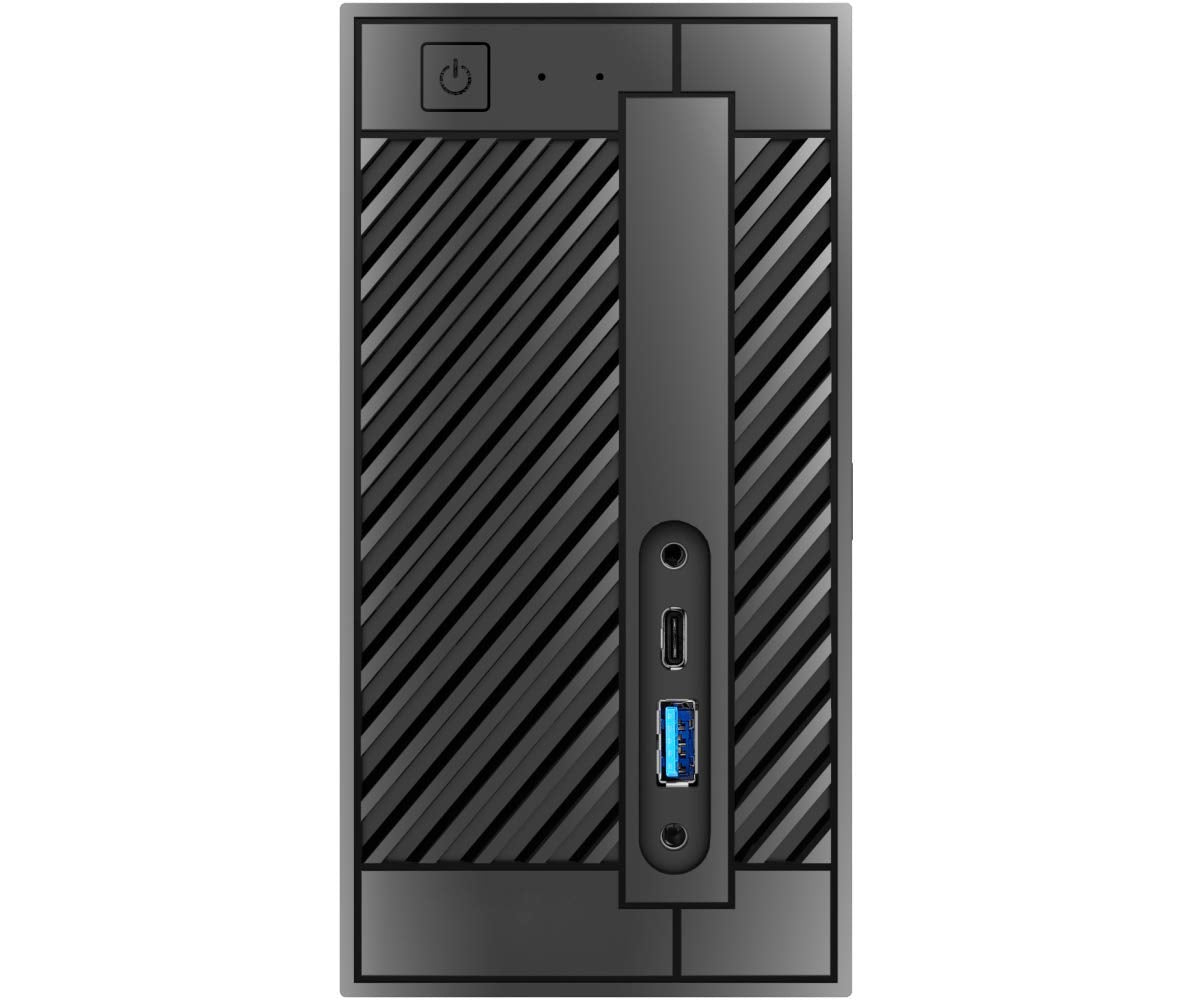
Supports Intel 8Th Core/ Pentium/ Celeron Lga1151 Processors Dual Ddr4 So-Dimms, Up To 32Gb Triple Video Outputs: Displayport, Hdmi & D-Sub 1 X Ultra M.2 Pcie Gen3 X4 Slot 2 X 2.5'' Hdd/Ssd Tray 1 X M.2 (2230) Wi-Fi Slot Usb 3.1 Gen1 Type-C Port Micro Sd Card Reader Three Graphics Output Options: Hdmi, Dp, Vga And Supports Up To 2 Displays Simultaneously.
⚠️ WARNING (California Proposition 65): This product may contain chemicals known to the State of California to cause cancer, birth defects, or other reproductive harm. For more information, please visit www.P65Warnings.ca.gov.
Frequently Asked Questions
Q: What is the size of the ASRock DESKMINI 310W?A: The ASRock DESKMINI 310W measures twelve inches in length, five inches in width, and nine inches in height.
Q: What type of processors does the ASRock DESKMINI 310W support?A: The ASRock DESKMINI 310W supports Intel 8th Core, Pentium, and Celeron LGA1151 processors.
Q: How much RAM can the ASRock DESKMINI 310W accommodate?A: The ASRock DESKMINI 310W can accommodate up to thirty-two gigabytes of DDR4 RAM.
Q: What are the video output options for the ASRock DESKMINI 310W?A: The ASRock DESKMINI 310W offers triple video output options: DisplayPort, HDMI, and D-Sub.
Q: How many HDD or SSD trays does the ASRock DESKMINI 310W have?A: The ASRock DESKMINI 310W features two trays for two and a half inch HDD or SSD drives.
Q: Does the ASRock DESKMINI 310W have an M.2 slot?A: Yes, the ASRock DESKMINI 310W includes one Ultra M.2 PCIe Gen3 x4 slot.
Q: How do I install the ASRock DESKMINI 310W?A: To install the ASRock DESKMINI 310W, you need to fit the processor, RAM, and storage drives, then connect peripherals.
Q: Is the ASRock DESKMINI 310W suitable for gaming?A: Yes, the ASRock DESKMINI 310W can be suitable for casual gaming with its triple video output options.
Q: Can I use dual displays with the ASRock DESKMINI 310W?A: Yes, the ASRock DESKMINI 310W supports up to two displays simultaneously.
Q: What is the warranty period for the ASRock DESKMINI 310W?A: The warranty period for the ASRock DESKMINI 310W typically lasts for one year from the date of purchase.
Q: How do I clean the ASRock DESKMINI 310W?A: To clean the ASRock DESKMINI 310W, use a soft, dry cloth to wipe the exterior and ensure proper ventilation.
Q: Is the ASRock DESKMINI 310W easy to upgrade?A: Yes, the ASRock DESKMINI 310W is designed for easy upgrades, allowing access to RAM and storage components.
Q: What if the ASRock DESKMINI 310W arrives damaged?A: If the ASRock DESKMINI 310W arrives damaged, you should contact customer support to initiate a return or exchange.
Q: Is there a specific power supply needed for the ASRock DESKMINI 310W?A: Yes, the ASRock DESKMINI 310W requires a compatible power supply that meets its specifications for optimal performance.
Q: What is the color of the ASRock DESKMINI 310W?A: The ASRock DESKMINI 310W is available in black.