⚠️ WARNING (California Proposition 65): This product may contain chemicals known to the State of California to cause cancer, birth defects, or other reproductive harm. For more information, please visit www.P65Warnings.ca.gov.
Frequently Asked Questions
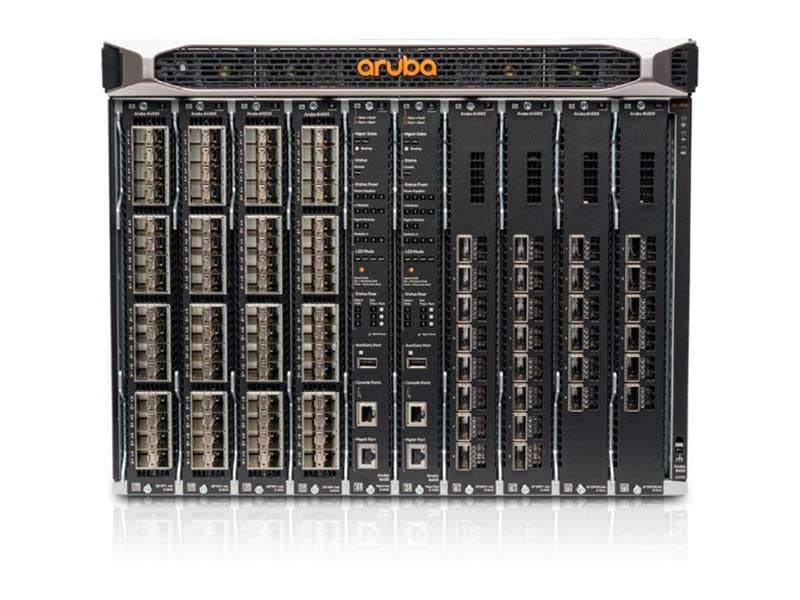
Q: What are the dimensions of the Aruba HPE 8400 8-Slot Chassis JL375A?A: The dimensions are twenty-six inches in length, seventeen point four inches in width, and thirteen point eight two inches in height.
Q: What is the model number of this product?A: The model number is JL375A.
Q: What type of product is the Aruba HPE 8400?A: It is a core and aggregation switch designed for networking.
Q: How do I install the Aruba HPE 8400 switch?A: To install, mount the chassis in a rack, connect power supplies, and configure using network management tools.
Q: What applications can the Aruba HPE 8400 support?A: It supports applications for mobile, cloud, and IoT environments, catering to modern networking needs.
Q: Is the Aruba HPE 8400 suitable for small businesses?A: Yes, it is suitable for small businesses needing scalable and efficient networking solutions.
Q: How should I clean the Aruba HPE 8400 switch?A: Use a soft cloth to dust the chassis and avoid using liquids directly on the equipment.
Q: Is there a warranty for the Aruba HPE 8400 switch?A: Yes, it typically comes with a limited warranty; check with the manufacturer for specific details.
Q: What is the best way to store the switch when not in use?A: Store in a dry, dust-free environment, ideally in its original packaging to prevent damage.
Q: How does the Aruba HPE 8400 compare to older models?A: It offers enhanced scalability, lower latency, and advanced analytics compared to older networking models.
Q: Is the Aruba HPE 8400 suitable for high-traffic environments?A: Yes, it is designed for high-traffic environments, providing industry-leading port density and performance.
Q: Can I use the Aruba HPE 8400 for cloud applications?A: Yes, it is optimized for cloud applications and supports modern networking demands.
Q: What if my Aruba HPE 8400 arrives damaged?A: Contact customer support immediately to arrange a return or exchange for the damaged unit.
Q: How many ports does the Aruba HPE 8400 support?A: It supports various port configurations, including ten gigabit, forty gigabit, and one hundred gigabit options.
Q: What should I do if I encounter setup issues?A: Refer to the user manual or contact technical support for guidance on resolving setup issues.
Q: Does the Aruba HPE 8400 have built-in analytics features?A: Yes, it includes a unique Aruba Network Analytics Engine for monitoring and troubleshooting.