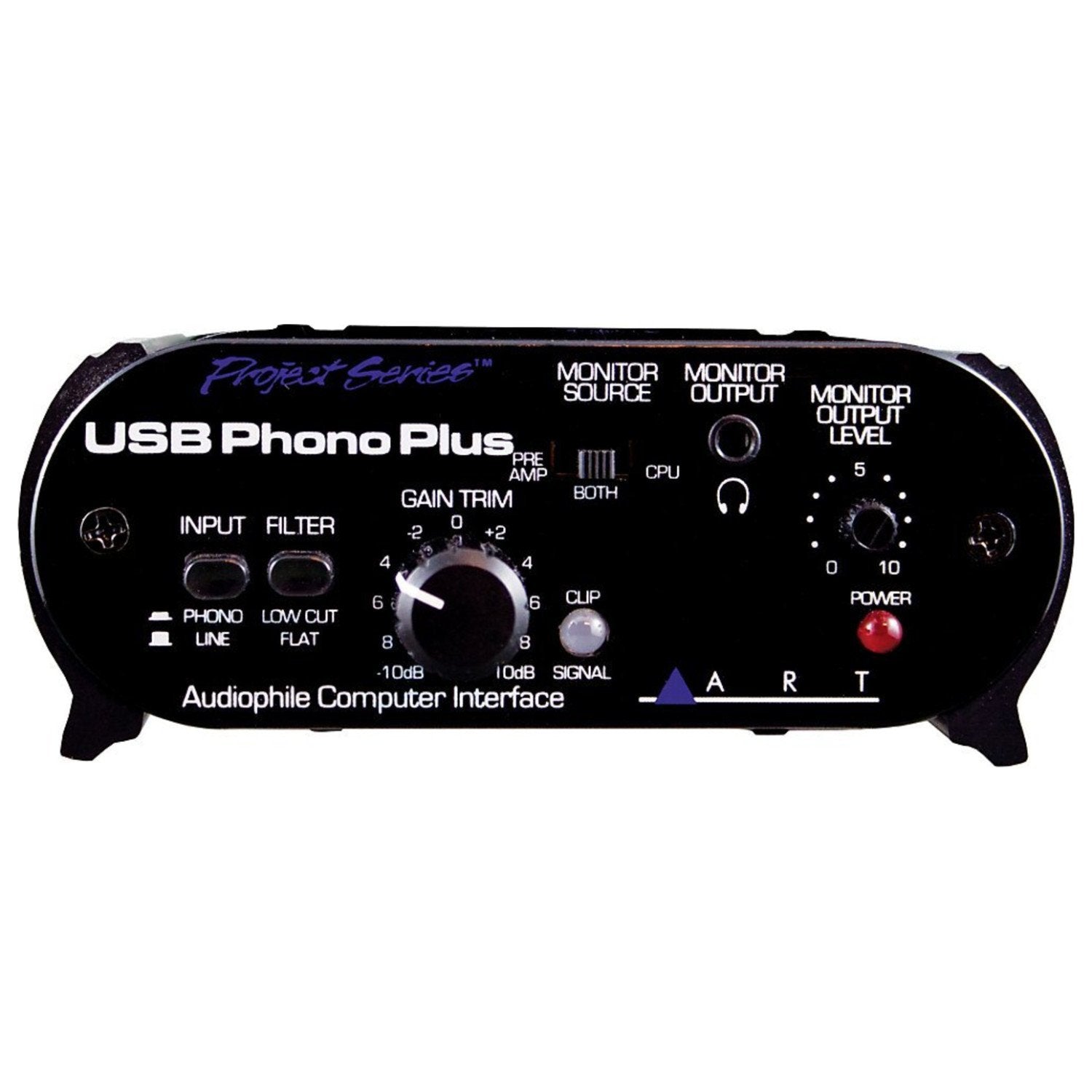
The Art Usb Phono Plus Phono Preamplifier / Audio Interface Is The Perfect Solution For Transferring Your Prized Vinyl Collection To Your Computer. It Also Makes An Ideal Audio Interface. The Usb Phono Plus Sports A High-Performance Riaa Phono Preamp With A Low Cut Filter For Pristine Audio Transfer. Theres A Healthy Compliment Of Analog And Digital I/O Onboard, And Front-Mounted Gain And Signal/Clipping Indication Let You Optimize A Variety Of Analog Sources. The Unit Is Sheathed In A Tough, All-Aluminum Case. If Digitizing Your Records Is Long Overdue, Pick Up The Art Usb Phono Plus. Art Usb Phono Plus Features At A Glance: An Easy, Great-Sounding Solution For Digitizing Your Vinyl! A/D-D/A: 16 Bit, 44.1Khz Or 48Khz, Usb Selectable From Computer Digital Audio Interface: Toslink Opto In To And Out From Usb, S/Pdif Coax In To Usb Mac: Os9.1 / Os X Computers With Native Usb Support Windows: 98Se/Me/2000/Xp/Vista/7
⚠️ WARNING (California Proposition 65): This product may contain chemicals known to the State of California to cause cancer, birth defects, or other reproductive harm. For more information, please visit www.P65Warnings.ca.gov.
Frequently Asked Questions
Q: What are the dimensions of the ART USB Phono Plus?A: The dimensions are eleven point four inches in length, eleven point seven inches in width, and four point seven inches in height.
Q: What materials is the ART USB Phono Plus made from?A: The ART USB Phono Plus is primarily made from plastic and is housed in a tough, all-aluminum case.
Q: What type of audio resolution does the ART USB Phono Plus support?A: It supports sixteen-bit audio resolution at either forty-four point one kilohertz or forty-eight kilohertz.
Q: How do I connect the ART USB Phono Plus to my computer?A: You can connect it via USB, which is compatible with both Mac and Windows operating systems.
Q: Is the ART USB Phono Plus suitable for beginners in audio recording?A: Yes, it is designed to be an easy-to-use solution for digitizing vinyl records, making it suitable for beginners.
Q: How do I use the ART USB Phono Plus for recording?A: To use it, connect your turntable to the phono preamp, then connect the USB output to your computer for recording.
Q: Can I use the ART USB Phono Plus with both Mac and Windows systems?A: Yes, it is compatible with Mac OS nine point one and higher, as well as Windows versions starting from ninety-eight.
Q: What software comes with the ART USB Phono Plus?A: It ships with Sound Saver Express software for easy recording and editing of your vinyl.
Q: How do I keep my ART USB Phono Plus clean and in good condition?A: To clean it, use a soft, dry cloth to wipe the exterior and ensure it stays dust-free.
Q: Is there a warranty for the ART USB Phono Plus?A: Yes, it typically comes with a standard warranty; check with the manufacturer for specific details.
Q: What should I do if the ART USB Phono Plus doesn't work after setup?A: Make sure all connections are secure, and if issues persist, refer to the troubleshooting guide or contact customer support.
Q: Does the ART USB Phono Plus have a signal clipping indication feature?A: Yes, it features front-mounted gain control and signal/clipping indication for optimal audio performance.
Q: Can I use the ART USB Phono Plus to play audio through speakers?A: Yes, it can function as an audio interface, allowing you to connect to speakers or other audio devices.
Q: Is the ART USB Phono Plus portable?A: Yes, its compact design makes it portable and easy to take to different locations for recording.
Q: What types of audio sources can I connect to the ART USB Phono Plus?A: You can connect various analog sources, including turntables, to digitize their audio.
Q: Does the ART USB Phono Plus have digital audio outputs?A: Yes, it includes TOSlink optical inputs and outputs as well as S/PDIF coaxial inputs.