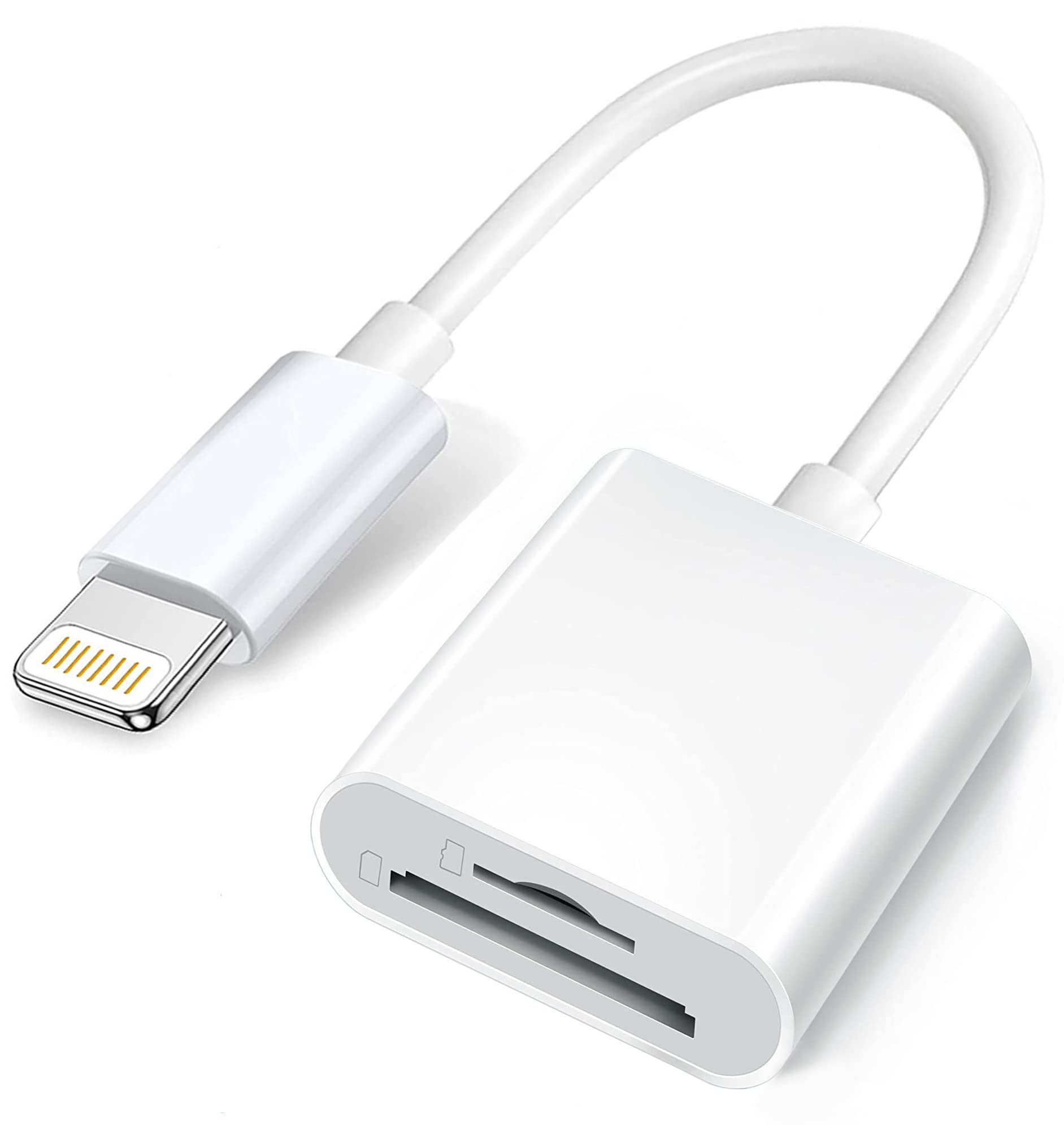
The Wahbite SD & TF Card Adapter for iPhone is an essential accessory for photographers and videographers who need to transfer data quickly and efficiently. This card reader enables seamless uploading of photos and videos from SD or micro SD cards directly to your iPhone or iPad, making it perfect for sharing memories on social media or backing up files.
This high-performance card reader features a sleek and compact design, ensuring portability and ease of use. With a data transmission speed of 20MB/s to 30MB/s, it supports a maximum capacity of 512GB. Designed for compatibility with a wide range of iOS devices, this adapter is a versatile tool for anyone working with digital media.
Key Features:
2 in 1 Double Card Slot: Supports both SD and micro SD memory cards, allowing users to download photos and videos directly to their iPhone or iPad.
High-Speed Transfer: Achieves data transmission speeds of 20MB/s to 30MB/s, enabling rapid transfer of photos and videos.
Formats and Capacity Support: Compatible with standard photo formats (JPEG and RAW) and video formats (H.264 and MPEG-4), supporting up to 512GB of storage.
Plug and Play: No additional software or computer required; the adapter connects easily and functions immediately after a brief wait period.
Universal Compatibility: Works seamlessly with iPhone models including 13, 12, 11, and SE, as well as various iPad models, supporting iOS 9.2 and later versions.
Precautions for Use: Designed for one-way transmission on older iOS versions (9.2 to 12.4) and two-way transmission on iOS 13 and above, ensuring versatility across devices.
Warm Tips: Supports only one card at a time due to iOS system limitations; ensures optimal performance with proper card insertion.
The Wahbite SD & TF Card Adapter is an ideal solution for photographers, content creators, and anyone who frequently manages large volumes of digital media. Its combination of high-speed transfer, broad compatibility, and user-friendly design makes it a valuable addition to any iOS device toolkit. Whether you’re on the go or at home, this adapter simplifies the process of transferring and sharing your important files.
⚠️ WARNING (California Proposition 65): This product may contain chemicals known to the State of California to cause cancer, birth defects, or other reproductive harm. For more information, please visit www.P65Warnings.ca.gov.
Frequently Asked Questions
Q: What devices are compatible with the Apple Lightning to SD card reader?A: The reader is compatible with various iPhone and iPad models. This includes iPhone models from thirteen Pro Max down to five, as well as iPad Mini and iPad Pro models.
Q: What is the maximum storage capacity supported by the card reader?A: The maximum supported capacity of the card reader is five hundred twelve gigabytes. This allows for ample storage for photos and videos.
Q: What formats does the Apple Lightning to SD card reader support?A: The card reader supports standard photo formats like JPEG and RAW, along with HD video formats including H.264 and MPEG-4. This versatility makes it suitable for various media types.
Q: How fast is the data transfer rate of this card reader?A: The data transfer speed can reach between twenty megabytes per second and thirty megabytes per second. This ensures quick downloads of photos and videos.
Q: How do I use the Apple Lightning to SD card reader?A: To use it, simply plug it into your iPhone or iPad and insert your SD or micro SD card. It’s designed for easy plug-and-play functionality.
Q: Can I transfer files in both directions with the card reader?A: Yes, for iOS thirteen and later, the reader supports two-way transmission. You can both import and export files between your device and the card.
Q: Is the card reader suitable for beginners or casual users?A: Yes, the card reader is very user-friendly and designed for plug-and-play use. It requires no installation of additional software, making it ideal for all users.
Q: What precautions should I take while using the card reader?A: Ensure only one card is used at a time and check that the card is properly inserted. If issues arise, try reconnecting the card and reader.
Q: How should I clean and maintain the card reader?A: To maintain the card reader, gently wipe it with a soft, dry cloth. Avoid using harsh chemicals or submerging it in water.
Q: What do I do if the card reader isn't working properly?A: If the card reader isn’t functioning, check the connections and try a different card. If problems persist, consult the user manual for troubleshooting tips.
Q: Can I use the card reader to transfer Word or PDF documents?A: Yes, the card reader can also read and transfer various types of documents, including Word and PDF files, especially for iOS thirteen and later.
Q: Is the card reader compatible with older iOS versions?A: Yes, it works with iOS versions nine point two through twelve point four, but only supports one-way transmission with these versions.
Q: What happens if my memory card is not recognized?A: If the memory card is not recognized, ensure it's correctly inserted or try using a different card. Reconnecting the reader may also help.
Q: Does the card reader require any apps to function?A: No, the Apple Lightning to SD card reader does not require any apps. It operates through the built-in Files or Photos app on your device.
Q: Is the card reader portable and easy to carry?A: Yes, the compact design makes it highly portable, allowing you to easily carry it with your iPhone or iPad for on-the-go use.