

Cart
0

Apc Legacy Comm. Smartslot Cardnew Retail, Ap9620New Retail)
Vendor: Apc
Type: All-in-One Printers
Sku: WBEEAB007A3UA5A
Availability: In Stock
Couldn't load pickup availability
Guarantee safe checkout

Sold by Electroeshop, an authorized reseller.
Returns accepted within 30 days | support@electroeshop.com
Shipping Information
- Free Standard Shipping — United States only
- Processing Time: 1–3 business days
- Estimated Delivery: 3–5 business days after dispatch
- Double-boxed, fully insured & discreetly packaged
- Tracking number sent via email once dispatched
- Orders over $250 require signature upon delivery. Taxes calculated at checkout.
Returns & Refund
Returns accepted within 30 days of delivery.
Damaged or Defective Item
Free return shipping + replacement or full refund
Wrong Item Received
Free return shipping + replacement or full refund
Change of Mind
Return shipping at customer's expense · 25% restocking fee applies
All returns require a Return Authorization (RA) number before sending.
View Full Return & Refund Policy
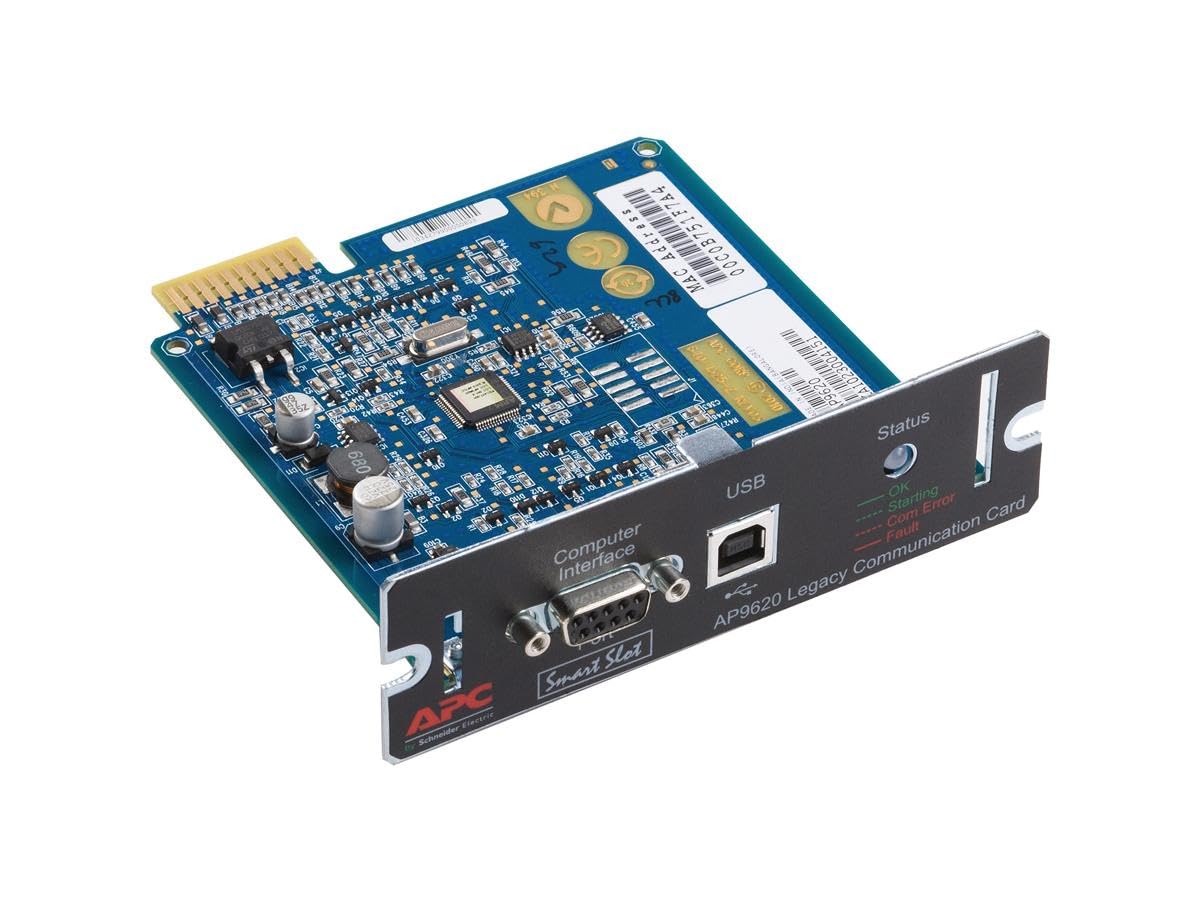
Apc Legacy Comm. Smartslot Cardnew Retail, Ap9620New Retail)
$222.33

Frequently Asked Questions
- Q: What are the dimensions of the APC Legacy Communications SmartSlot Card? A: The dimensions are four point seventy-six inches in length, four point forty-nine inches in width, and one point five inches in height. This compact size makes it easy to fit into various setups.
- Q: What type of material is the APC SmartSlot Card made of? A: The APC Legacy Communications SmartSlot Card is primarily made of durable plastic. This material ensures longevity and reliability in various environmental conditions.
- Q: What is the model number of this APC product? A: The model number is AP9620. This identifies the specific version of the SmartSlot Card for compatibility and support.
- Q: How do I install the APC SmartSlot Card? A: To install the APC SmartSlot Card, insert it into the SmartSlot of your UPS system. Ensure the UPS is powered off during installation to avoid any electrical issues.
- Q: Is the APC SmartSlot Card compatible with all UPS models? A: No, the APC SmartSlot Card is not compatible with all UPS models. It specifically works with Smart-UPS models including the two thousand two hundred and three thousand variants.
- Q: Can I use the APC SmartSlot Card for remote management? A: Yes, the APC SmartSlot Card allows for remote management of your UPS. This feature enhances monitoring and control capabilities from any location.
- Q: How do I care for the APC SmartSlot Card? A: To care for the APC SmartSlot Card, keep it dry and free from dust. Avoid exposing it to extreme temperatures or humidity to ensure optimal performance.
- Q: Is the APC SmartSlot Card safe to use? A: Yes, the APC SmartSlot Card is safe to use when installed and operated according to the manufacturer's instructions. Ensure proper installation to avoid electrical hazards.
- Q: How should I store the APC SmartSlot Card when not in use? A: Store the APC SmartSlot Card in a cool, dry place away from direct sunlight. This will help maintain its condition and functionality.
- Q: What makes the APC SmartSlot Card a good choice? A: The APC SmartSlot Card offers premium quality at an outstanding value. It enhances the functionality of your UPS while ensuring reliable performance.
- Q: Can I return the APC SmartSlot Card if it doesn't fit my UPS? A: Yes, you can return the APC SmartSlot Card if it is unused and in its original packaging. Be sure to check the return policy for specific details.
- Q: What should I do if the APC SmartSlot Card arrives damaged? A: If the APC SmartSlot Card arrives damaged, contact customer support immediately for a replacement or return process. Have your order details ready for assistance.
- Q: Are there any warranty options for the APC SmartSlot Card? A: Yes, the APC SmartSlot Card typically comes with a manufacturer's warranty. Check the packaging or manufacturer's website for specific warranty details.
- Q: Is the APC SmartSlot Card easy to use for beginners? A: Yes, the APC SmartSlot Card is user-friendly and suitable for beginners. The installation process is straightforward with clear instructions provided.
- Q: Does the APC SmartSlot Card require any special software? A: Yes, to utilize all features of the APC SmartSlot Card, specific management software may be required. Refer to the product documentation for recommendations.
- Q: What features does the APC SmartSlot Card offer? A: The APC SmartSlot Card offers features such as remote management and monitoring capabilities. This enhances the overall functionality of your UPS system.