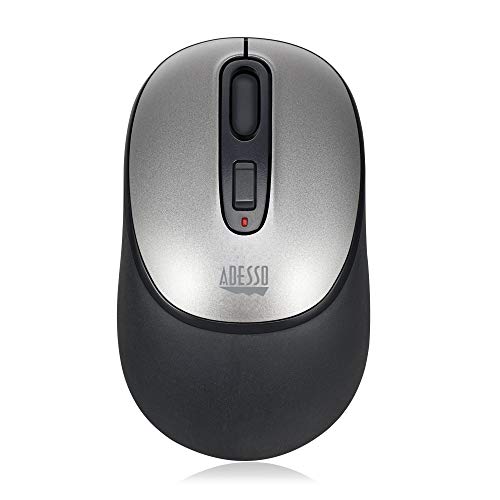
Smooth, Stylish, And Precise Wireless Optical 3-Button Silicone Mouse With Nano-Receiver For Laptop, Desktop, And Netbook Pcs. This Advanced Wireless Mouse Offers You Up To 30 Feet Of Wireless Freedom And Eliminates The Constraints That Wired Mice Often Cause. Its Optical Sensor Tracking Method Lets You Work On Most Surfaces With Better Speed And Accuracy. In Addition, The Mouse Includes A Built-In Dpi Resolution Of 800/1200/1600 For Precise Navigation And Fast Maneuver. On Top Of These Features. Combined With Its Reliability And Portability, The Imouse A10 Is Your Perfect Peripheral Companion.
⚠️ WARNING (California Proposition 65): This product may contain chemicals known to the State of California to cause cancer, birth defects, or other reproductive harm. For more information, please visit www.P65Warnings.ca.gov.
Frequently Asked Questions
Q: What is the size of the iMouse A10?A: The iMouse A10 measures four point seventeen inches in length, two point forty-eight inches in width, and one point fifty-four inches in height.
Q: What materials is the iMouse A10 made from?A: The iMouse A10 is constructed from silicone and wood, providing a smooth and durable design.
Q: What is the DPI resolution of the iMouse A10?A: The iMouse A10 features adjustable DPI resolutions of eight hundred, twelve hundred, and sixteen hundred for precise tracking.
Q: How do I connect the iMouse A10 to my computer?A: Simply plug the nano receiver into a USB port on your laptop or desktop, and the iMouse A10 will connect automatically.
Q: Is the iMouse A10 suitable for left-handed users?A: Yes, the iMouse A10 has an ergonomic design that accommodates both right and left-handed users comfortably.
Q: Can I use the iMouse A10 on glass surfaces?A: Yes, the enhanced optical sensor allows the iMouse A10 to track accurately on glass, wood, and leather surfaces.
Q: How long is the wireless range of the iMouse A10?A: The iMouse A10 offers a wireless range of up to thirty feet from your computer, providing freedom of movement.
Q: What operating systems is the iMouse A10 compatible with?A: The iMouse A10 is compatible with both Windows and Mac operating systems, making it versatile for different devices.
Q: How do I clean the iMouse A10?A: To clean the iMouse A10, use a soft, damp cloth to wipe the exterior, avoiding any harsh chemicals or abrasive materials.
Q: Does the iMouse A10 require batteries?A: Yes, the iMouse A10 operates using batteries, but the specific battery type is not mentioned in the product details.
Q: What should I do if my iMouse A10 stops working?A: If the iMouse A10 stops working, try replacing the batteries, ensuring the nano receiver is properly connected, or checking for interference.
Q: Is there a warranty for the iMouse A10?A: Warranty information for the iMouse A10 was not specified, so check with the manufacturer for details.
Q: Can I use the iMouse A10 for gaming?A: Yes, the adjustable DPI settings make the iMouse A10 suitable for gaming, allowing for enhanced precision and control.
Q: What is the weight of the iMouse A10?A: The weight of the iMouse A10 is not specified, but it is designed to be compact and lightweight for portability.
Q: Does the iMouse A10 need software to work?A: No, the iMouse A10 is ready to use without additional software, making it convenient for immediate setup.